Model your data on a board before you migrate it
Model your data on a board before you migrate it: catch wrong keys and cardinalities early, get the right people to review, and know what a drawing misses.
Moving a line on a board takes seconds. Moving the same relationship in a production table takes a migration, a backfill and a nervous week of checking the numbers.
Quick AnswerModel your data on a board before you migrate it, because entities, keys and cardinalities are cheap to change in a drawing and expensive in production. Have the people who query and report on the data review it. Then check separately what a picture cannot show: volume, locking and backfill.
What a data model on a board catches
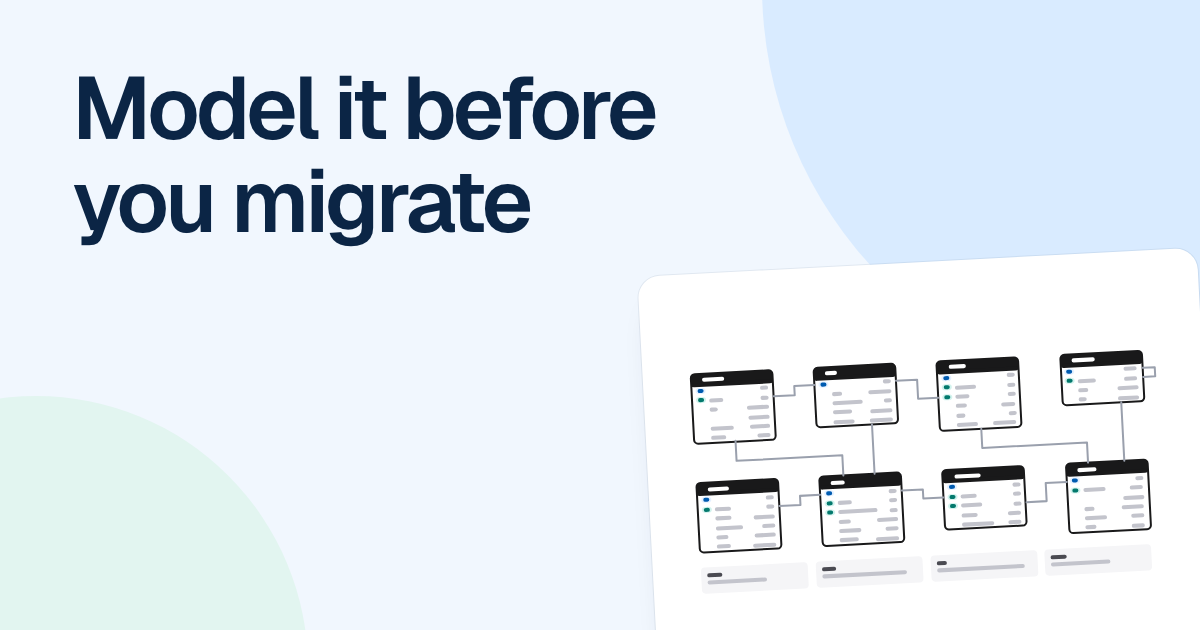
Say a store keeps refund details on its payments table, in refunded_at and refund_amount columns. Product now wants partial refunds, so the obvious change is a new refunds table with a foreign key to payments. One payment has zero or many refunds.
That takes two minutes to draw as an ER diagram, and then the questions start.
- Does a refund belong to a payment or to an order item? If a customer returns one of three items, finance will want to know which one.
- An order paid with a gift card and a card has two payments. Which one does the refund go against?
- Who issued it, a staff member or an automatic rule? That is a nullable foreign key, and “Zero or one” on the line.
- What happens to the old columns? If they stay, reports can read two different totals.
Found after release, each of those means another migration and another backfill. Found on the board, each one is a moved line or an extra field.
Read every line aloud as a sentence: “One payment has zero or many refunds.” People outside engineering cannot check a crow’s foot, but they can tell you when a sentence is wrong. Can an order exist with no items? Can a refund exist with no payment? Those are business rules, and a drawing is a cheap place to ask them.
While you are there, look hard at many-to-many lines. They usually hide a table with data of its own. Orders and products are many-to-many until someone asks where the quantity and the price paid are stored, and then you have order_items.
Draw the before, the after and the state between
One “after” picture is not enough for a migration that touches live data. We would draw three frames on one board: the schema today, the schema you want and the state in between.
The middle one is the frame teams skip, and it is where production will live for days or weeks. The usual safe route is called expand and contract: add the new table, write to both old and new, backfill the old rows, move reads across, then drop the old columns. Draw what exists at that stage, and note which version of the code reads what.
Keep each frame to the tables the change touches, plus their neighbors. A whole schema makes reviewers hunt for the part that matters.
Who should review it
Most schema reviews stop at one other backend engineer. That catches bad keys and misses what the data means, so we would ask for more readers.
| Reviewer | What they catch |
|---|---|
| The engineer writing the migration | Keys, nullable fields, queries that turn into joins |
| An analyst or finance owner | Reports built on the old columns, and what revenue means after the change |
| A support lead | What agents look up, such as finding a refund from an order number |
| The product owner | Wrong rules, such as whether an order can exist with no items |
| Owners of anything downstream | Exports and integrations that read these tables |
Send the board ahead with a specific question for each reader, and let them comment on the entity they mean. An async review suits this well, since nobody needs to be in a room to say “finance reports on that column”.
What the picture will not catch
An ER diagram shows structure and says nothing about running the change. A table of forty rows and a table of four hundred million rows look identical on a board.
| Risk | Why the drawing misses it | What to do |
|---|---|---|
| Volume | Every entity is drawn the same size | Check row counts and growth in production, and note them beside the entity |
| Locking | Whether a statement blocks writes depends on the database, its version and the exact change | Read the docs for that statement and rehearse on a copy at production size. PostgreSQL has CREATE INDEX CONCURRENTLY for this reason |
| Backfill | Run time, batch size and writes arriving during it are invisible | Run it in batches that can resume, rehearse it, and decide what to do with rows that break the new rules |
| Old and new code together | A rollout runs both versions at once | Ship in expand and contract steps, so each code version works with each schema state |
| Rollback | A drawing shows no way back | Write down the last point where you can still go back, and how |
Put what you learn on the board as notes beside each entity, so reviewers see the row count next to the relationship they are changing.
Where FlowDraw fits
FlowDraw draws ER diagrams on Pro and Team: entities with fields, “PK” and “FK” markers, a type on each field and a “Cardinality” setting on each line. The “Database schema” template shows a worked store schema with its conventions for names, money, time and deletes noted beside the tables.
It stays a drawing. FlowDraw does not connect to your database or write SQL, so the migration is still yours to write, and the board is the design you reviewed it against. Once the change ships, remove the in-between frame, make the target your current schema and rename the board to match.
FAQ
Yes, for any change that adds entities, moves keys or changes a cardinality. A drawing is the cheapest place to find a wrong relationship, and it lets people who do not read SQL check the rules. A small change, such as adding one nullable column, rarely needs one.