How to make a kanban board
Make a kanban board that keeps work moving: choose columns, write clear cards, set a WIP limit and build one in FlowDraw with tags and due dates.
A kanban board is columns, cards and one rule: finish something before you start something new. Making a kanban board takes very little time. Keeping the rule is the real work. Below is how to do both, with a launch campaign as the example.
Quick AnswerTo make a kanban board, list the stages your work really passes through and make each one a column. Put every piece of work on a card in its current column, limit how many cards the active columns can hold, and pull new work in only when there is room.
What is a kanban board?
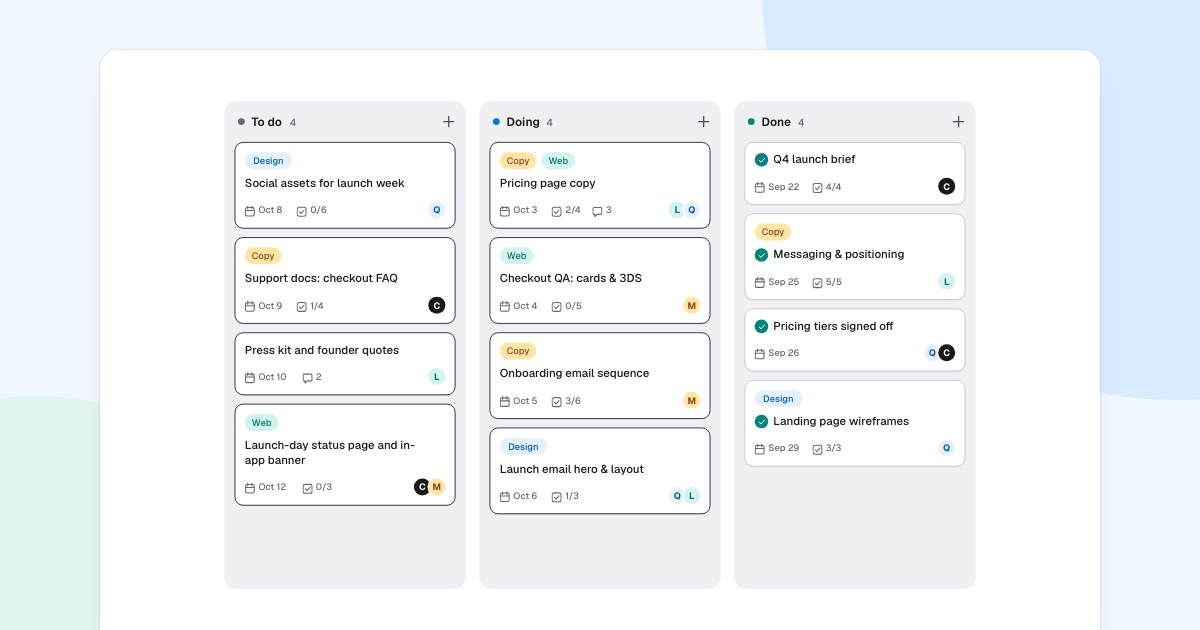
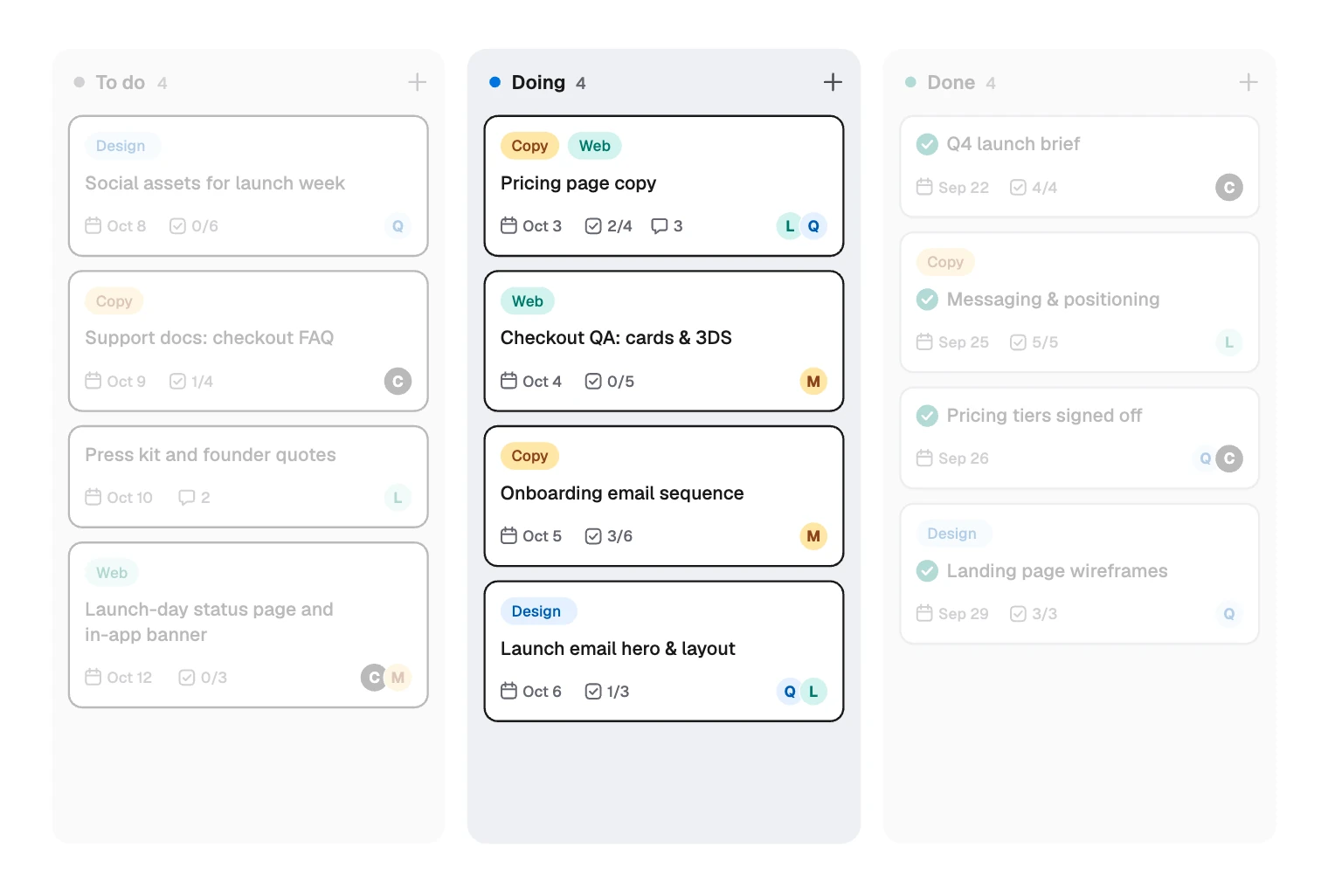
This one shows a team’s last weeks before a launch.
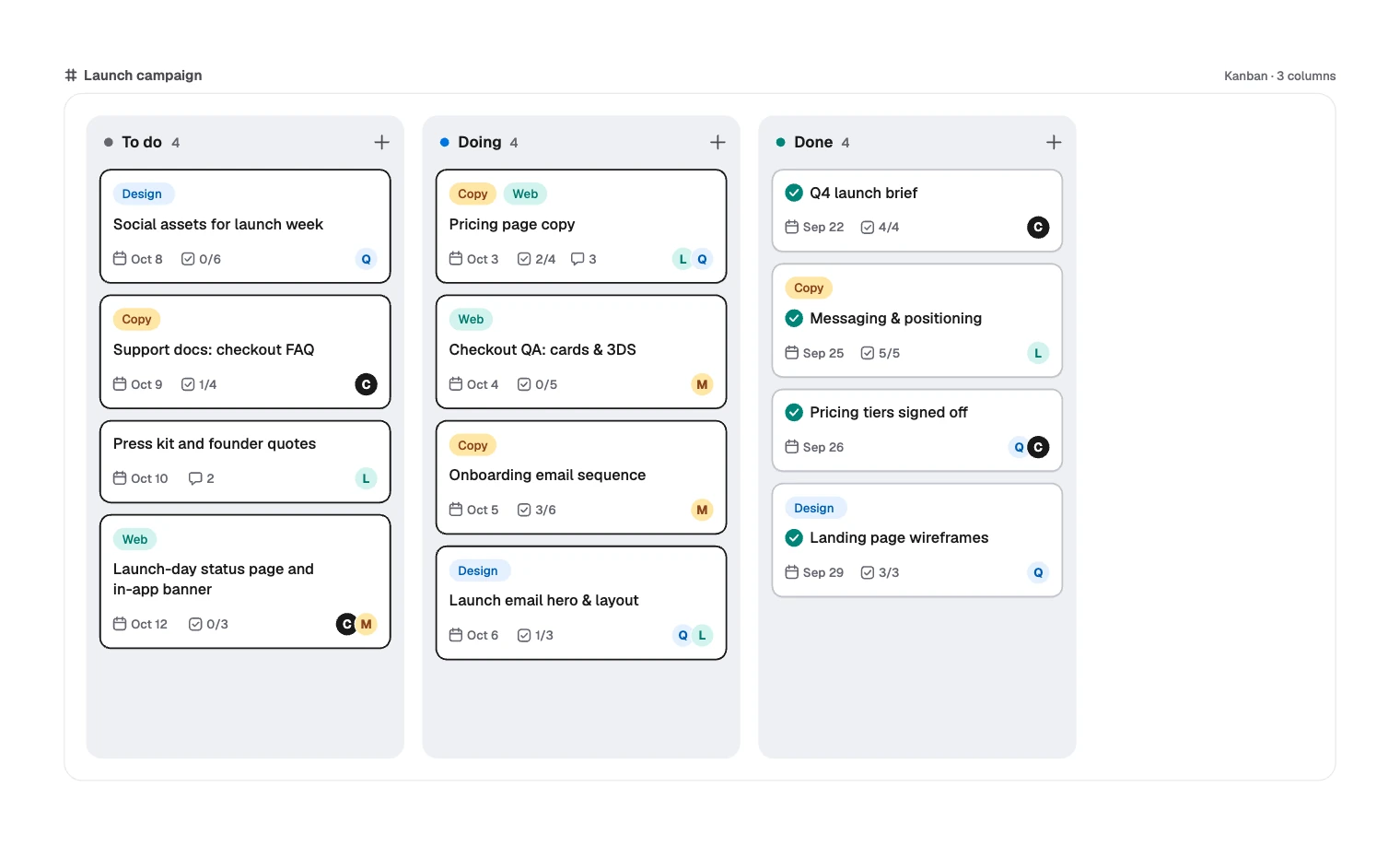
Kanban is Japanese for signboard or card. Toyota used physical cards to signal when to make more parts, so nothing was built before it was needed. Office teams borrowed the idea, because unfinished work piles up at a desk too, only you cannot see it.
A board makes that pile visible. Three habits turn it into kanban, and not just a to-do list with columns:
- Show all the work. Anything missing from the board cannot be weighed against everything else.
- Limit work in progress. Each active column has a maximum, often called a WIP limit. At the limit, people finish or help before starting anything new.
- Watch the flow. Cards that stop moving are your signal. Look at where they pile up, not at who looks busy.
Kanban board or something else?
| Your work looks like | Use | Why |
|---|---|---|
| A steady stream of requests in changing order | Kanban board | New work starts whenever there is room |
| Fixed sprints with a planned batch of work | Scrum board | The board resets each sprint |
| A dated plan you must explain to others | Project timeline | It shows what happens when |
| A few personal tasks with no stages | A plain list | Columns add nothing |
The parts of a kanban board
Zoom in on the first card in Doing and you can see all six parts.
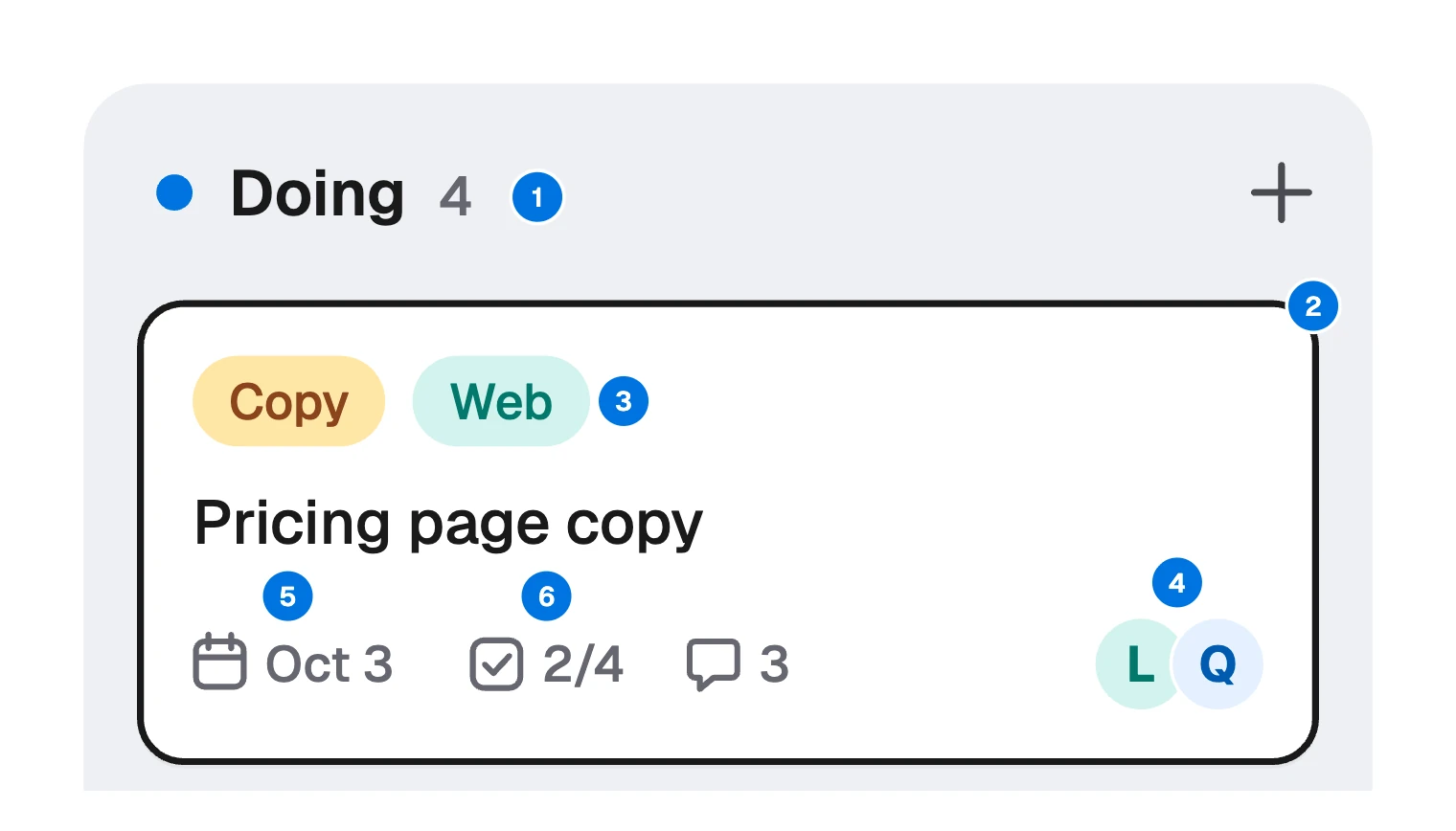
- Column: a stage work passes through. To do, Doing, Done.
- Card: one piece of work with a clear end.
- Tag: the kind of work, such as Copy or Web.
- Assignee: who is on it, as initials such as L or Q.
- Due date: when it matters, such as Oct 3.
- Checklist count: how far along it is, such as 2/4.
A few things in the sample are deliberate:
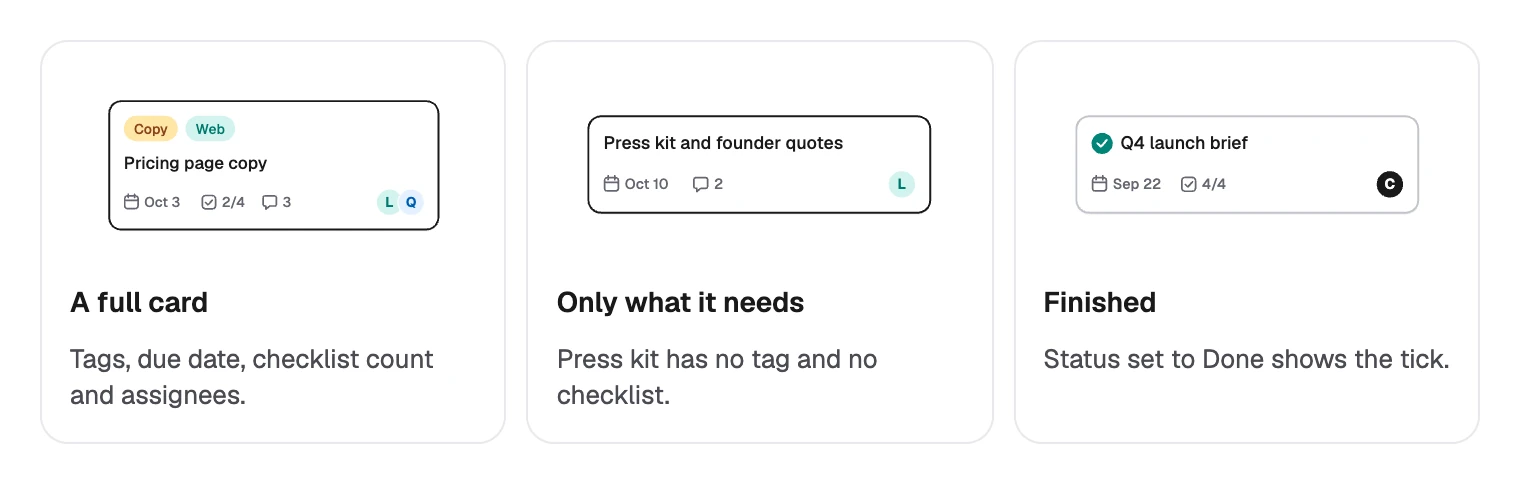
- Only three columns. The fewest that separate “not started” from “started”. Add more only where work waits, such as In review.
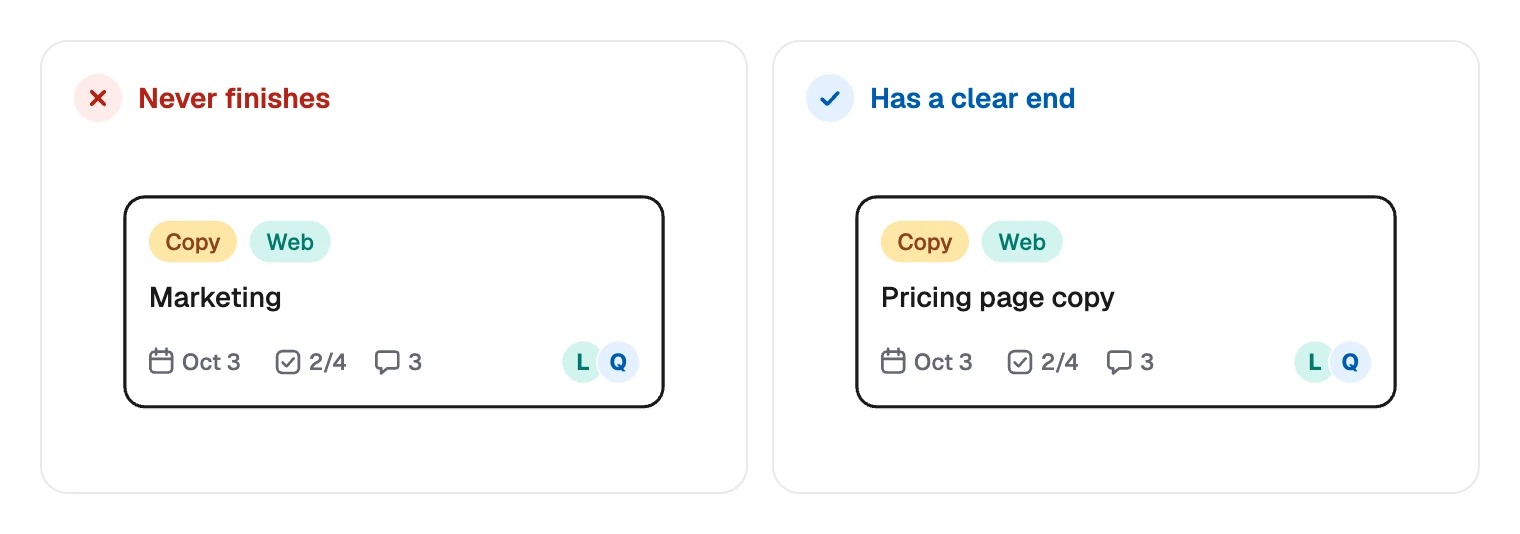
- Cards that can finish. Pricing page copy has an end, “Marketing” does not.
- Only the fields a card needs. Press kit and founder quotes has no tag or checklist.
Now count the initials in Doing. L, Q and M each appear on two cards. If two at a time is this team’s limit, nobody should pull from To do until something moves, however close Oct 8 looks.
How to make a kanban board
- Write down the real stages. Ask what happens to work between request and finished, in the team’s words. Start small.
- Say what each column means. Decide when a card may move. Done might mean reviewed and published, not just “I stopped working on it”.
- Write cards as outcomes. Keep each one small enough to finish within days. Split the rest.
- Set a limit on Doing. Two cards per person is a fair start. Lower it if cards stall, and raise it if people sit idle.
- Order by priority. The top of To do is what comes next.
- Review from right to left. In a short check-in, start with what is closest to Done.
When cards keep stalling in one column, a fishbone diagram can sort out why.
How to make a kanban board in FlowDraw
Kanban is free on every plan. It is a board you draw on, not a project management system, so it suits a campaign, a workshop or a small team’s weekly view.
“Assignees” are initials of up to three letters, not accounts. “Due” is free text, not a calendar date. Nothing reminds anyone or tracks anything, so use a tracking tool for that.
Start from the template
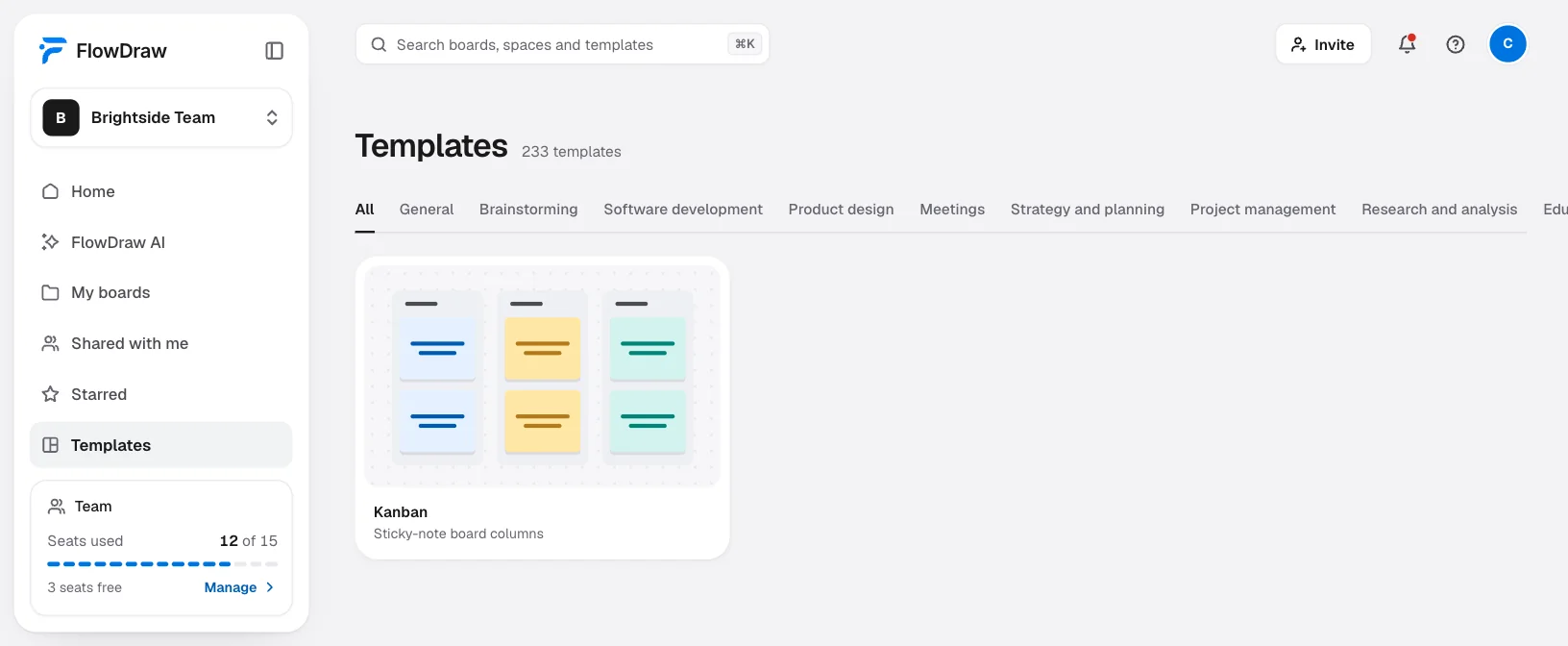
On Home, under “Start a new board”, choose “Kanban”. Or open it from “Templates” in the sidebar with “Use template”.
Or start on a blank board
Pick “Kanban” in the dock. It places a “Kanban” frame with a “To do” column and a “New card”.
Set up the columns
Select a column to open “Column properties”, where you can rename it, pick a “Dot color”, and use “Add card” or “Add column”.
Fill in the cards
Select a card to open “Card properties”: “Title”, “Tags”, “Assignees”, “Due”, “Checklist”, “Status” and “Card color”. “Checklist” holds two numbers, not a list.
Move the work
Drag a card to another column. A card dropped in Done does not change, so set “Status” to “Done” if you want the tick.
Share the board
Choose “Share” and add people by email. On Free, everyone you invite can edit. Pro is for one editor, so others get “Can comment” or “Can view”. Team is for two or more editors, and every workspace member holds a paid seat.
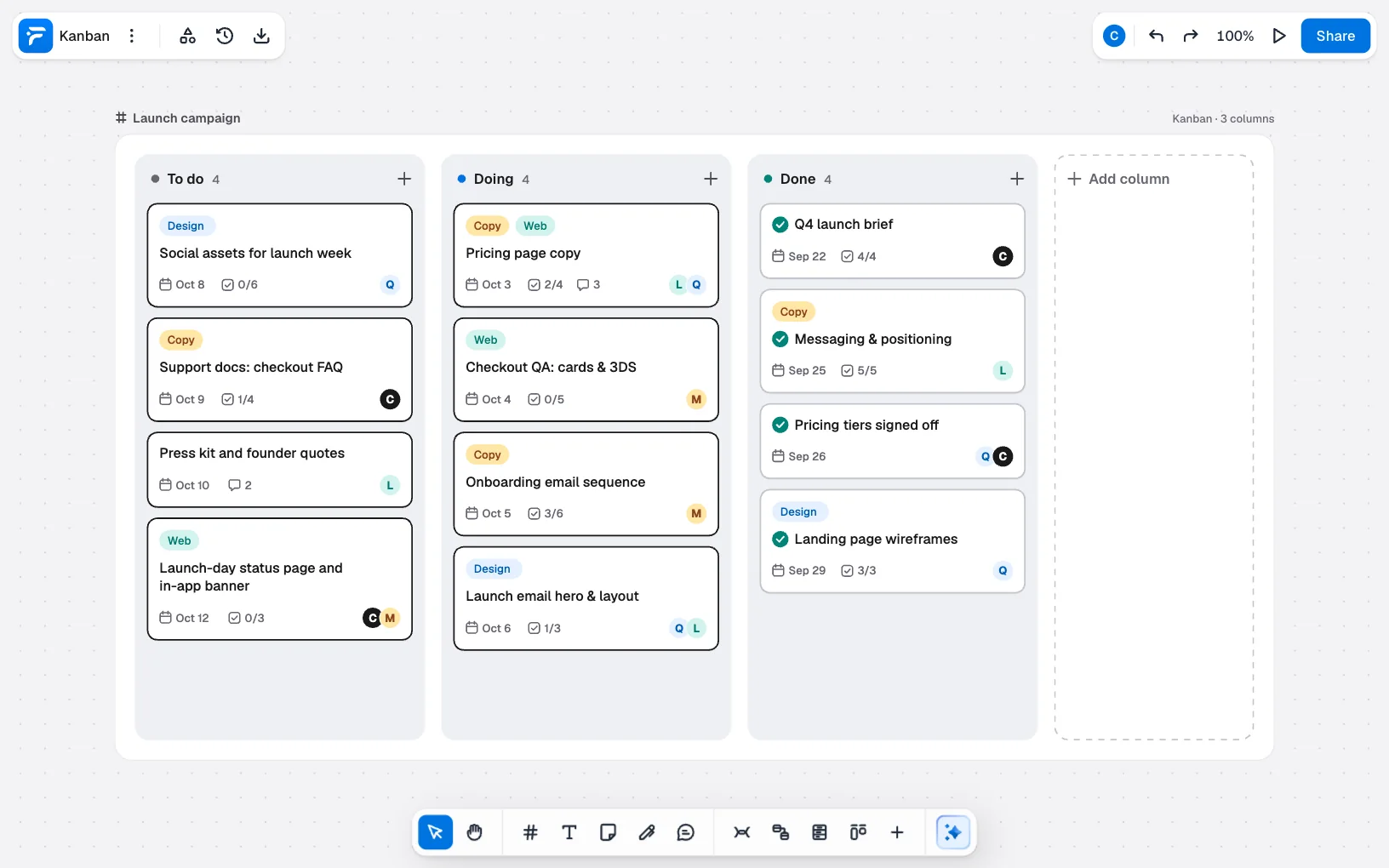
A Free board holds 150 elements, and each card or column counts as one. The sample uses 16, but clear out old Done cards now and then. See pricing for the plans.
Common kanban mistakes
| Mistake | What goes wrong | What to do instead |
|---|---|---|
| No limit on Doing | Everything gets started and little gets finished | Pick a number and write it down |
| Too many columns | Cards skip stages and nobody updates them | Keep one column per real wait |
| Cards that are too big | A card sits in Doing for weeks and tells you nothing | Split it into parts that can finish |
| Treating due dates as the plan | Oct 4 passes and the board says nothing | Read the dates aloud in your check-in |
| Never clearing Done | The board gets noisy and harder to read | Delete finished cards once the team has seen them |
| Updating the board after the meeting | People stop trusting a board that is out of date | Move cards during the check-in, in front of everyone |
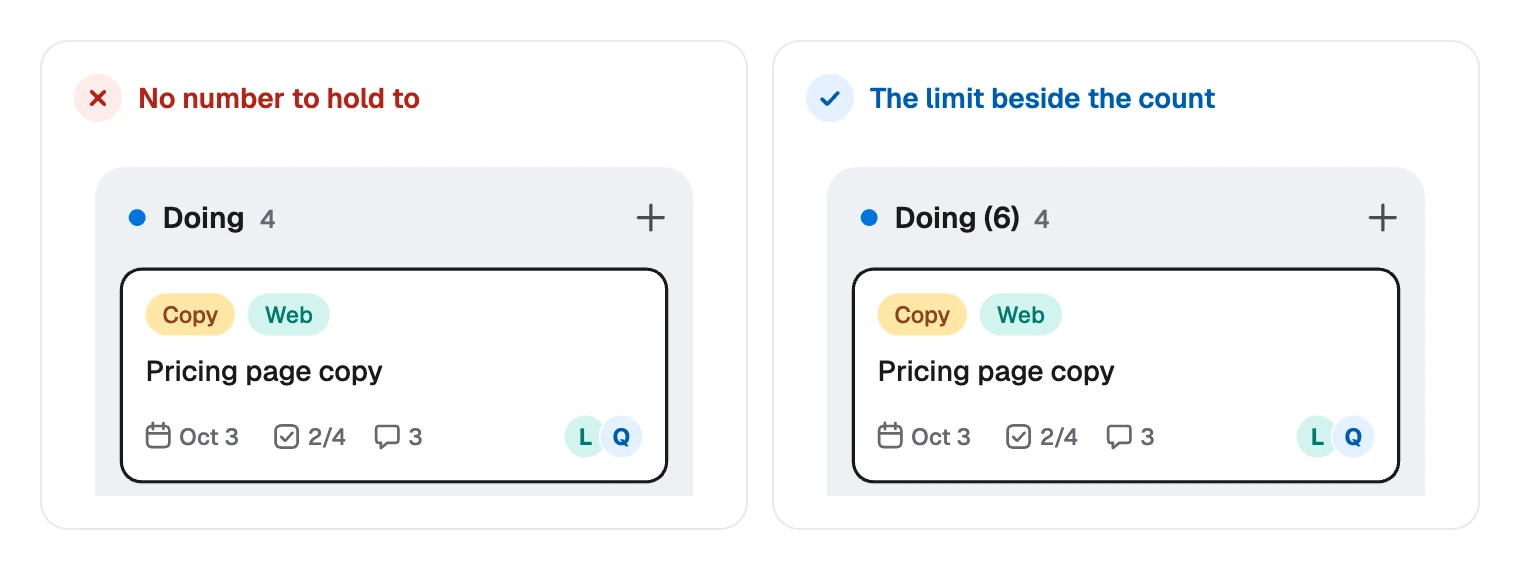
FlowDraw has no limit setting, so write the limit in the column name, such as Doing (6), and compare it with the count in the header.
FAQ
To do, Doing and Done are enough to begin with. Add a column only where work really waits, such as In review.