How to create a BPMN diagram
Create a BPMN diagram with the symbols most processes need: events, tasks, gateways, pools and flows, explained through an order fulfilment example.
BPMN looks intimidating because the full standard is large, but most processes need only a small part of it. You can create a BPMN diagram with about ten symbols.
Quick AnswerA BPMN diagram models a business process in a standard notation: events, tasks and gateways, joined by flows and organized in pools and lanes. To create one, name the trigger and the outcomes, add a pool for each participant, draw the tasks in order, then add gateways and message flows.
What is BPMN?
BPMN stands for Business Process Model and Notation, a standard maintained by the Object Management Group. Its value is shared meaning: a diamond with an X reads the same at any company.
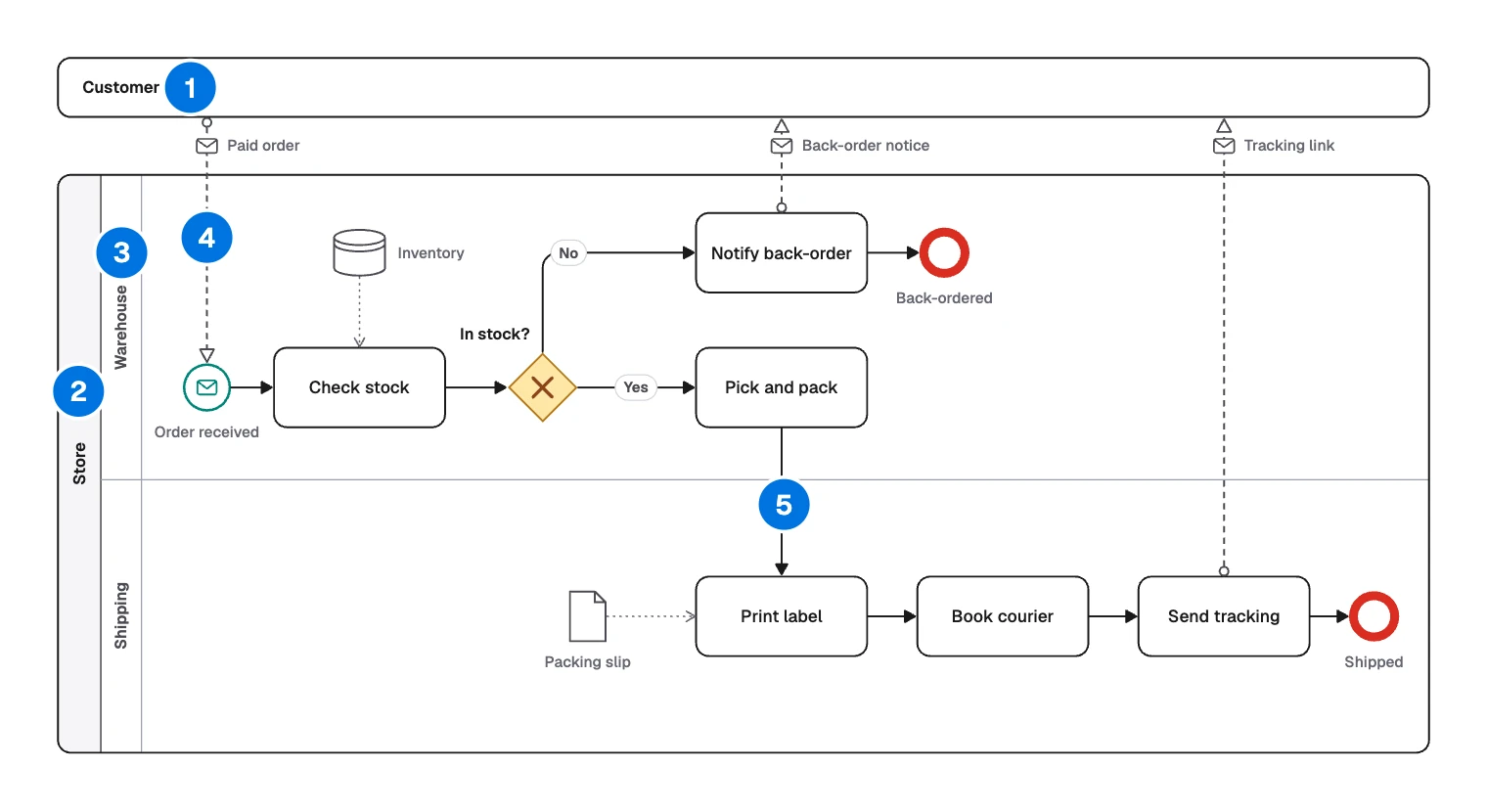
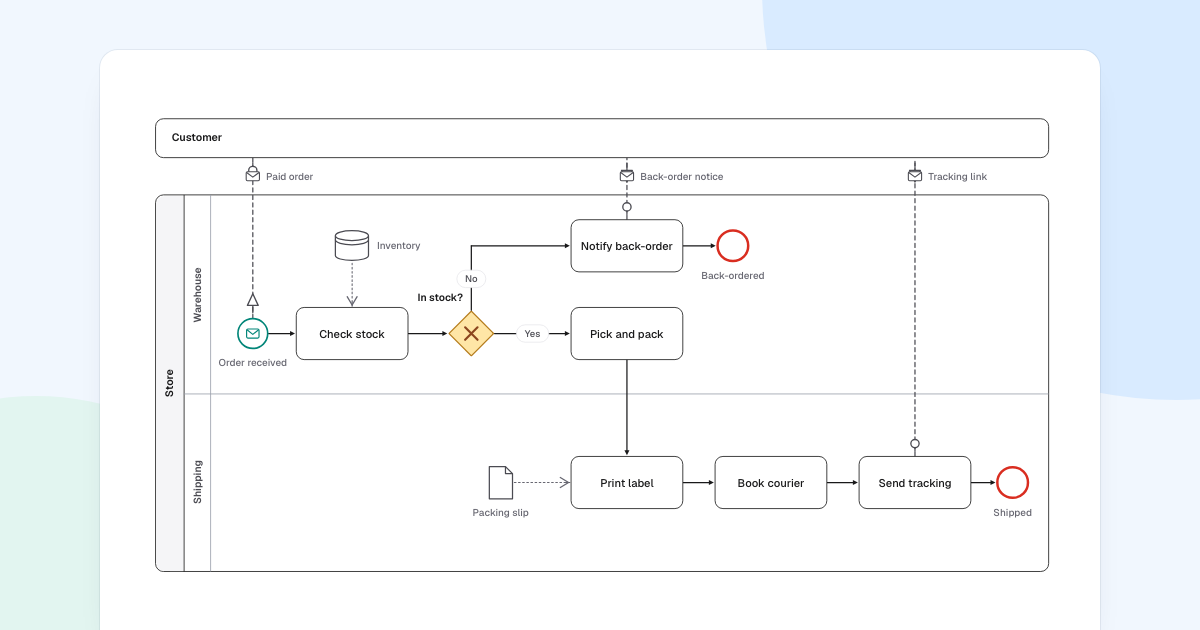
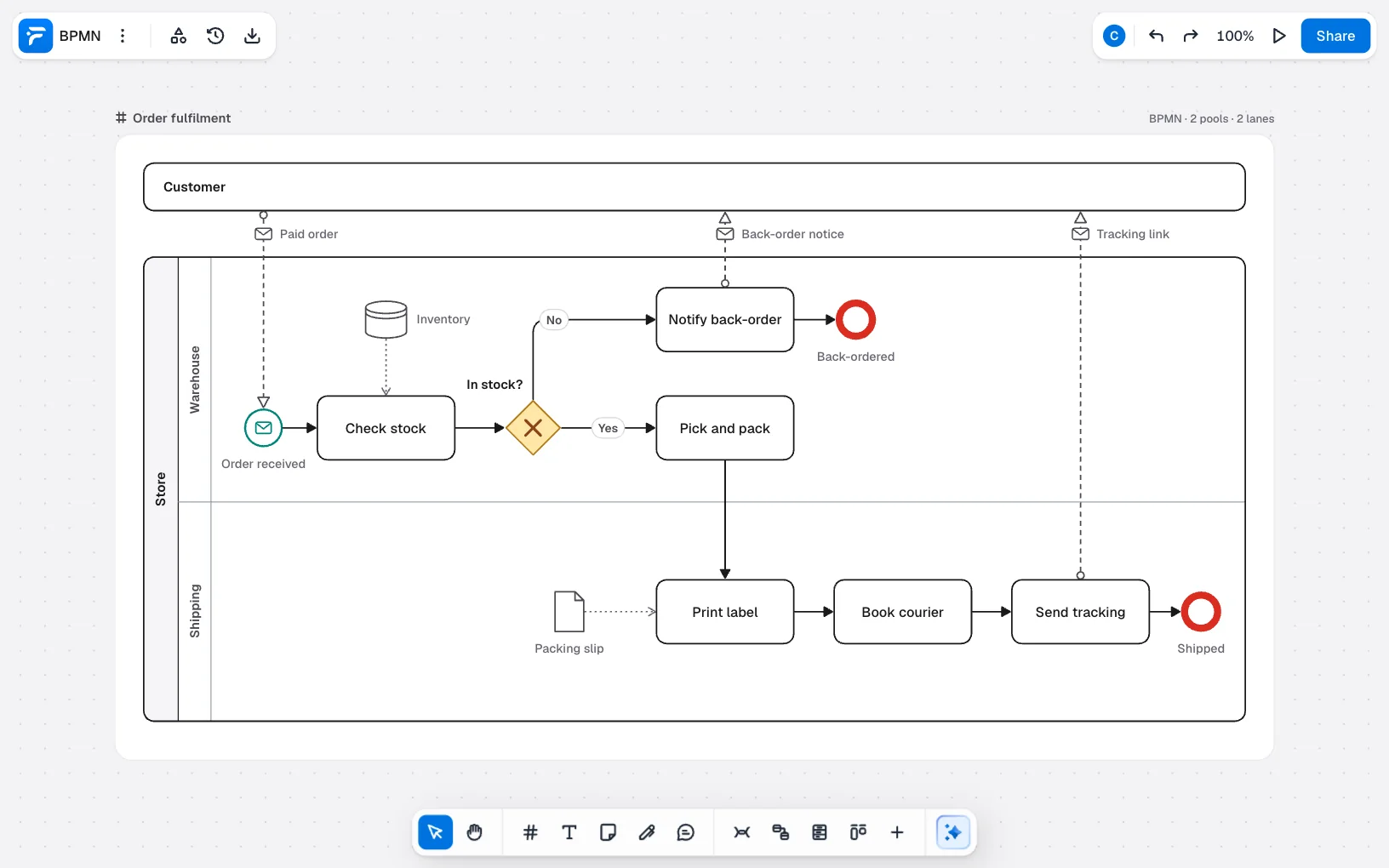
- Collapsed pool: a participant whose process you do not model, such as “Customer”. You show only what it sends and receives.
- Pool: a participant with its own process, such as “Store”.
- Lane: a role inside a pool, such as “Warehouse” or “Shipping”.
- Message flow: a dashed arrow from a small circle, between pools.
- Sequence flow: a solid arrow, for the order of work in a pool.
The current version, 2.0.2, is set out in the specification. Some workflow engines can run BPMN models directly. FlowDraw draws and documents them and does not run them.
Do you need BPMN?
Often you do not. A swimlane diagram answers “who does what” with nothing to learn. BPMN is worth the effort when:
- Waiting, timers, messages and errors are part of the question.
- Separate organizations or systems exchange messages.
- Analysts and developers need one precise reference.
- Your company or your workflow tool already expects it.
BPMN symbols you will use most
Along with the pools, lanes and flows above, six symbols carry the example.
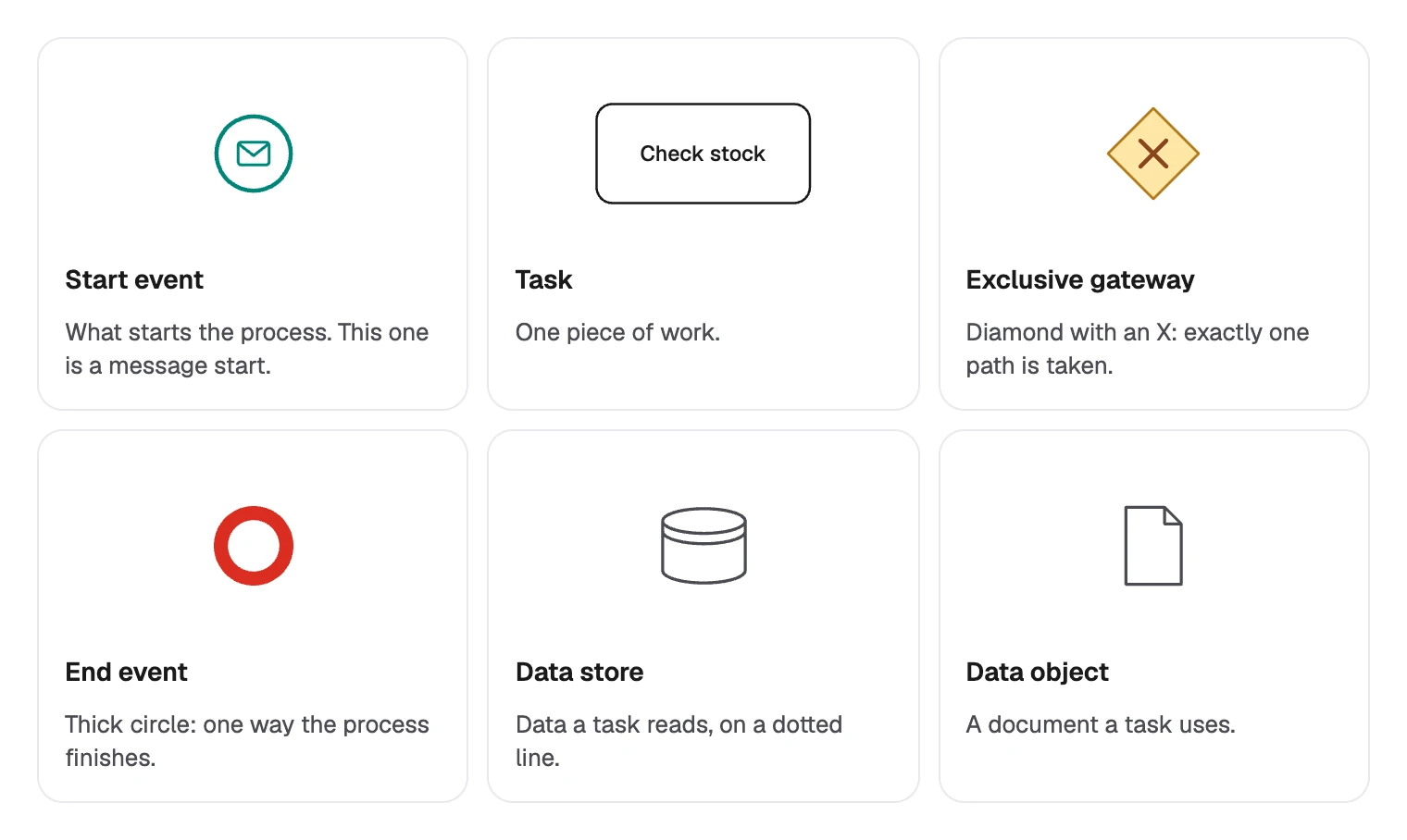
Two more are not used here, but you will meet them soon:
- Intermediate event: a circle with a double line, for something that happens along the way.
- Parallel gateway: a diamond with a plus, where all paths run at once.
Sequence flow or message flow?
One rule catches most beginners. Sequence flows stay inside a pool, and message flows only run between pools.
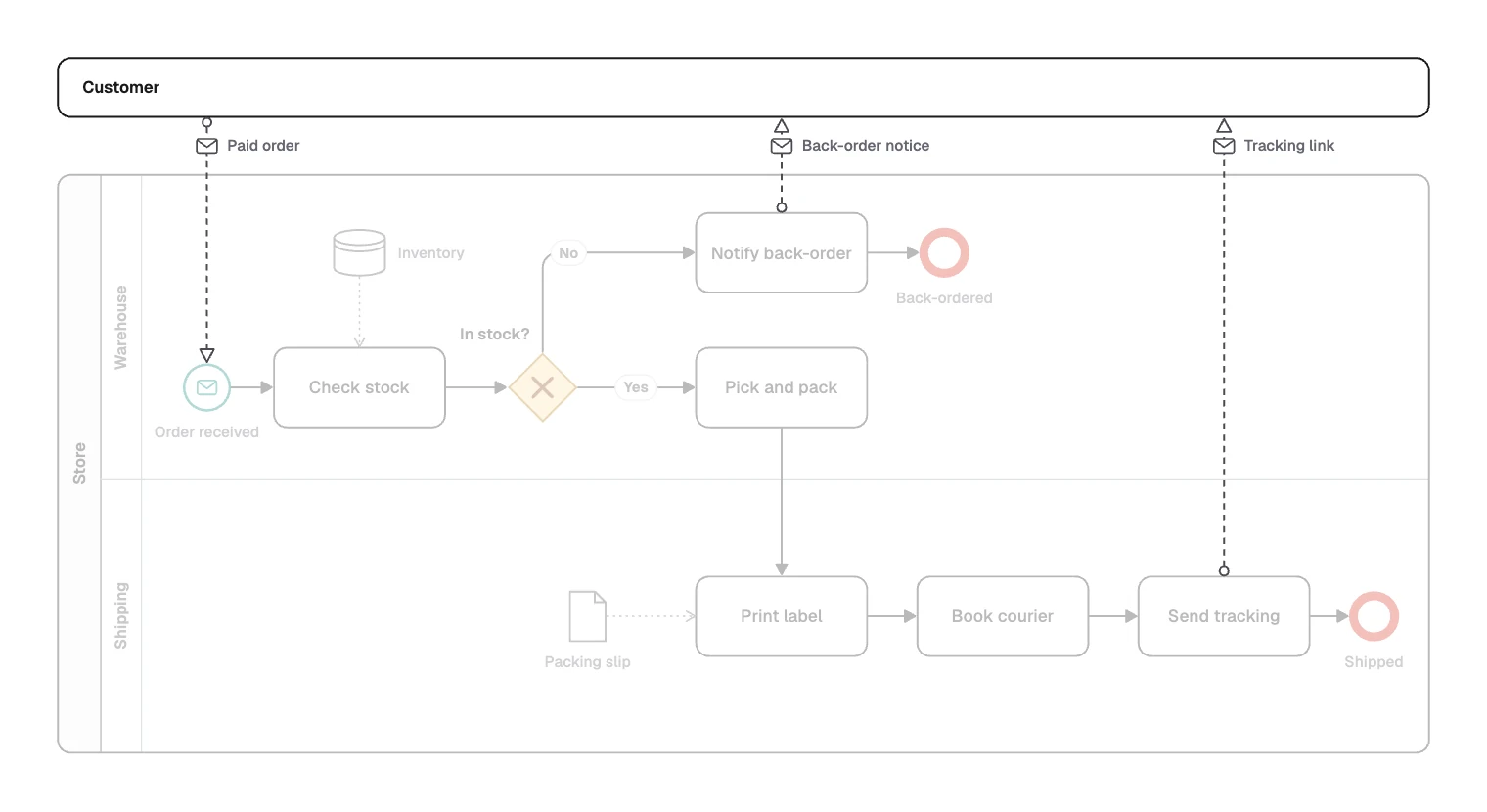
A pool has its own process, so nothing outside can tell it what to do next. It can only send a message.
Lanes are not a boundary. “Pick and pack” in “Warehouse” connects to “Print label” in “Shipping” with an ordinary sequence flow, because both belong to “Store”.
Reading the order fulfilment process
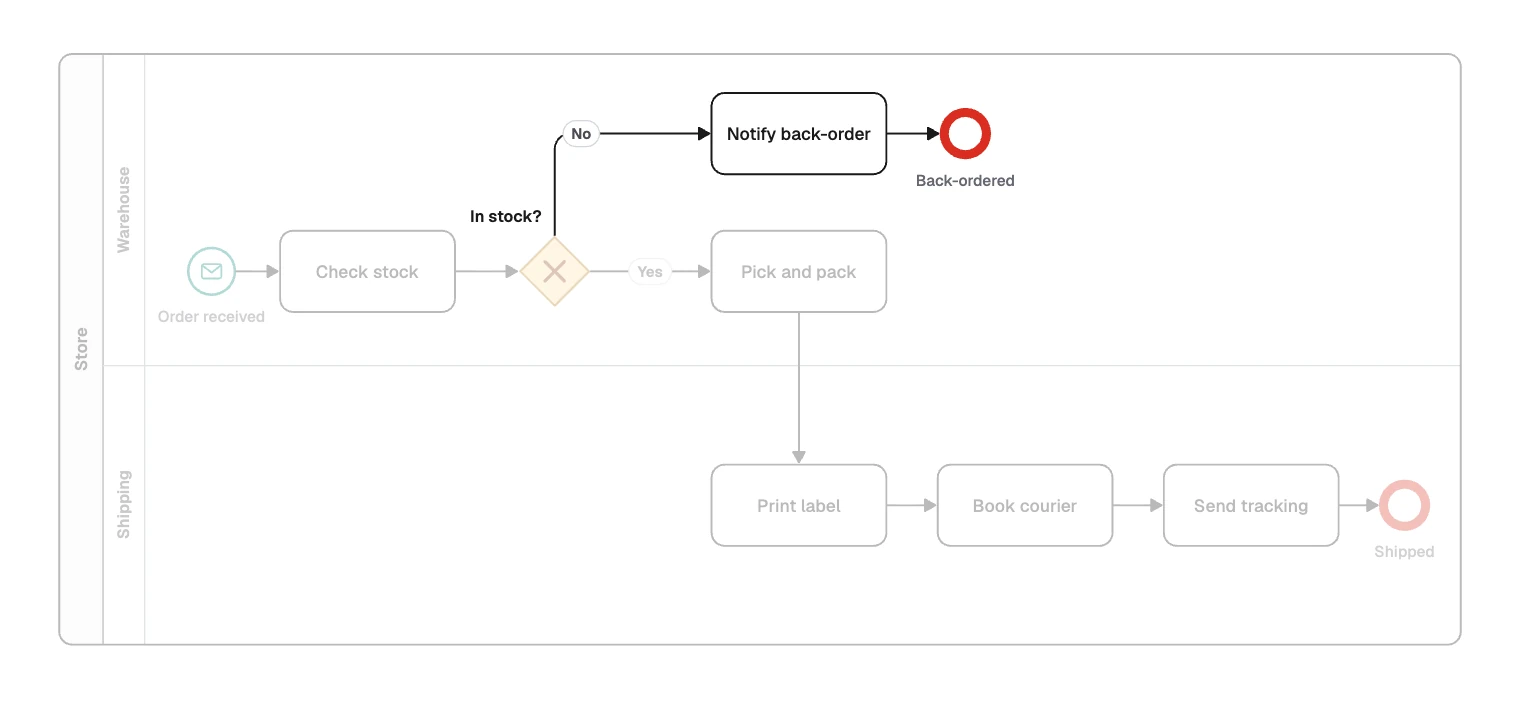
- The trigger. “Paid order” starts “Order received”. “Check stock” reads “Inventory”, and “In stock?” picks a path.
- If no. “Notify back-order” sends the “Back-order notice”, and the process ends at “Back-ordered”.
- If yes. “Pick and pack” leads into “Shipping”. “Print label” uses the “Packing slip”, then “Book courier”. “Send tracking” sends the “Tracking link” before “Shipped”.
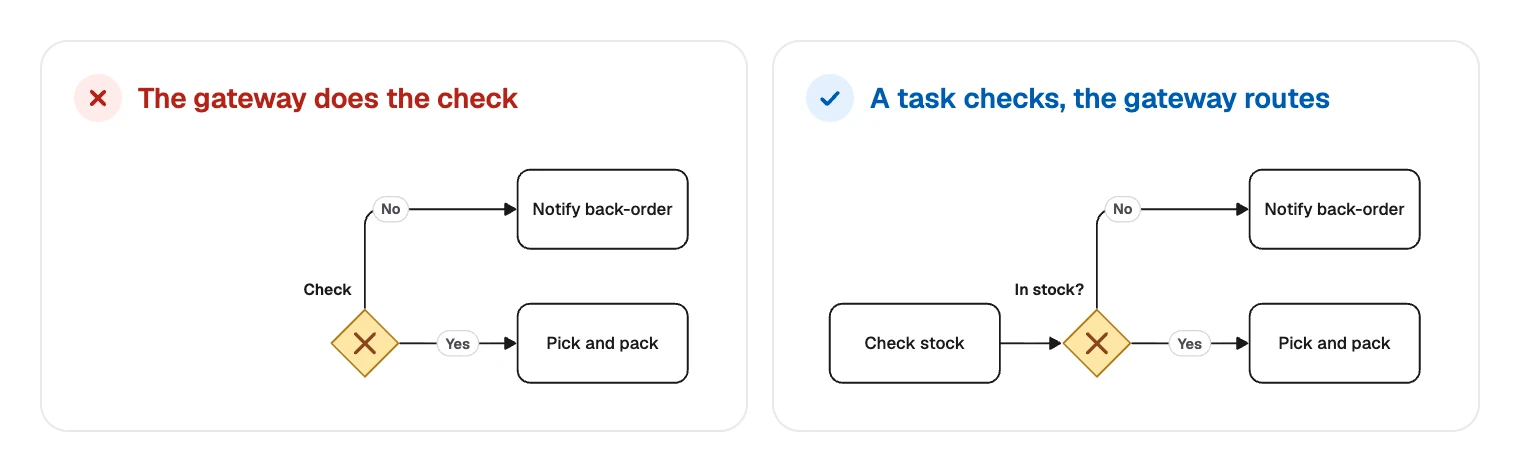
Two details matter. The check is a task, because gateways only route. And two named outcomes get two end events.
How to create a BPMN diagram
- Name the trigger and the outcomes. A paid order arrives, and it ends up shipped or back-ordered.
- Choose the participants and roles. Give each independent party a pool and each role a lane. Collapse the pool of anyone whose process you do not control.
- Draw the normal path, left to right, with tasks named as a verb and a noun.
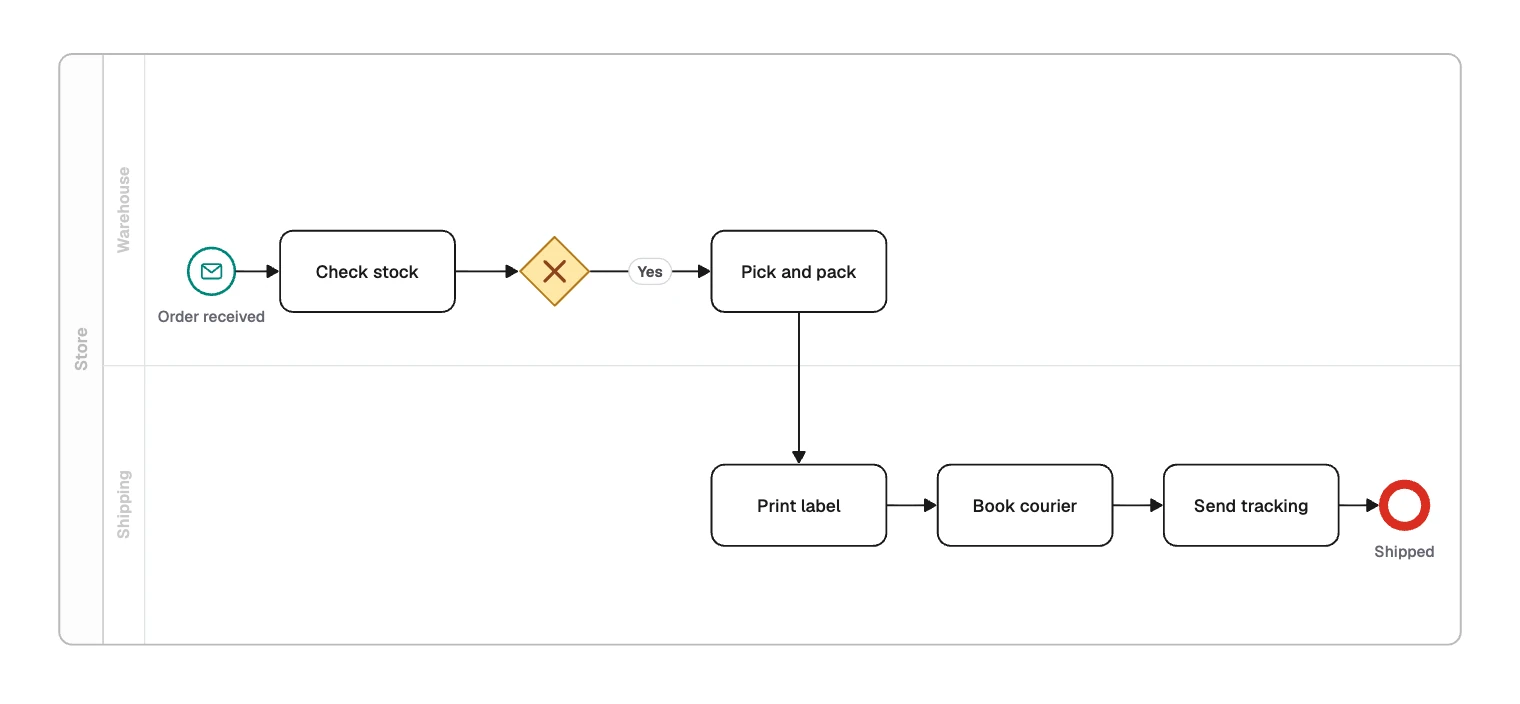
- Add the gateways. Put the work in a task before each one, and label every exit.
- Add messages and data. Connect pools with message flows, and link data to the tasks that use it.
- Add other events only if they change what happens. A timer for “no reply after 3 days” earns its place. Decoration does not.
- Check every path. Each one should reach an end event, and no sequence flow should cross a pool.
Draw BPMN in FlowDraw
BPMN needs Pro or Team: the “BPMN” template, the BPMN library and turning a swimlane into a pool. On Free they open a dialog with “Maybe later” and “Upgrade to Pro”, but the free “Swimlane” template can show who does what, without BPMN notation.
Open the template
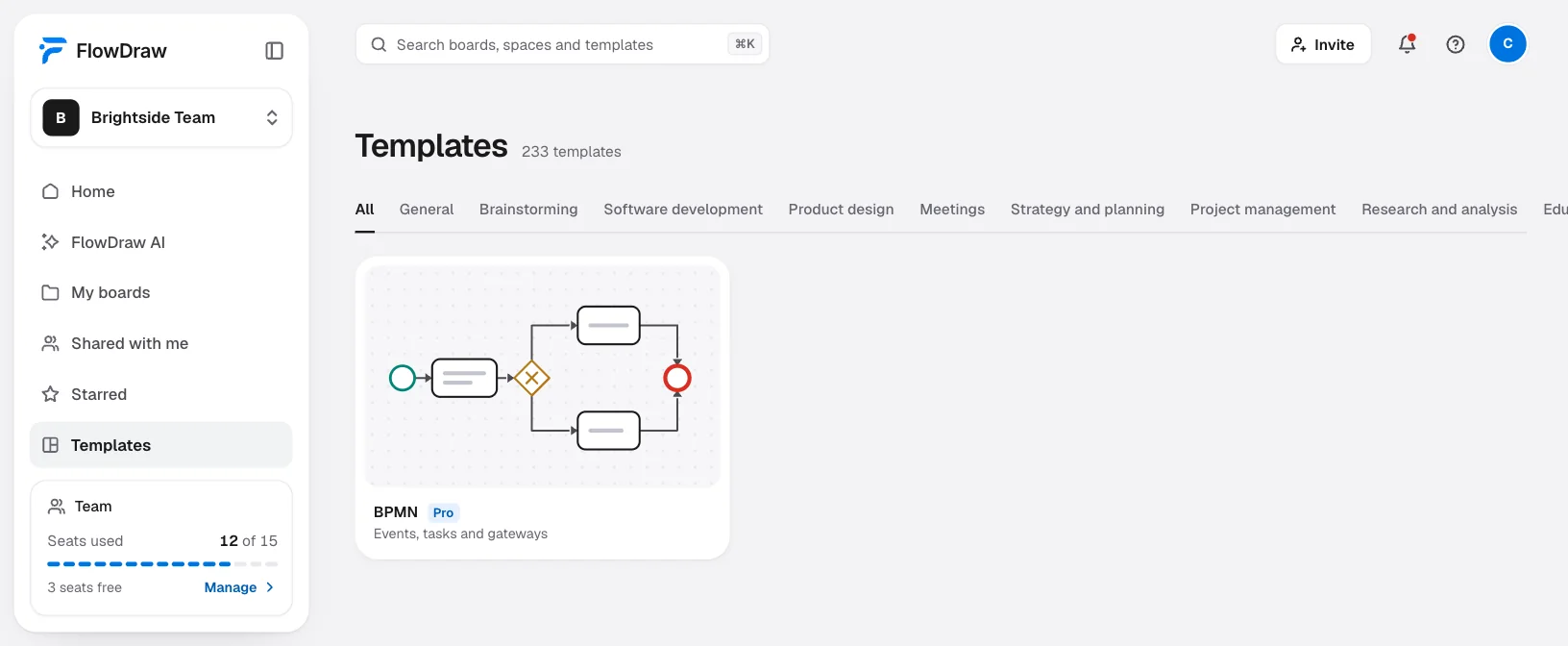
On Home, click the “BPMN” tile. Or search for “BPMN” under “Templates”, open the preview and click “Use template”. To start blank, open a “Blank board”, then the BPMN section of “Shape library”.
Set up pools and lanes
Find “Pool” and “Lanes” under “Pools and artifacts”. Select a pool to open “Pool properties”, where you set its “Title” and use “Add lane”. Moving a pool carries everything drawn on it.
Place the elements
Drag events, tasks and gateways from the library. An element dropped on a lane stays inside it, and the lane grows if it needs room. “Type” in “BPMN properties” turns a “Task” into a “User task”, or an “Exclusive” gateway into a “Parallel” one.
Connect them
With nothing selected, press L and draw between two elements. Select the line and choose “Sequence flow”, “Message flow” or “Association” under “Relationship”.
Review it with the people who run it
Click “Share” and invite them with “Can comment”, so they can pin questions on the step they mean.
On Pro and Team, FlowDraw AI can draw a first version. Set “Diagram” to “BPMN”, describe the process and click “Draw it”:
BPMN diagram of order fulfilment, with lanes for warehouse and shipping. A paid order arrives and the warehouse checks stock. If it is out of stock, notify the customer and end as back-ordered. If it is in stock, pick and pack, then shipping prints a label, books a courier and sends tracking.
Check the gateways on the new board, and add any message flows to other pools yourself.
BPMN mistakes reviewers catch first
The most common: a gateway asked to do the work. A gateway that checks stock hides who does it, so give the check its own task.
- A sequence flow crossing pools. Use a message flow, or merge the pools if they are one participant.
- A message flow inside one pool. Lanes of the same pool use sequence flows.
- Unlabeled exits. Every exit from an exclusive gateway needs its condition, or the reader has to guess the rule.
- Paths that simply stop. Without an end event, nobody can tell a finished path from an unfinished drawing.
- Every event type on one page. Each extra marker is one more thing to learn, so add one only when a real case needs it.
If you only need who does what, start free with the “Swimlane” tile.
FAQ
Business Process Model and Notation, a standard from the Object Management Group for drawing business processes. The current version is 2.0.2.