How to make a swimlane diagram
Learn how to make a swimlane diagram: what lanes and handoffs show, when one beats a flowchart, and how to draw it from a template or with AI.
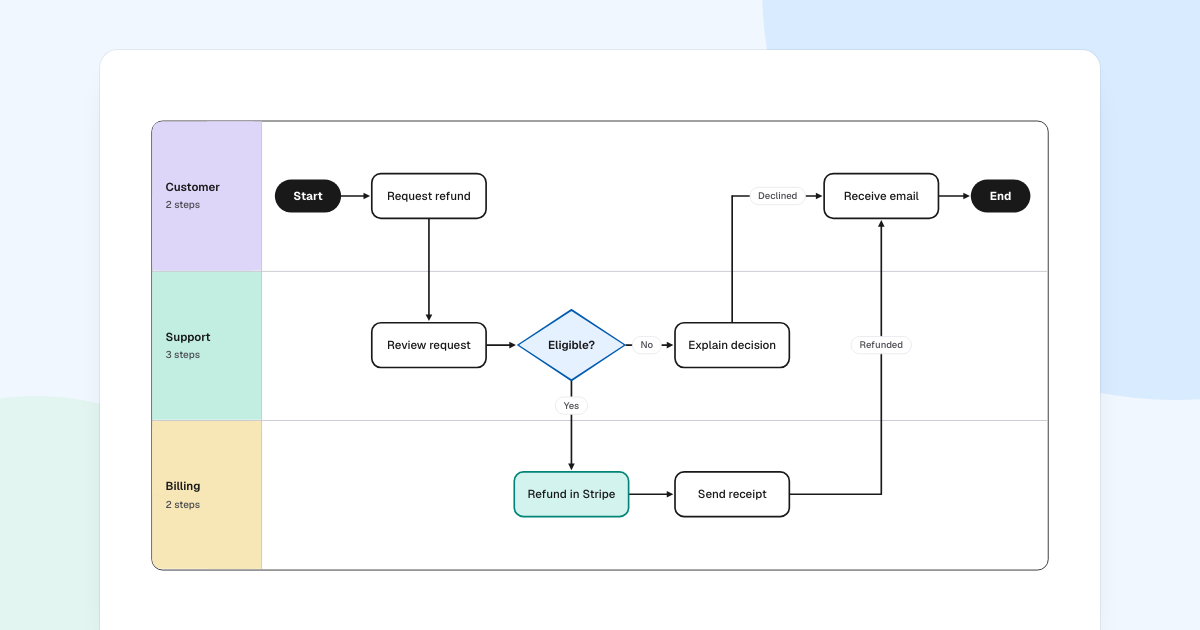
A refund touches three teams, and nobody sees all of it. When you make a swimlane diagram, each step goes in the lane of whoever does it, so the handoffs show up as lines crossing between lanes.
Quick AnswerA swimlane diagram is a flowchart split into parallel lanes, one for each person, team or system. To make one, name the actors, list each step with its owner, place the steps in lanes in time order, and connect them. Every line that crosses between lanes is a handoff.
What is a swimlane diagram?
It is a flowchart with one extra idea: position shows responsibility. Along a lane, time moves forward. Across lanes, work changes hands.
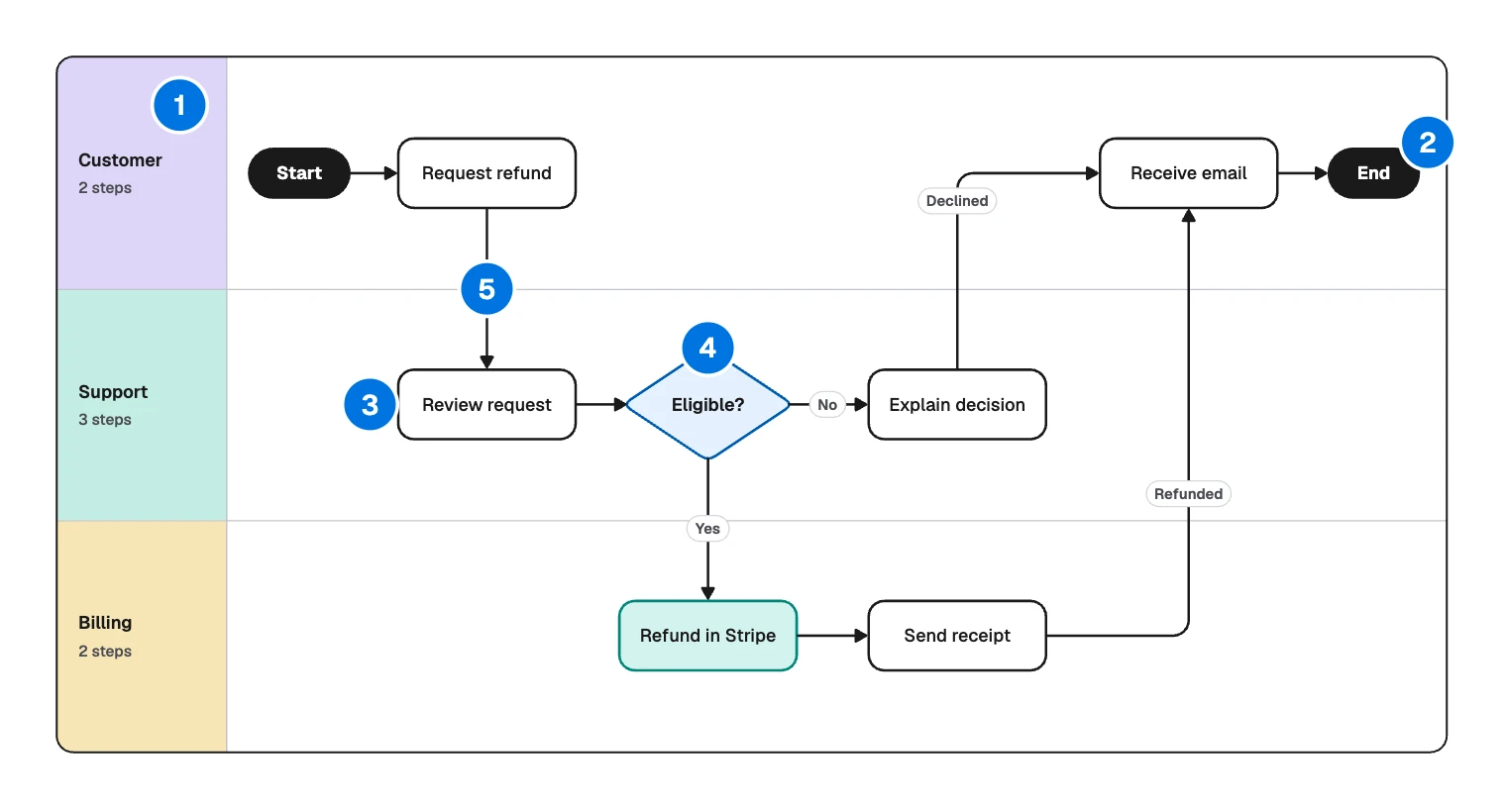
- Lane: one role, team or system, named in its header.
- Start and end: pills marking where the process begins and stops.
- Step: a rectangle, in the lane of whoever does it.
- Decision: a diamond, in the lane of whoever decides.
- Handoff: a line crossing into another lane.
Lanes earn their place when a process crosses team lines, because handoffs are where the delays hide. Inside one team, they add little.
Swimlane diagram or flowchart?
Choose by the question you need answered.
| Your question | Draw |
|---|---|
| What are the steps and decisions? | Flowchart |
| Who does each step, and where does work change hands? | Swimlane diagram |
| Which events, messages and rules apply, precisely enough to automate? | BPMN diagram |
The refund process, lane by lane
Follow the arrows and read it as a story.
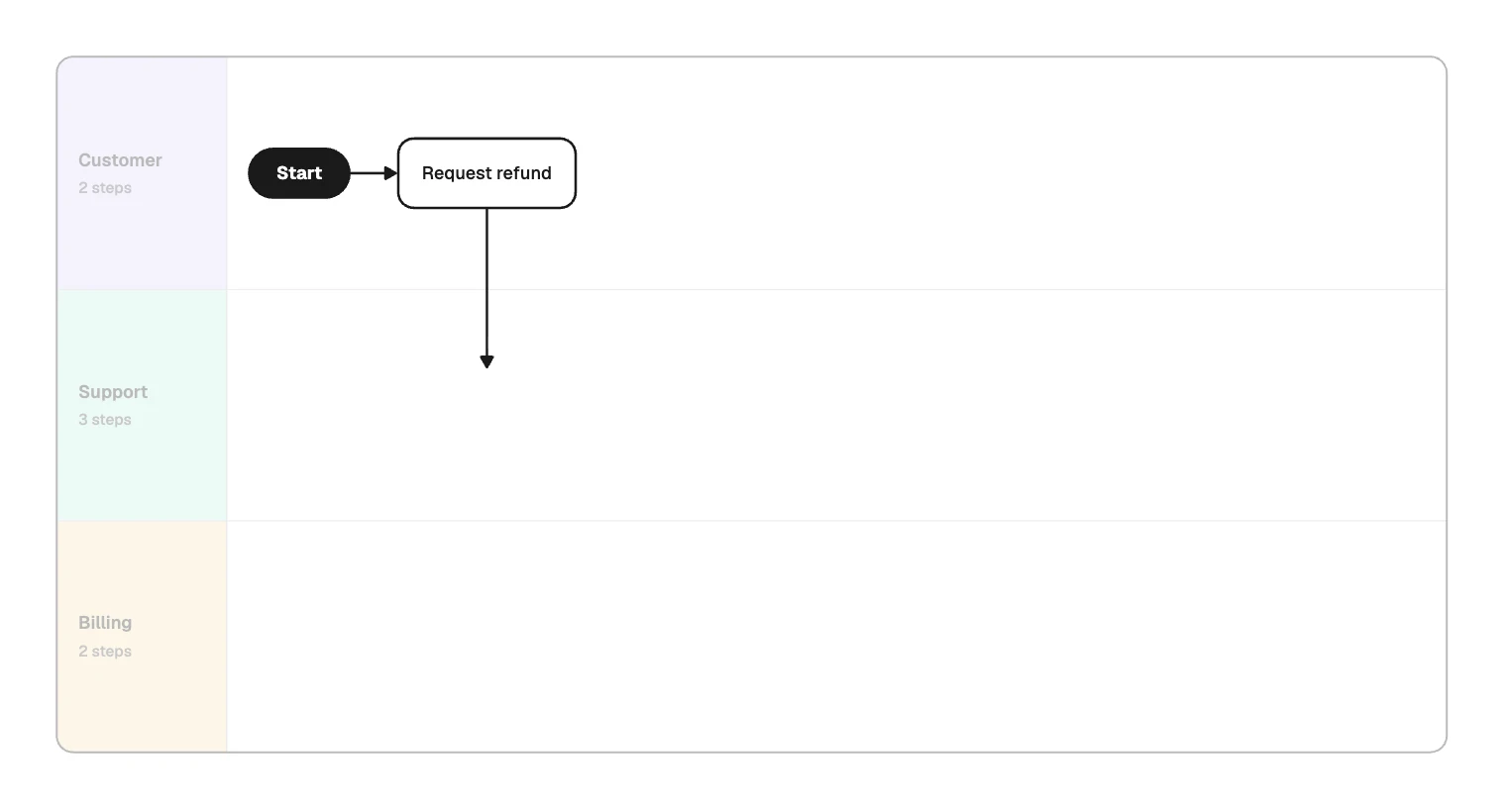
Customer. “Start” leads to “Request refund”. The line then drops into the next lane: the first handoff. The request now sits in someone’s queue.
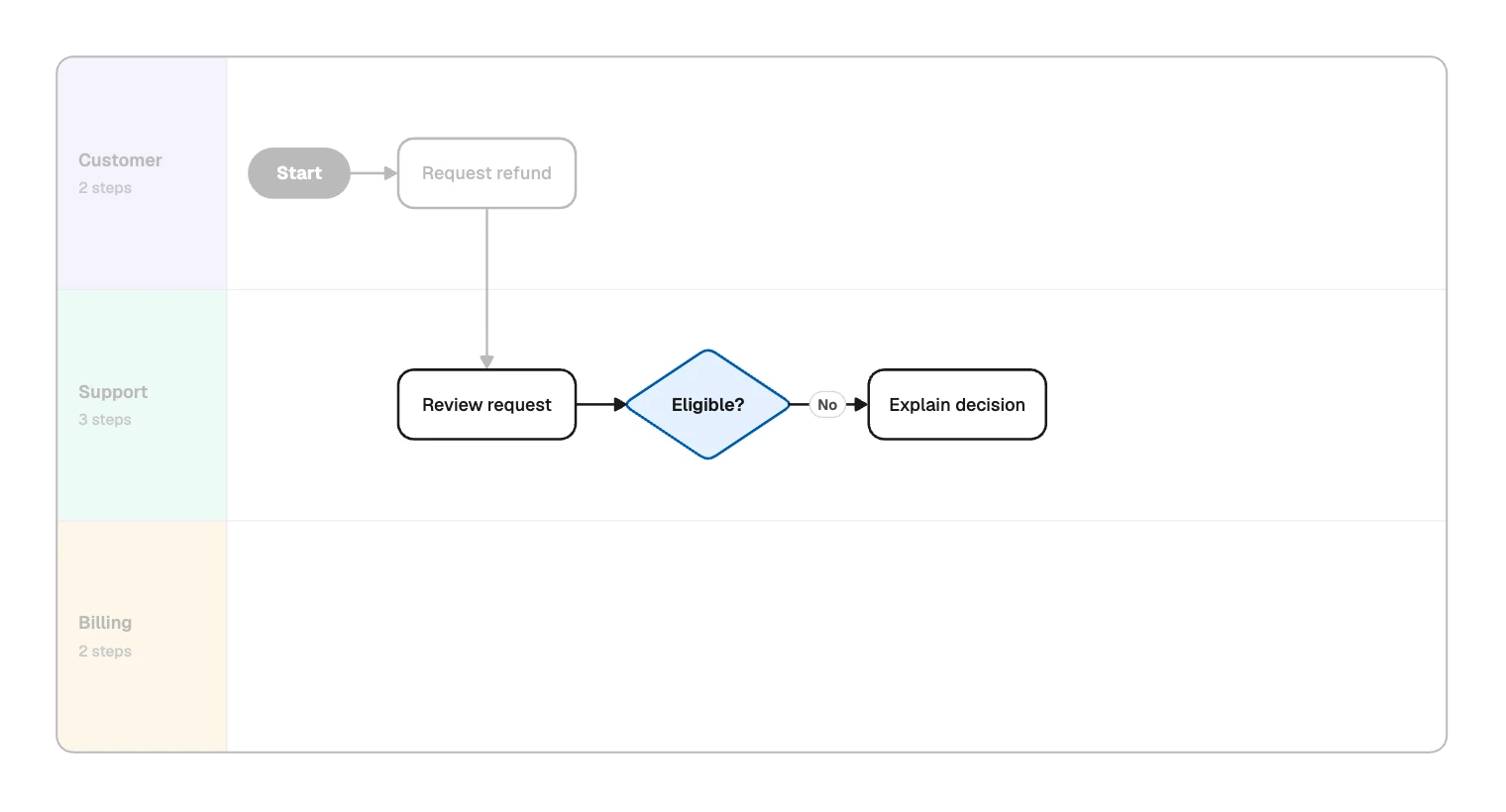
Support. “Review request” leads to “Eligible?”, because support owns the call. “No” goes to “Explain decision”.
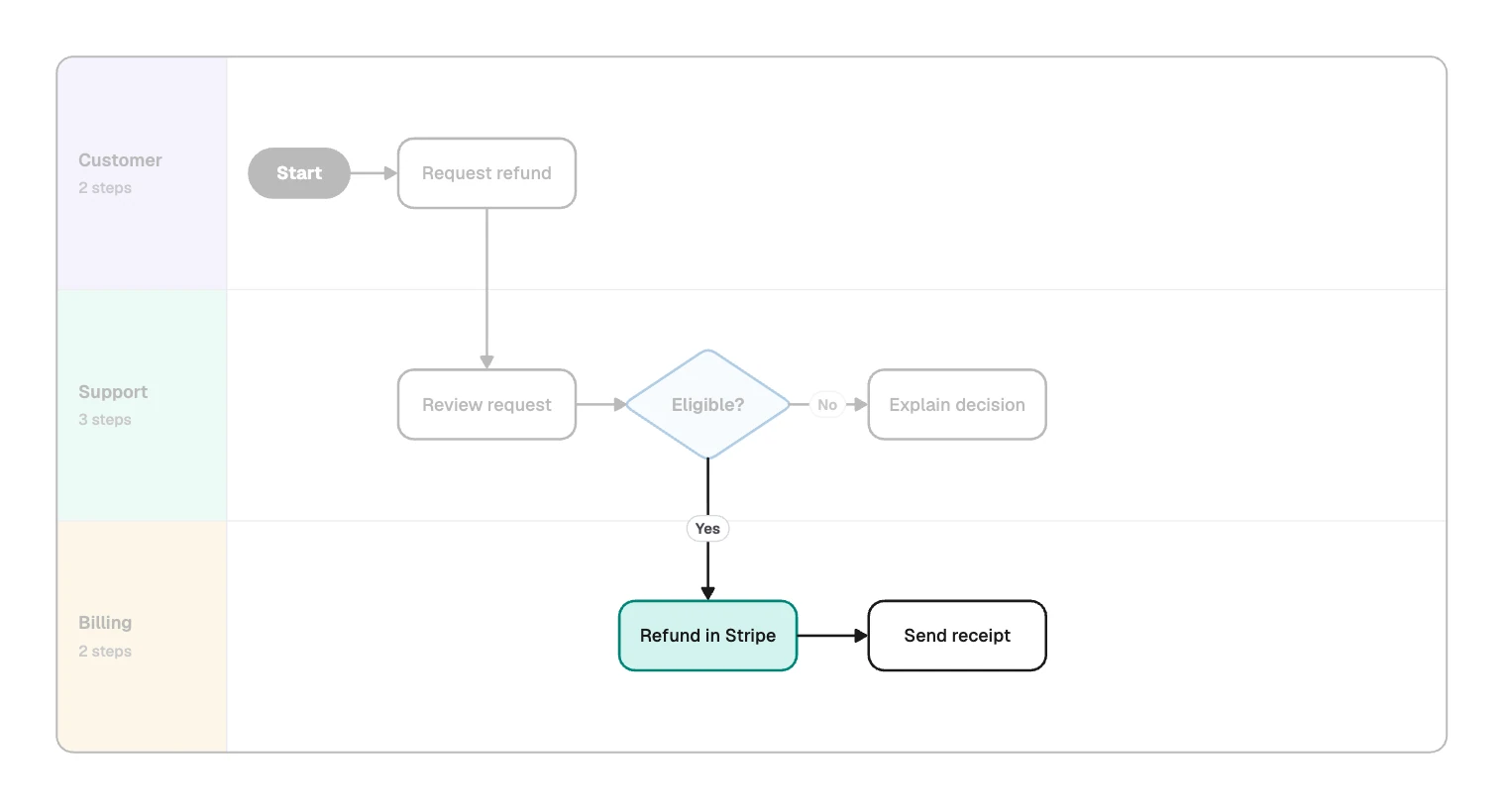
Billing. “Yes” drops a lane to “Refund in Stripe”, then “Send receipt”.
Customer again. The “Declined” and “Refunded” lines both climb to “Receive email”, then “End”.
An approved refund crosses a lane three times. Those are the three places it can sit waiting, so start measuring there.
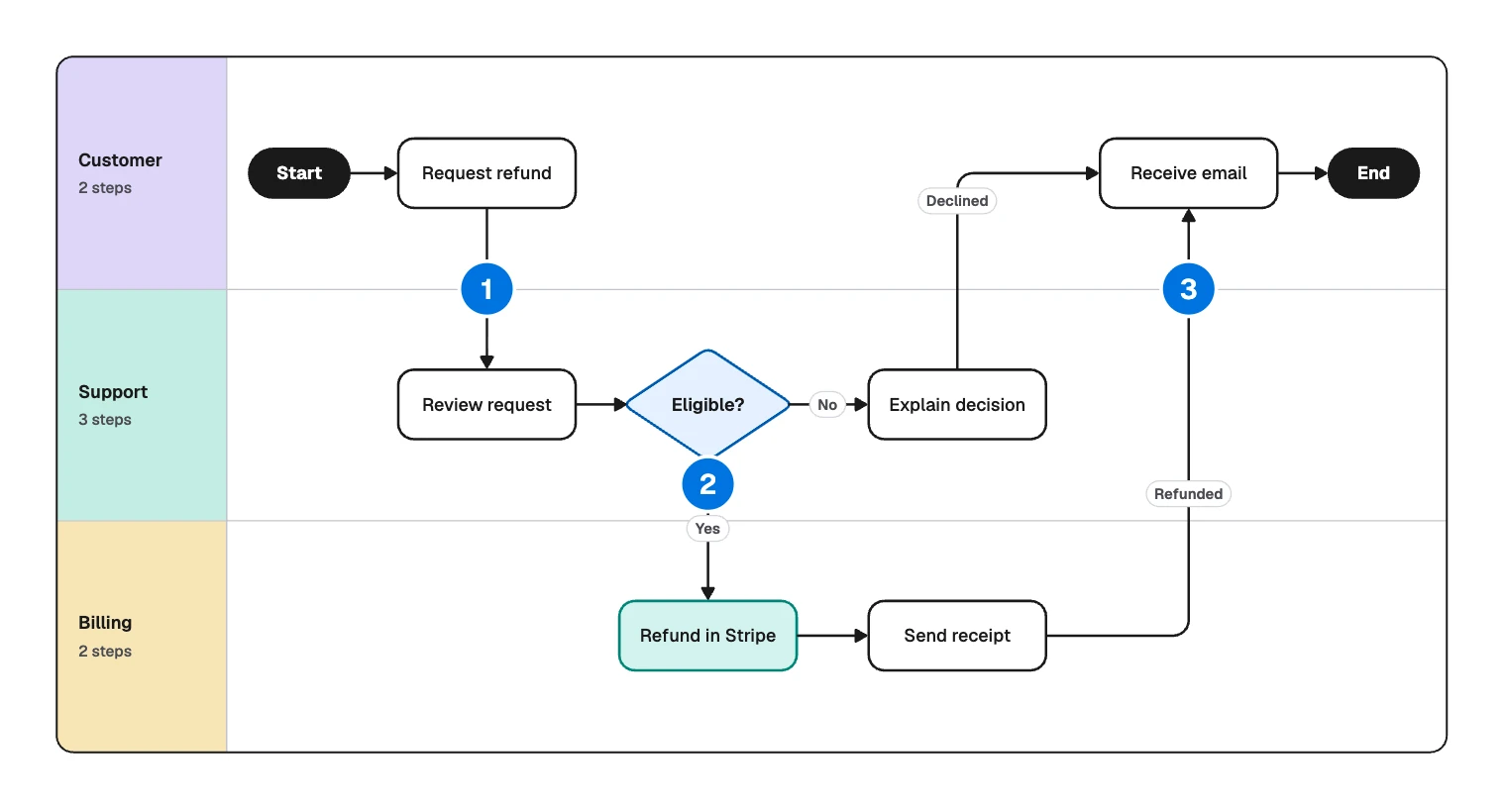
Three choices worth copying:
- “Receive email” appears once, with two labeled lines coming in. The customer has one experience with two outcomes.
- Time keeps moving right across lanes, so “Refund in Stripe” sits to the right of “Review request”.
- The customer has a lane. Without it, their waiting would be invisible.
How to make a swimlane diagram
- Set the boundaries. Name the trigger and the last outcome: a customer asks for a refund, and they hear back.
- List the actors. Use roles or systems that do work, not individuals. Three to six lanes stay easy to read.
- Write the steps in two columns: what happens, and who does it. Ownership arguments surface here, where they are cheap.
- Order the lanes. Whoever acts first goes at the top. Keep lanes that hand off often next to each other, so the lines stay short.
- Place the steps in time order and connect them. Give each step one owner.
- Walk it with each lane’s owner. Ask what they receive, from whom, and what they wait for. Add what comes up.
For the refund, step 3 looks like this:
| What happens | Who does it |
|---|---|
| Request refund | Customer |
| Review request | Support |
| Eligible? | Support |
| Explain decision | Support |
| Refund in Stripe | Billing |
| Send receipt | Billing |
| Receive email | Customer |
Horizontal or vertical lanes?
- Horizontal suits long processes and wide screens, so it is the usual choice for slides and boards.
- Vertical reads better on a portrait page, or with few actors and many steps.
Pick whichever lets your longest path fit with the least scrolling.
Make a swimlane diagram in FlowDraw
Everything here is free on every plan.
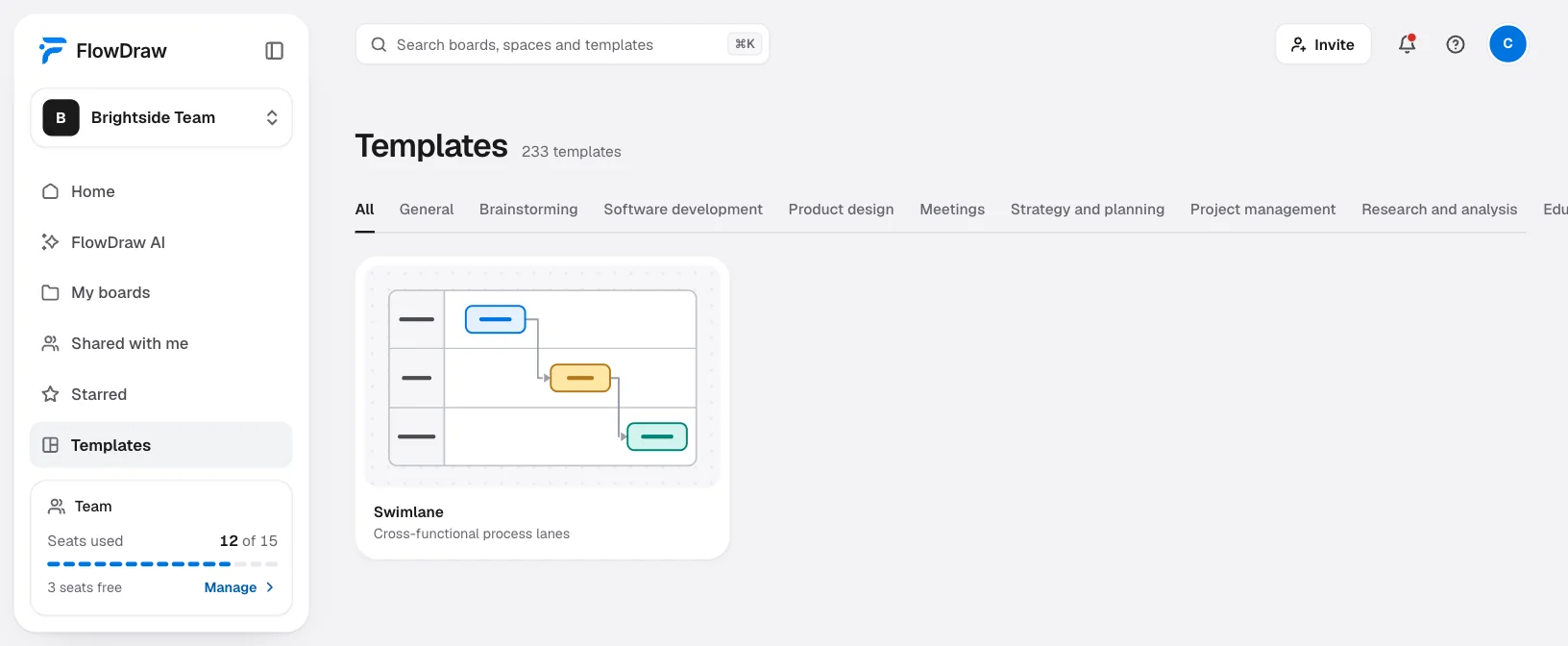
Start from the template
On Home, click the “Swimlane” tile and the refund process opens as a new board. Or search for “Swimlane” under “Templates”, open the preview and click “Use template”. “Cross-functional flowchart” is the version with vertical lanes and phases running across.
Set up the lanes
Select the swimlane to open “Swimlane properties”. Under “Lanes” you can rename, recolor, reorder and delete lanes, and “Add lane” adds another.
Place the steps
Hover a step and click a spot beside it to add the next one, then type its label. “Shape library” has the other Flowchart shapes.
Connect and label
With nothing selected, press L and draw a line. Select the line and type in “Add a label” for outcomes such as “Declined”.
Try other lane orders
Reorder lanes in the panel and the steps move with them, while the lines find new routes. Moving the swimlane carries everything drawn on it too.
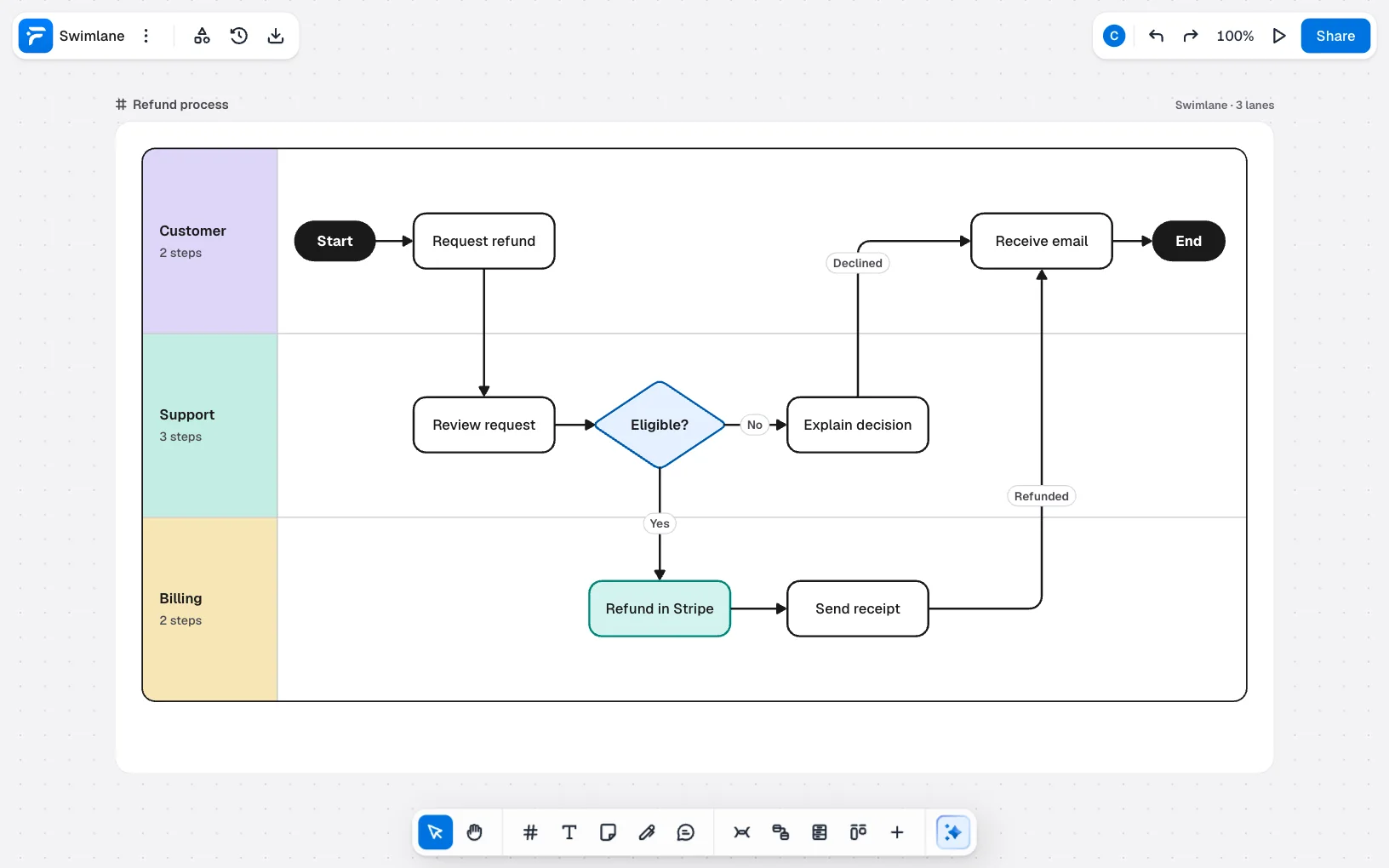
To start empty, open a “Blank board”, then find “Horizontal swimlane” or “Vertical swimlane” in the Flowchart section of “Shape library”.
FlowDraw AI can draw the first version for 10 AI credits. Its “Diagram” menu has no swimlane entry, so leave it on “Auto” and ask in your own words. On a board, “Ask AI” offers “Show who does what in a swimlane”.
Swimlane diagram of our refund process with lanes for Customer, Support and Billing. The customer requests a refund. Support reviews it and decides if it is eligible. If not, support explains the decision. If so, billing refunds the payment and sends a receipt. Either way the customer gets an email.
If the procedure is already written down, attach it as a PDF, a Word file or a text file. Name the lanes in your prompt, so the drawing matches how your teams talk about themselves.
Common swimlane diagram mistakes
A line running against the flow is usually rework or a second outcome, so label it.
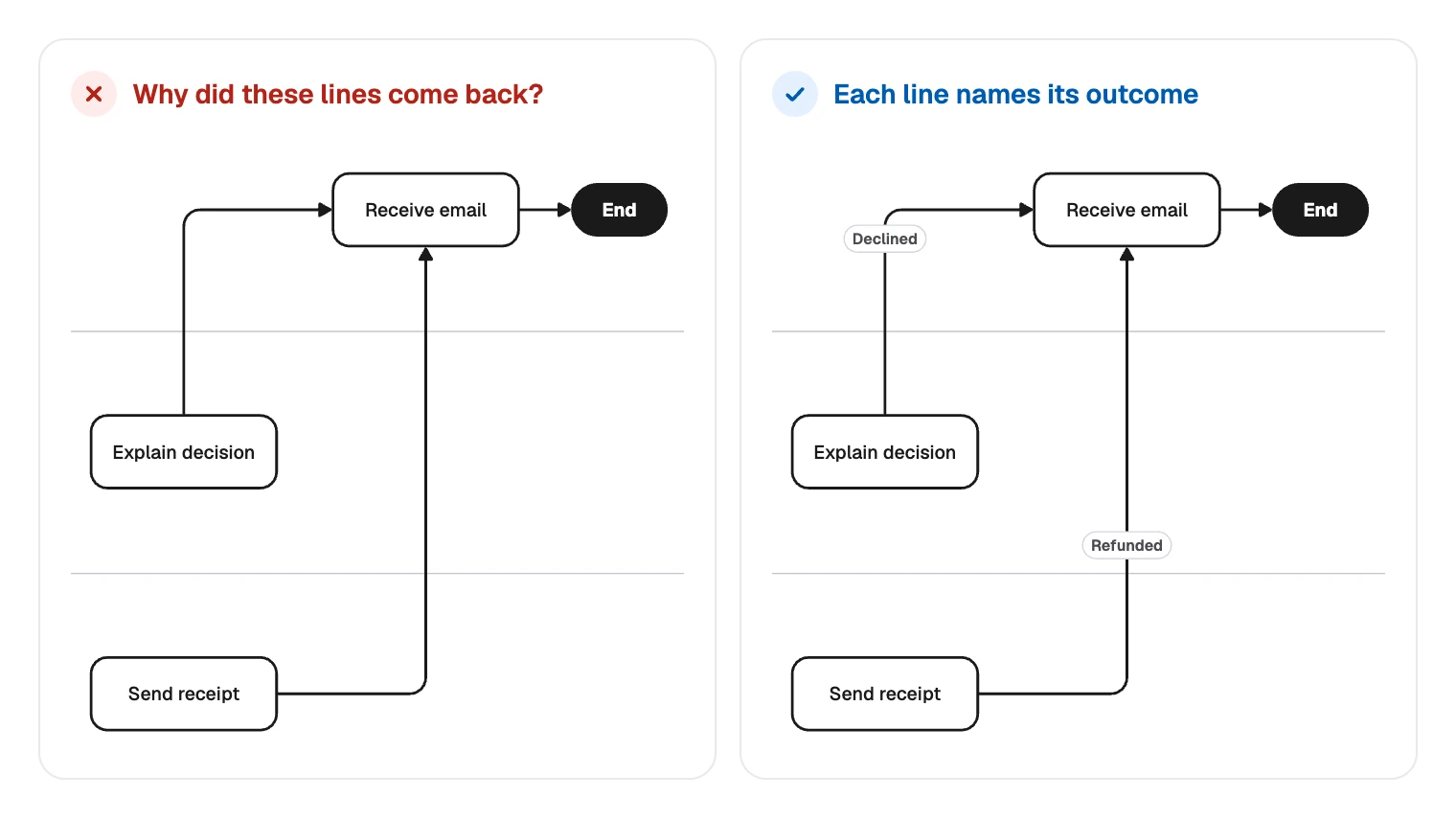
The rest are about lanes and owners:
- Lanes named after people. “Lisa” changes jobs. “Support” stays.
- A step spread across two lanes. Split it into who hands over and who receives, or name one owner.
- No lane for the customer. The process looks fast from inside while the customer waits outside it.
- Handoffs hidden in one box. “Support and billing process refund” merges the very boundary you came to look at.
- Too many lanes. A role that touches one step can often join a neighbor, with its name in the step label.
Create a free account, click the “Swimlane” tile and swap in your own lanes.
FAQ
A swimlane diagram is a flowchart with lanes. Both show steps and decisions in order, but the lanes also show who does each step, and every line crossing a lane marks a handoff. If one team does all the work, a plain flowchart is enough.