How to fill in a business model canvas
Learn how to fill in a business model canvas: what the nine blocks mean, which order to use, how to check they fit together and a free template to start from.
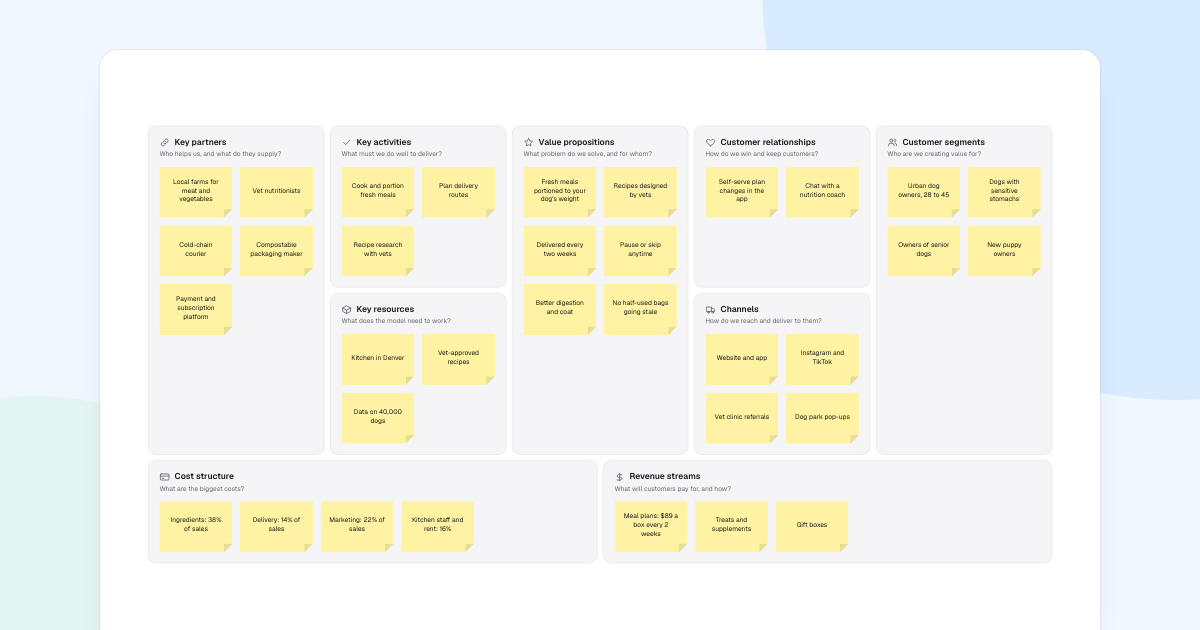
A long business plan can hide the one assumption that sinks it. A business model canvas fits the idea on one page, so the weak spot shows. This guide fills one in for Fetch & Co., fresh dog food by subscription.
Quick AnswerA business model canvas describes how a business creates, delivers and captures value in nine blocks on one page. To fill one in, start with customer segments and value propositions, work through channels, relationships and revenue, then cover resources, activities, partners and costs, and check that they fit.
What is a business model canvas?
It is a one-page map of a business. Alexander Osterwalder proposed it, and his book with Yves Pigneur, Business Model Generation, made it widely known.
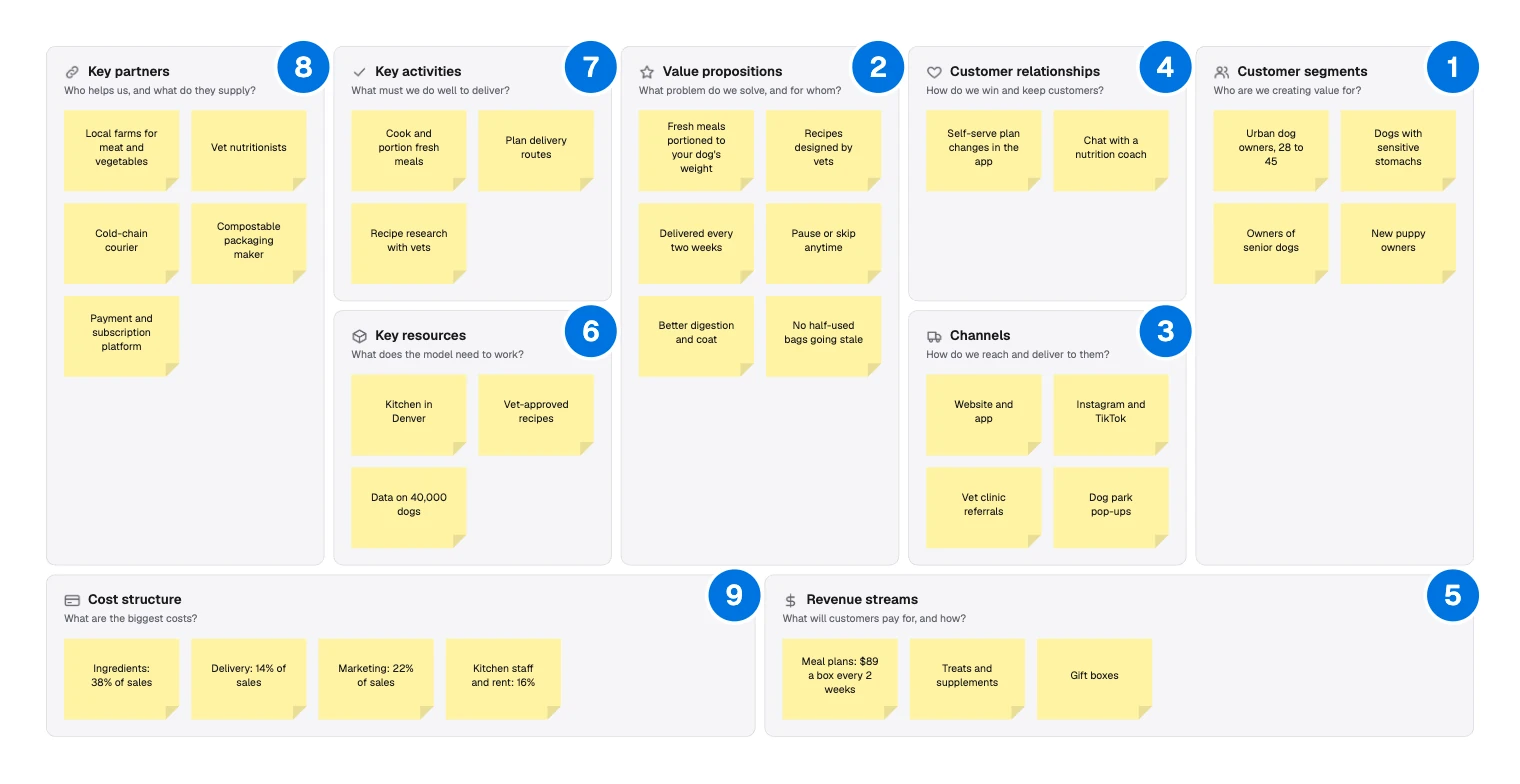
- Customer segments: who you create value for.
- Value propositions: what problem you solve for them.
- Channels: how you reach them and deliver.
- Customer relationships: how you win and keep them.
- Revenue streams: what they pay for, and how.
- Key resources: what the model needs to work.
- Key activities: what you must do well.
- Key partners: who helps, and what they supply.
- Cost structure: your biggest costs.
The right side faces the customer, and the left side is what happens behind the scenes. Use it to test a new idea, or to explain an existing business to a new team. It will not replace a financial model.
How to fill in a business model canvas
Use short notes, so you can move or remove them, and expect to go round more than once.
Start with customers and value
Everything else depends on these two blocks, so fill them in together.
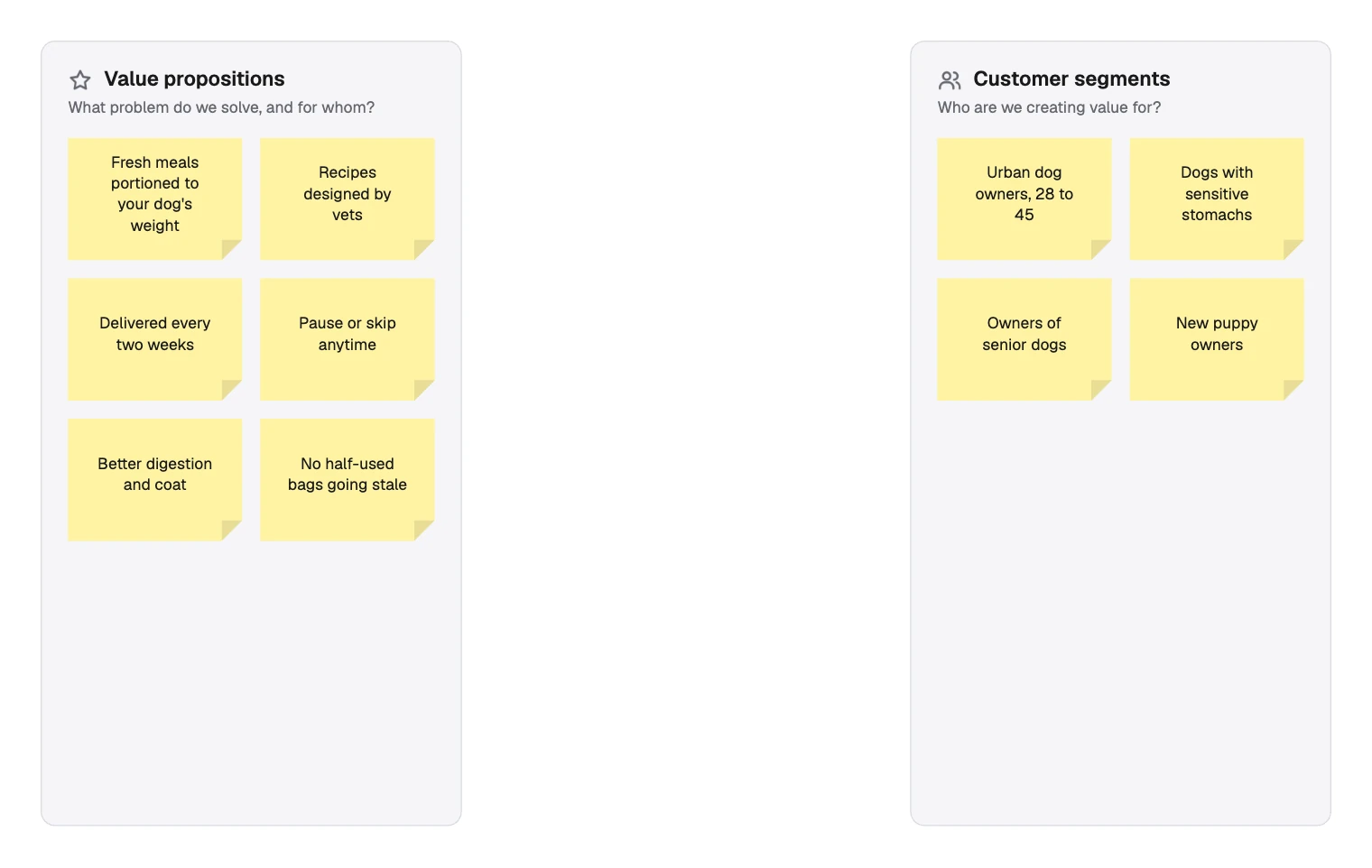
Name groups you could find and talk to. “Owners of senior dogs” works, while “pet owners” does not. Then write what each group gets, in their terms: “No half-used bags going stale” says more than “convenient”.
If you are unsure what a group cares about, an empathy map helps.
Say how you reach and keep them
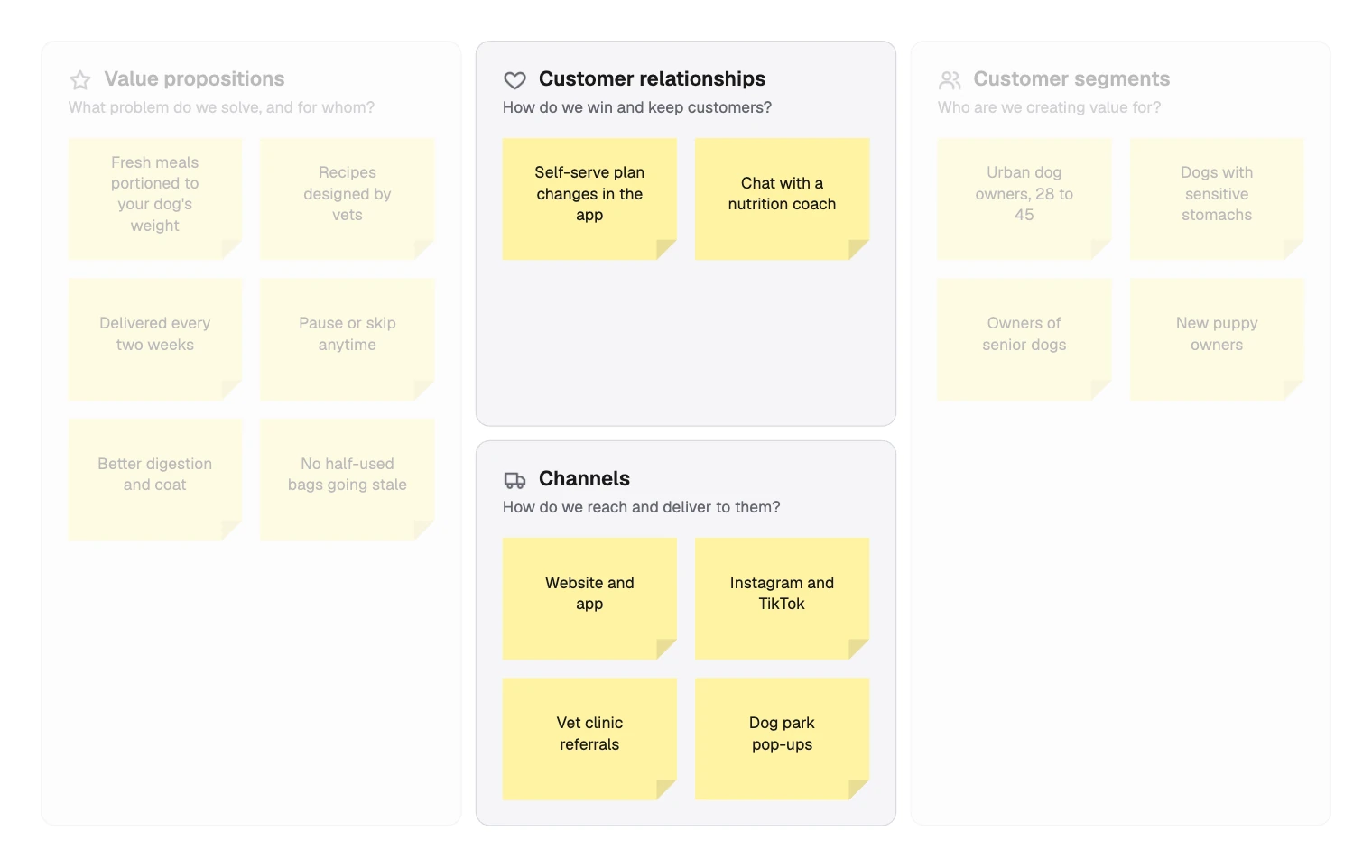
Channels answer how people find you and how the product arrives. Relationships answer what keeps them.
Say how money comes in
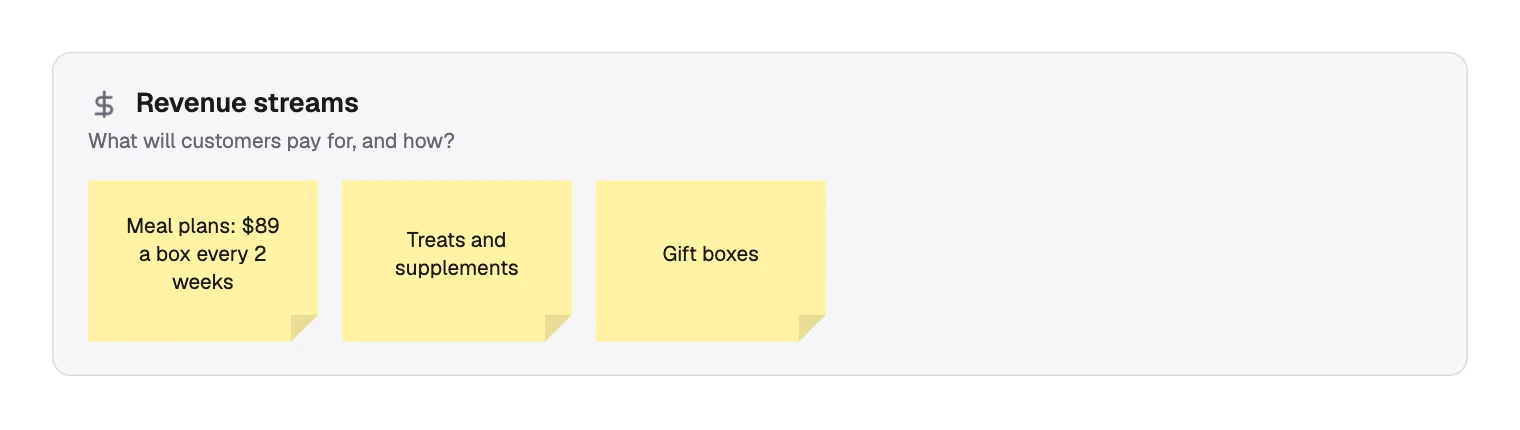
Write what is sold and how it is charged. A price and a rhythm make the note testable.
List what it takes to deliver
Now turn to the left side. Read the offer again and ask what must be true for it to happen.
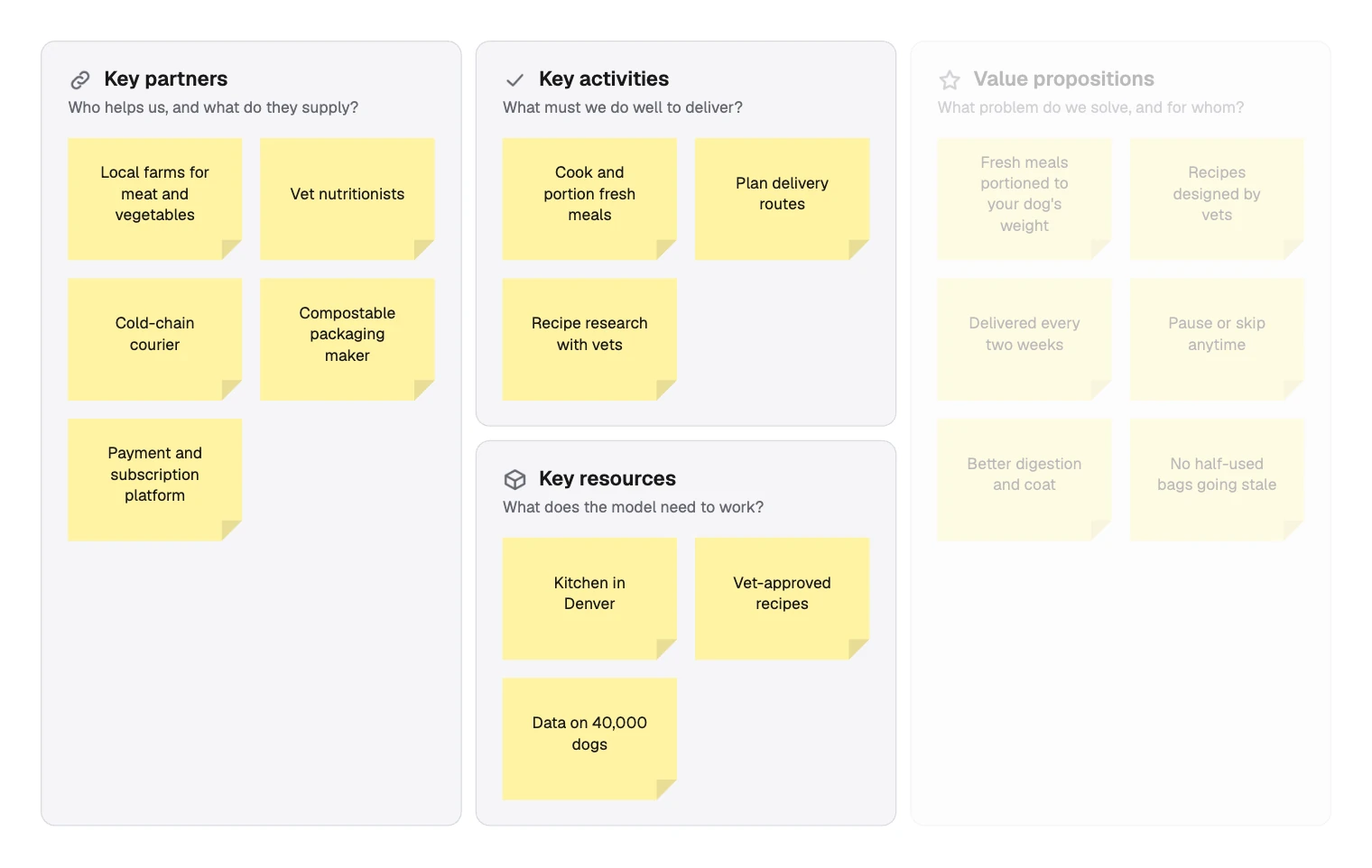
To sort a note, ask whether you own it, do it or buy it. “Kitchen in Denver” is a resource, “Cook and portion fresh meals” an activity, and “Cold-chain courier” a partner.
Add up the costs
List the biggest costs, and tie them to the revenue if you can.
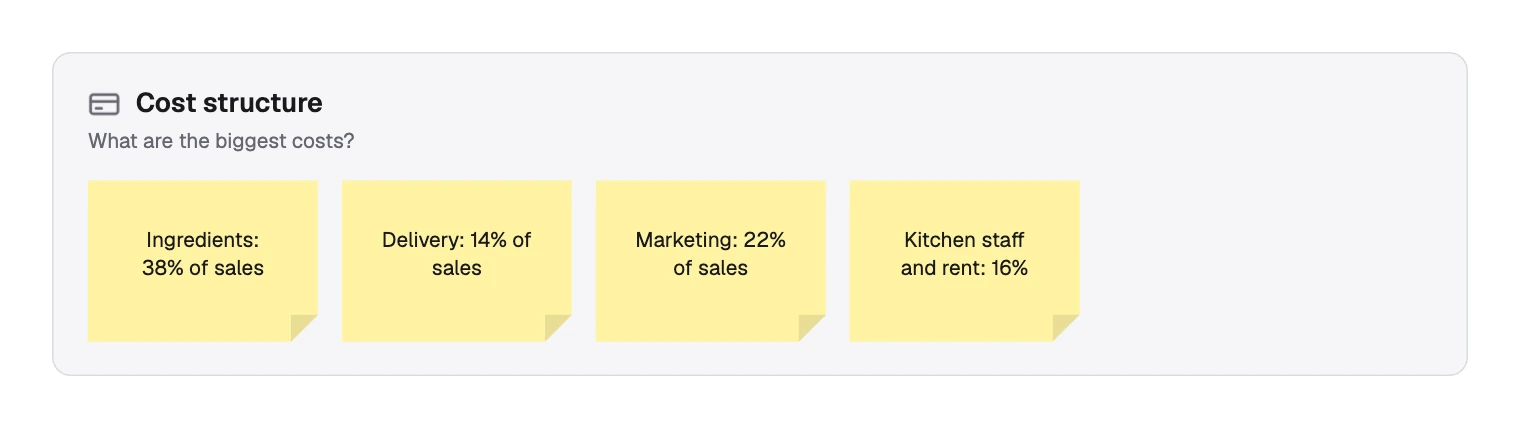
These four add up to 90% of sales, which leaves 10% for everything else. That one sum is often the most useful thing on the page.
Check that the blocks fit together
Pick one customer note and follow it across the canvas. Any break is a gap in the model.
| Block | Following dogs with sensitive stomachs |
|---|---|
| Customer segments | Dogs with sensitive stomachs |
| Value propositions | Better digestion and coat |
| Channels | Vet clinic referrals |
| Key activities | Recipe research with vets |
| Key partners | Vet nutritionists |
Repeat for each segment. A note that connects to nothing should go, and a segment with no channel is a wish. For a wider view of the market around the model, a SWOT analysis pairs well.
Filling in the canvas in FlowDraw
The template is free on every plan, and it already holds the Fetch & Co. example to overwrite.
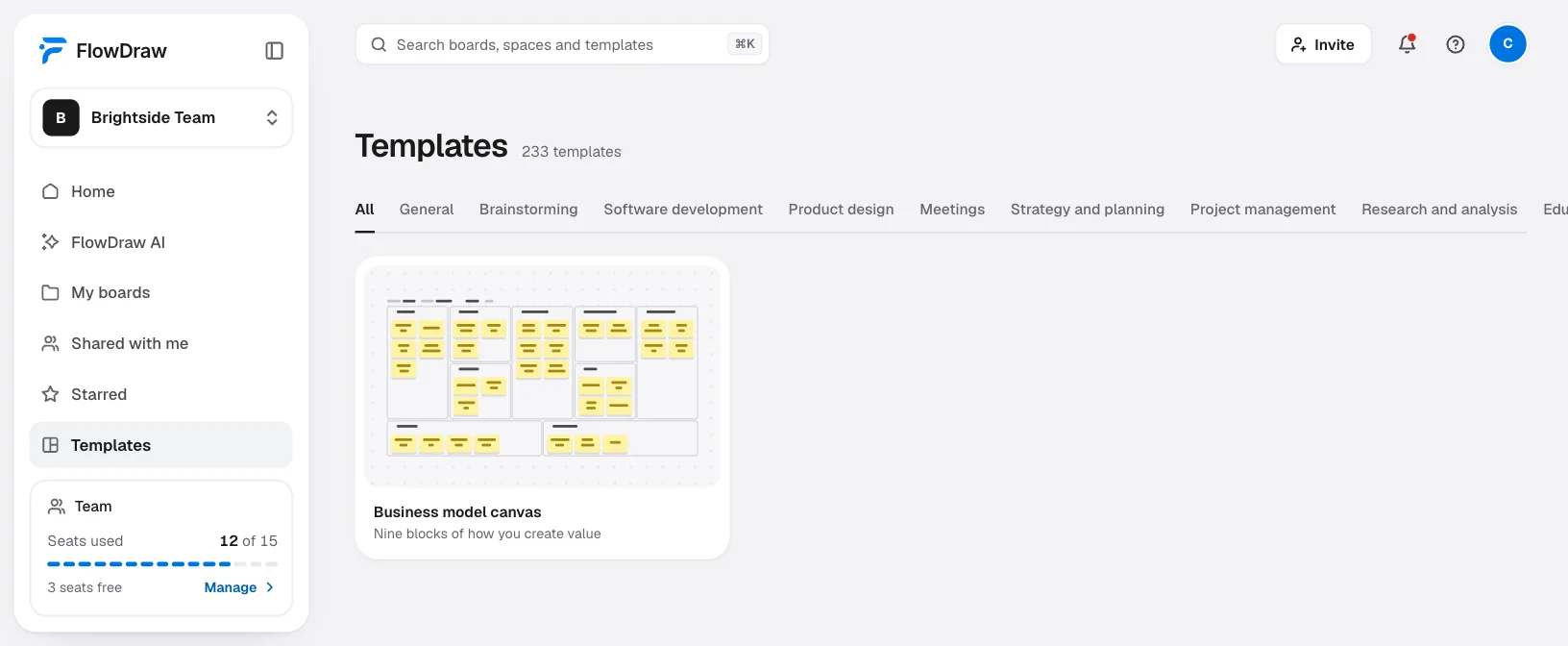
Open the template
Search for “Business model canvas” under “Templates”, open the card, then choose “Use template”.
Fill in the top line
Double-click the words after “Designed for”, “Designed by”, “Date” and “Version”, then type. The version number is plain text, so it is yours to keep up.
Replace the notes
Double-click a sticky note and type over it. Press ⌫ to delete a note you do not need.
Add a note
Select a note, press ⌘D (Ctrl+D on Windows) and drag the copy into place. Notes sit on top of a block rather than inside it, so moving a block leaves them behind.
Trace a thread
Shift-click the notes in one chain, then choose a swatch under “Color” in “Sticky note properties”. A break is then easy to spot.
Work on it together
Choose “Share” and add people. On Free everyone invited can edit. On Pro only one person can, so others press C and comment.
Try another model
Choose “Duplicate” in the board menu and change the copy. A Free workspace holds 3 boards. “Version history” is on Pro and Team only.
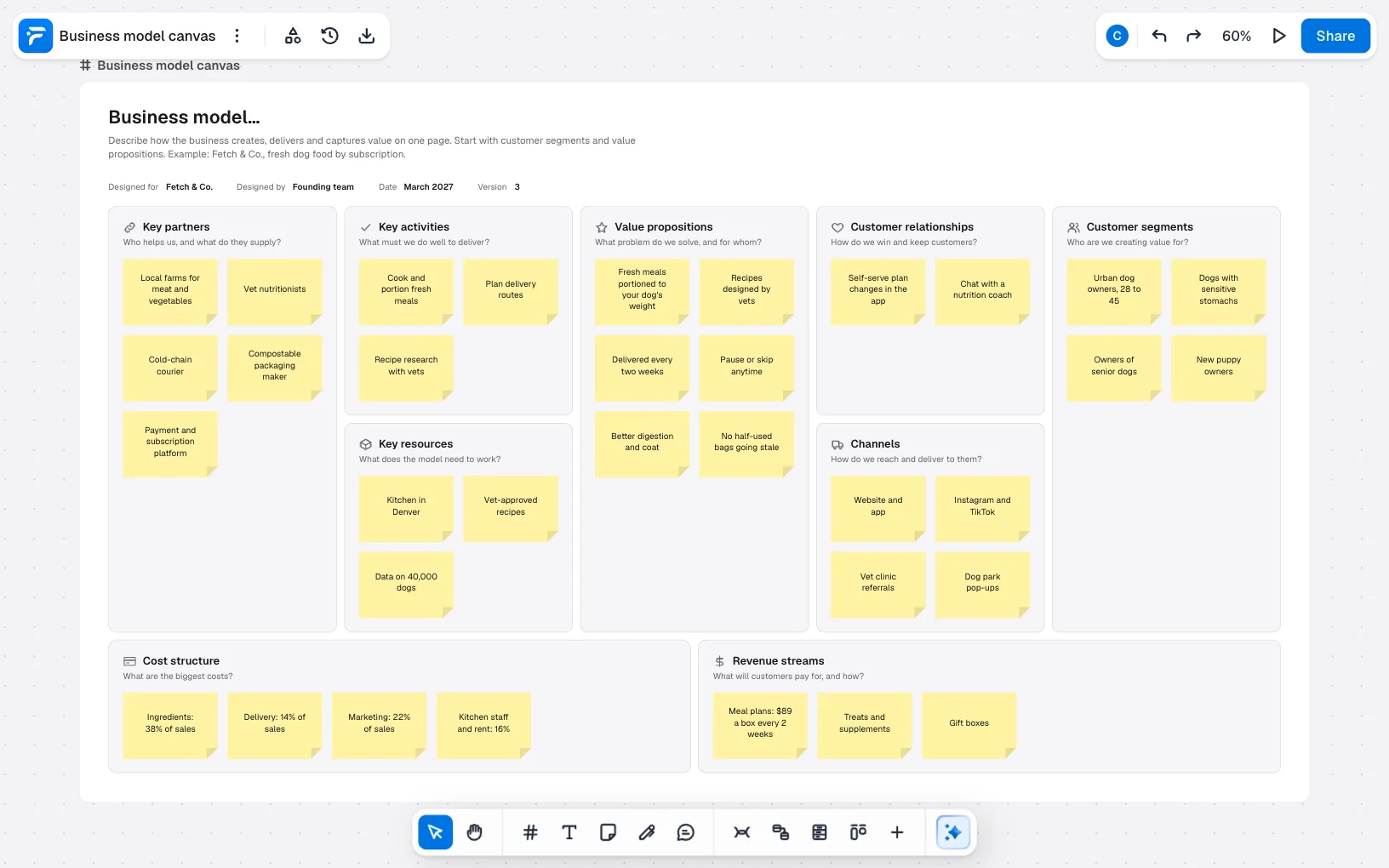
“Lean canvas” and “Value proposition canvas” are free templates too. Export the finished canvas as PNG, SVG, PDF or JSON from “Export”, on any plan.
Business model canvas mistakes to avoid
- Vague notes. “High quality” fits any business. “Recipes designed by vets” fits this one.
- Everyone as the customer. If one offer has to suit every segment, split the canvas.
- Listing features as value. Say what the customer gets, not what you built.
- Filling blocks in isolation. Blocks only mean something once they connect.
- Treating notes as facts. Each is a guess until a customer or a number backs it up.
- Filing it away. Go back when something you assumed turns out to be wrong, and update the version.
FAQ
Customer segments, value propositions, channels, customer relationships, revenue streams, key resources, key activities, key partners and cost structure.