How to make a mind map that stays useful
Make a mind map people still open a month later: choose the center, keep branches at one level and prune on a schedule, with a product launch as the example.
Most mind maps are useful for one afternoon. The meeting ends, and nobody opens it again. Whether you make a mind map that still helps a month later comes down to a few choices, and this product launch plan shows them.
Quick AnswerTo make a mind map that stays useful, put one goal or question in the center, give it a handful of main branches at the same level, and keep labels to a few words. Collapse what is finished, delete what is stale, and move decided work into a plan.
What is a mind map?
A mind map is a tree drawn outward from one central topic.
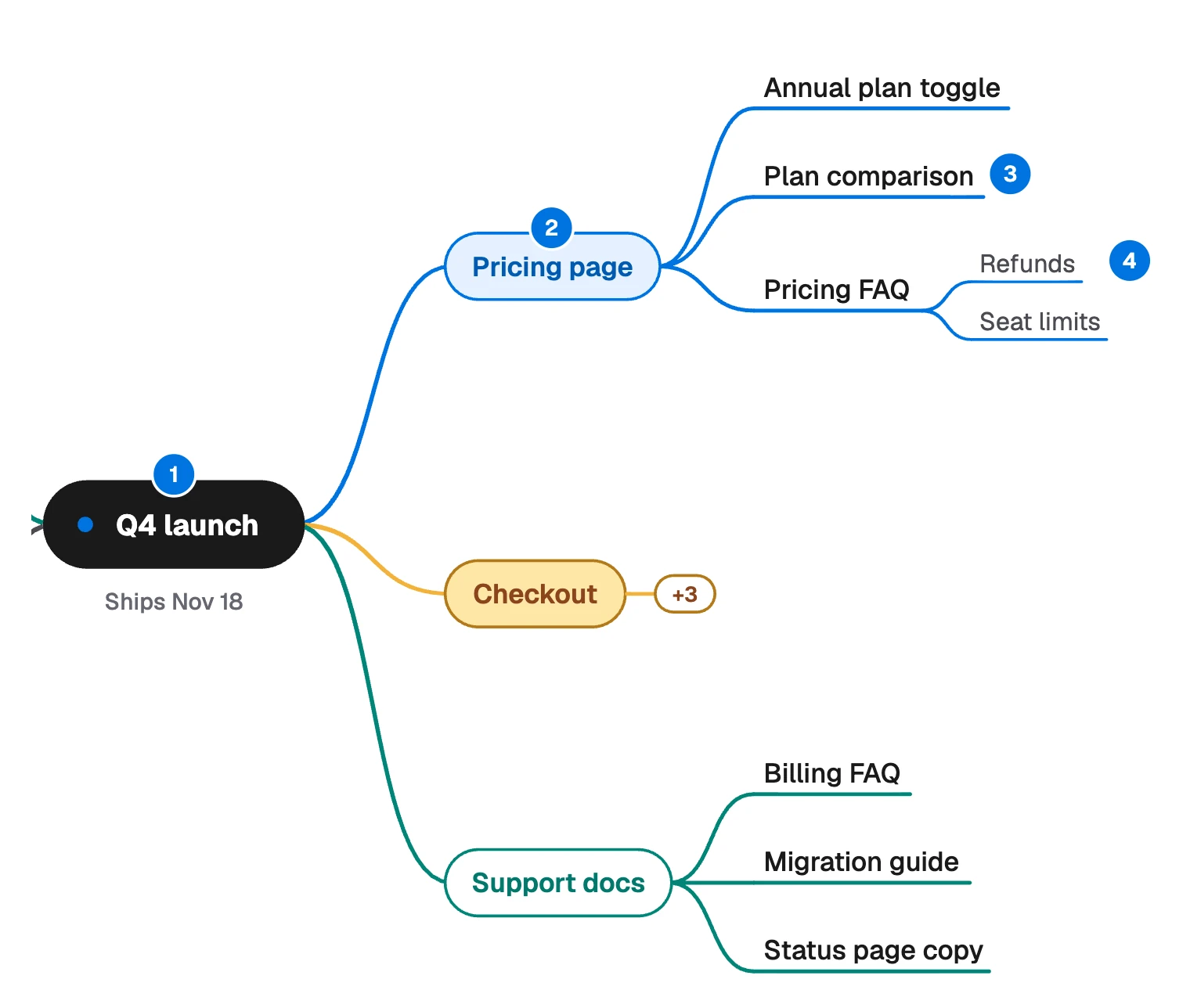
- Center: the one thing the map is about.
- Main branch: a big part of the subject.
- Sub-topic: a piece of that part.
- Detail: the next ring out, used only where it is needed.
Because it grows from the middle, you can add to any part without disturbing the rest.
That makes it good at two jobs: getting everything out of your head, and breaking something big into parts. It is poor at showing order, because branches have no sequence.
When to use a mind map, and when not to
| You want to | Use |
|---|---|
| Capture ideas before you know their structure | Mind map |
| Break a launch, a topic or a course into parts | Mind map |
| Show the order of steps and decisions | Flowchart |
| Show how ideas link across branches | Concept map |
| Track who does what, and by when | Kanban board |
| Write something people read from start to end | Outline |
Reading the Q4 launch map
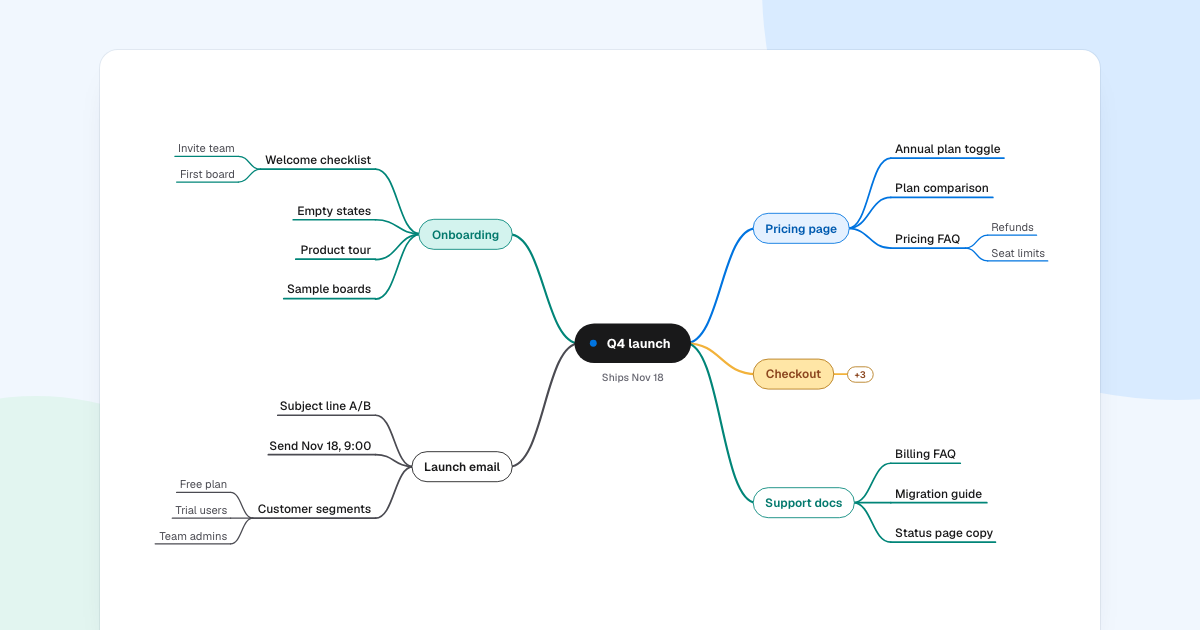
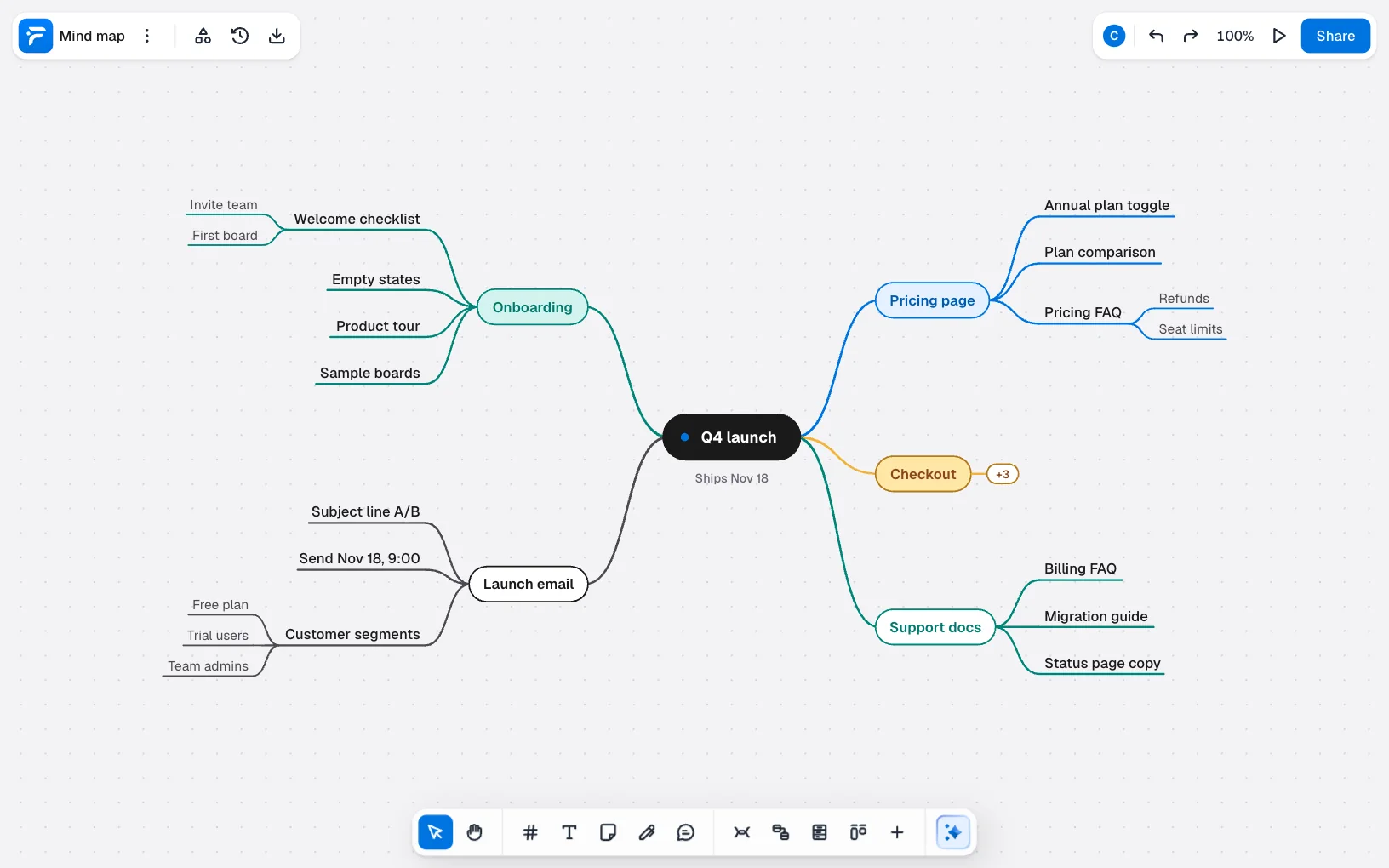
This map plans a product launch. Five choices keep it readable.
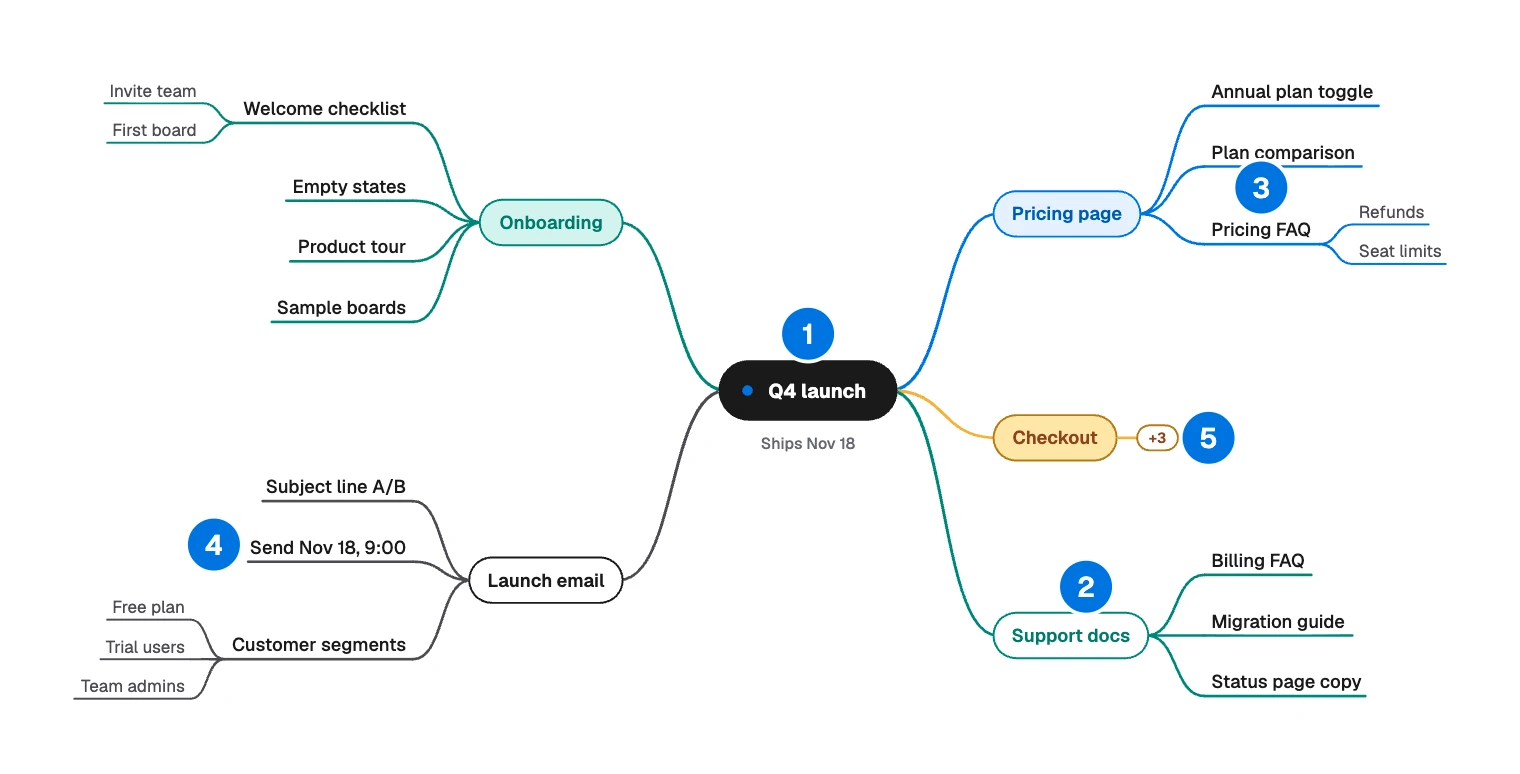
- The center states the goal and the date, because every branch depends on “Ships Nov 18”.
- All five main branches are pieces of work. Each could have one owner. There is no “Misc” and no “Ideas”.
- Depth follows need. “Pricing FAQ” splits because “Refunds” and “Seat limits” need separate writing. “Empty states” stays a single topic.
- A leaf can hold a fact. “Send Nov 18, 9:00” is a decision already made, kept where the people writing the email will see it.
- “Checkout” is collapsed. The “+3” means three topics are folded away, so the eye goes to the branches still open.
How to make a mind map that lasts
Getting the first version down takes minutes. These habits decide whether anyone opens it again.
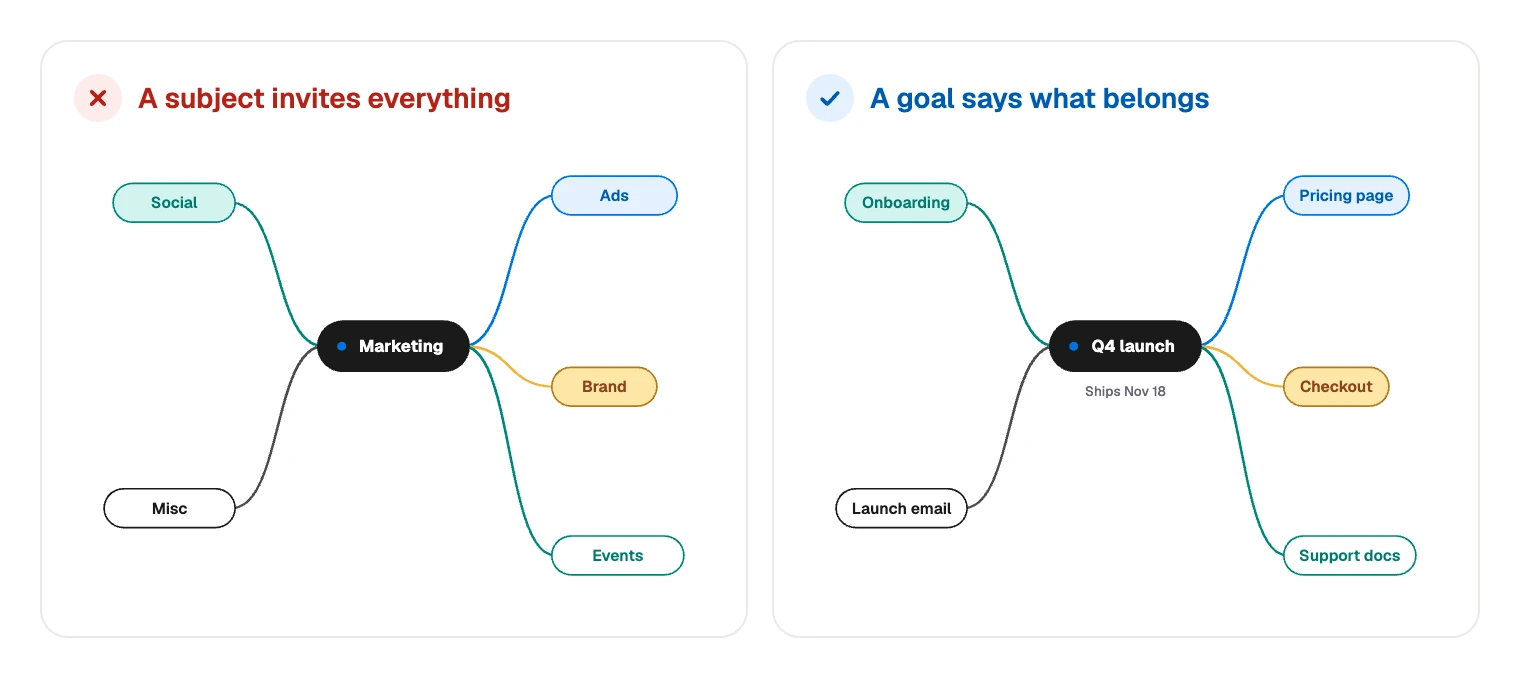
Start from a goal, not a subject
Write the center so that someone can tell whether a new idea belongs on the map.
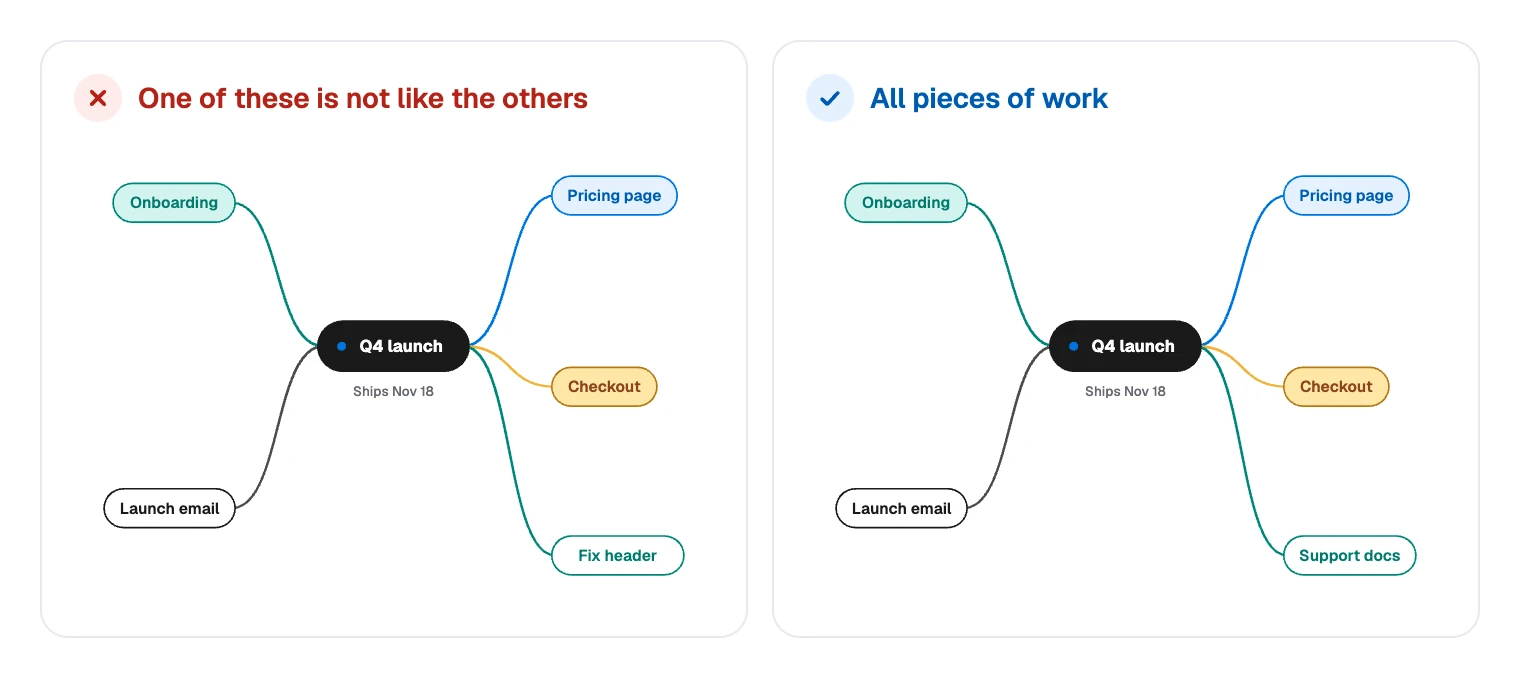
Keep each ring at one level
Main branches should all be the same kind of thing: all workstreams, all customer types or all chapters.
Use a few words per topic
Aim for one to four words on a main branch. Sentences belong in a document or a comment. Short labels scan faster, and writing them forces you to name the idea.
Stop at about three levels
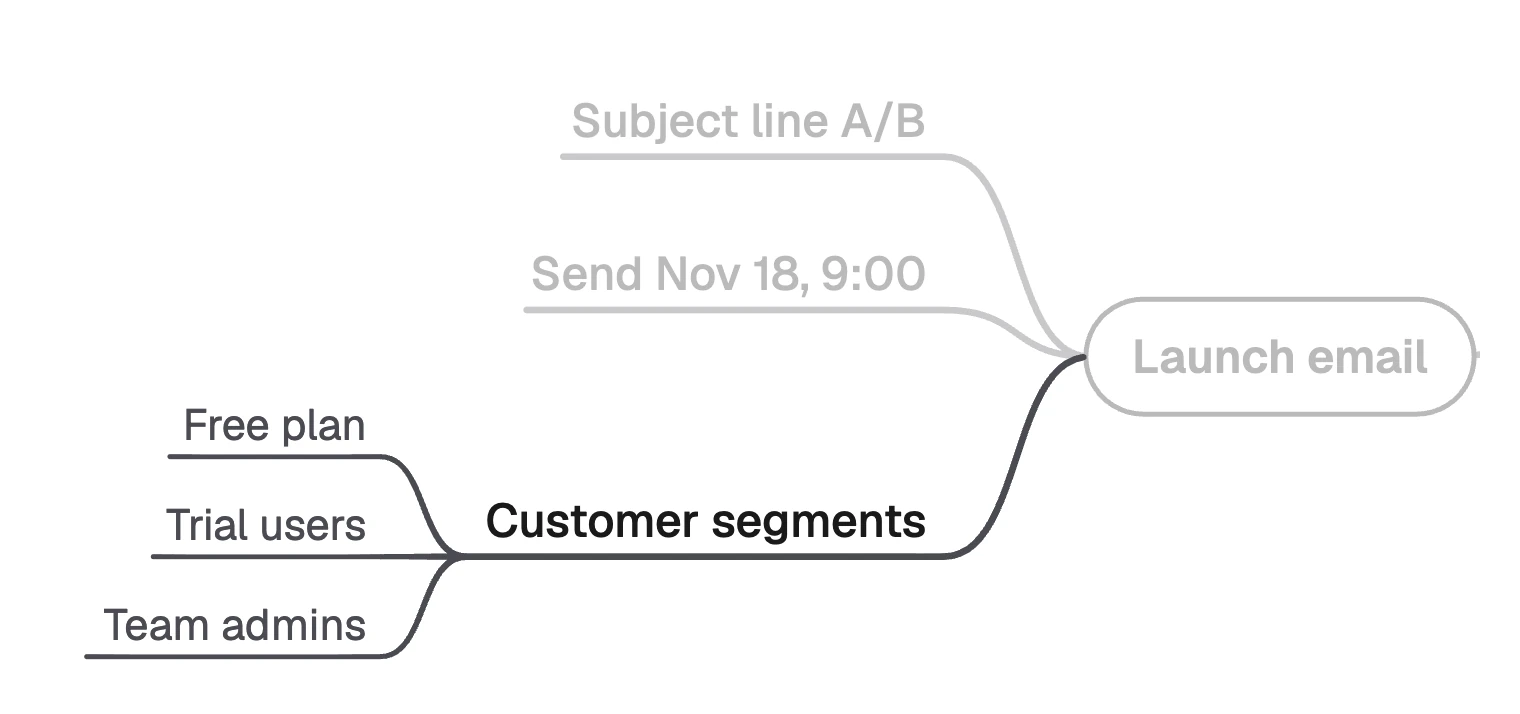
The launch map goes no deeper than “Customer segments” and the three groups under it. When a branch wants a fourth level, it usually deserves a map of its own.
Prune on a schedule
Pick a review date when you make the map, and name who does the trimming. A map that only grows gets harder to read, so delete what was decided against and collapse what is done.
Move decided work out
A map shapes work, and it is a poor place to track it. Once a branch turns into tasks, move them to a kanban board. In FlowDraw, “Kanban” in the dock places one on the same board.
Build the map in FlowDraw
Mind maps are free on every plan. Each topic counts as one element, and a board on Free holds 150.
Start the map
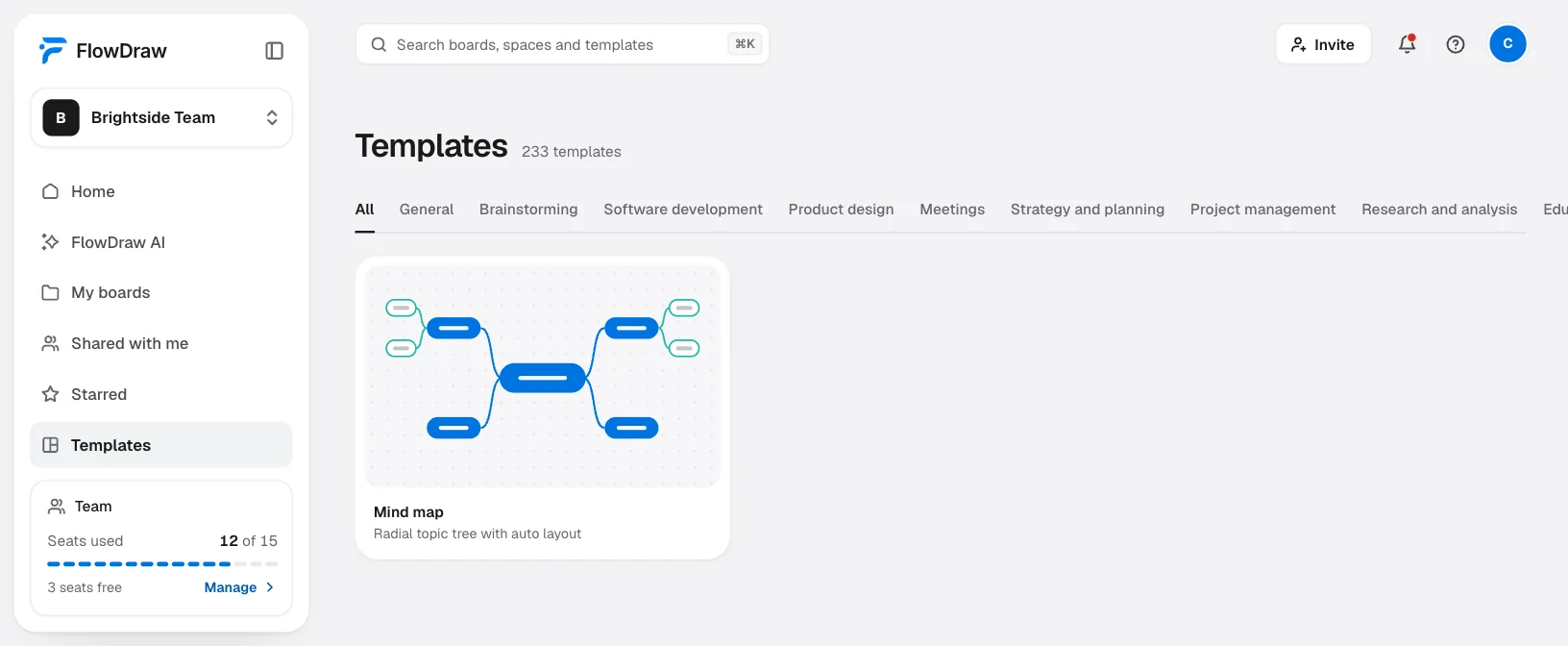
On Home, click the “Mind map” tile, or search for it under “Templates” and click “Use template”. For an empty map, open a “Blank board” and press M, which places a “Central topic”.
Add topics from the keyboard
Select a topic: Tab adds a child and Enter adds a sibling. Start typing to replace a label. The map lays itself out as topics change, so you never drag anything into place.
Choose its shape
Select the central topic to open “Topic properties”. “Layout” offers “Right”, “Left” and “Both sides”, and “Branch lines” offers “Curved” and “Elbow”. The Classic “Theme” is free, and the other five come with Pro.
Fold and assign
Use “Collapse branch” on a finished branch and “Expand branch” to reopen it. To give a branch an owner, click “Comment” in the dock, click the branch and mention them.
Make it findable
Use “Rename” in the “Board menu” to name the board after its goal. Search reads board titles, not the text on a board, so a board still called “Mind map” will not turn up for “launch”.
You can also ask for a first draft. Click “FlowDraw AI” in the sidebar, set “Diagram” to “Mind map”, describe the goal and click “Draw it”.
It costs 10 AI credits and makes a new board. Inside a board, “Ask AI” offers “Brainstorm ideas in a mind map”.
Prompts work best when they name the goal and the branches you already know:
Mind map for launching annual billing on Nov 18. Branches for pricing page, checkout, support docs, onboarding and launch email. Under each one, list the concrete pieces of work.
You can attach meeting notes as a PDF, a Word file or a text file too. Expect a fuller map than you would draw by hand, and prune it with the same habits.
Why mind maps stop being useful
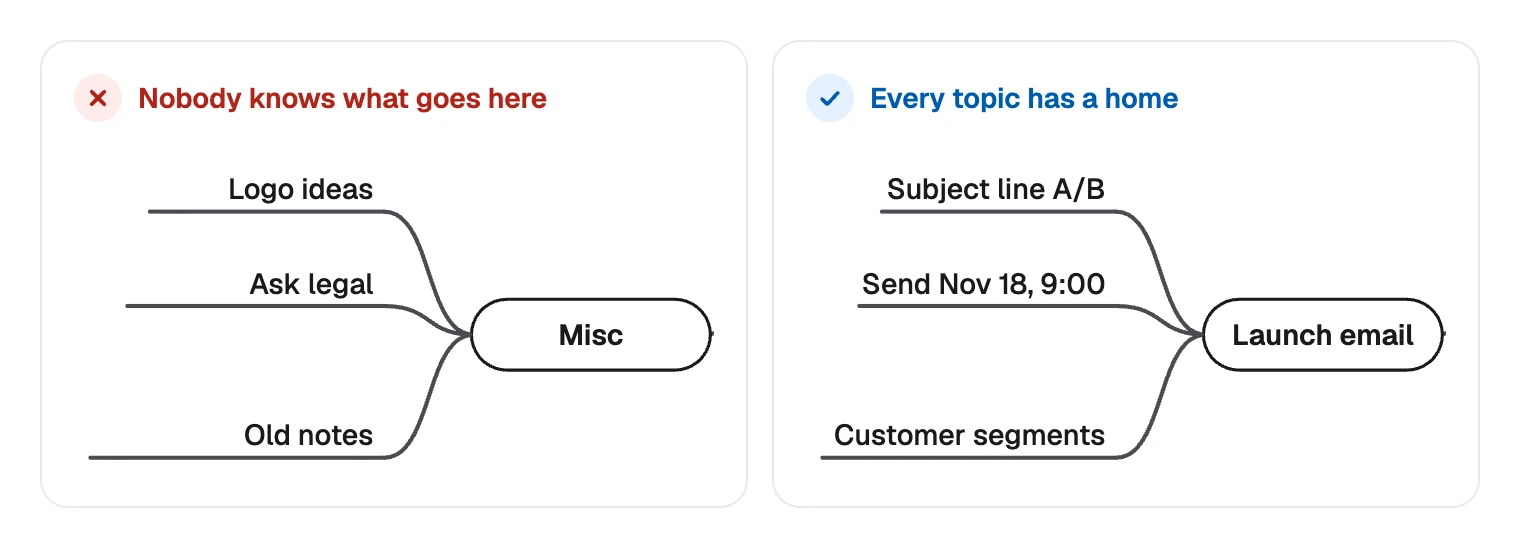
A “Misc” branch. It grows fastest and hides ideas nobody has thought through. Give each item a home or delete it.
- Using it as a process. If you are numbering branches so people read them in order, you want a flowchart.
- The same topic on two branches. A tree gives each topic one parent. If many ideas need cross-links, draw a concept map.
- Color with no meaning. One color per branch helps the eye follow it. A different color on every topic is noise.
- Treating the brainstorm as the plan. The raw map holds everything anyone said. Trim it before you share it as a decision.
When you have a goal in mind, start a free board, press M and give yourself ten minutes on the first ring.
FAQ
A mind map is a tree with one center, where each topic has one parent. A concept map is a network: an idea can link to several others, and each link says how they relate. Use a mind map to break a subject down, and a concept map to explain how its ideas fit together.