How to make a RACI matrix
A RACI matrix shows who does, owns, advises on and hears about each task. Learn what the letters mean, how to fill one in and the checks to run before sharing.
Two people each thought the other was writing the terms update, and a third found out on launch day. A RACI matrix prevents that by settling, task by task, who does what. It usually takes one short meeting.
Quick AnswerA RACI matrix is a table of tasks against people. Each cell holds a letter: Responsible does the work, Accountable owns the result, Consulted gives input first and Informed hears afterwards. Every task needs exactly one A and at least one R, and empty cells mean no part.
What is a RACI matrix?
It is a responsibility chart. Four letters do all the work:
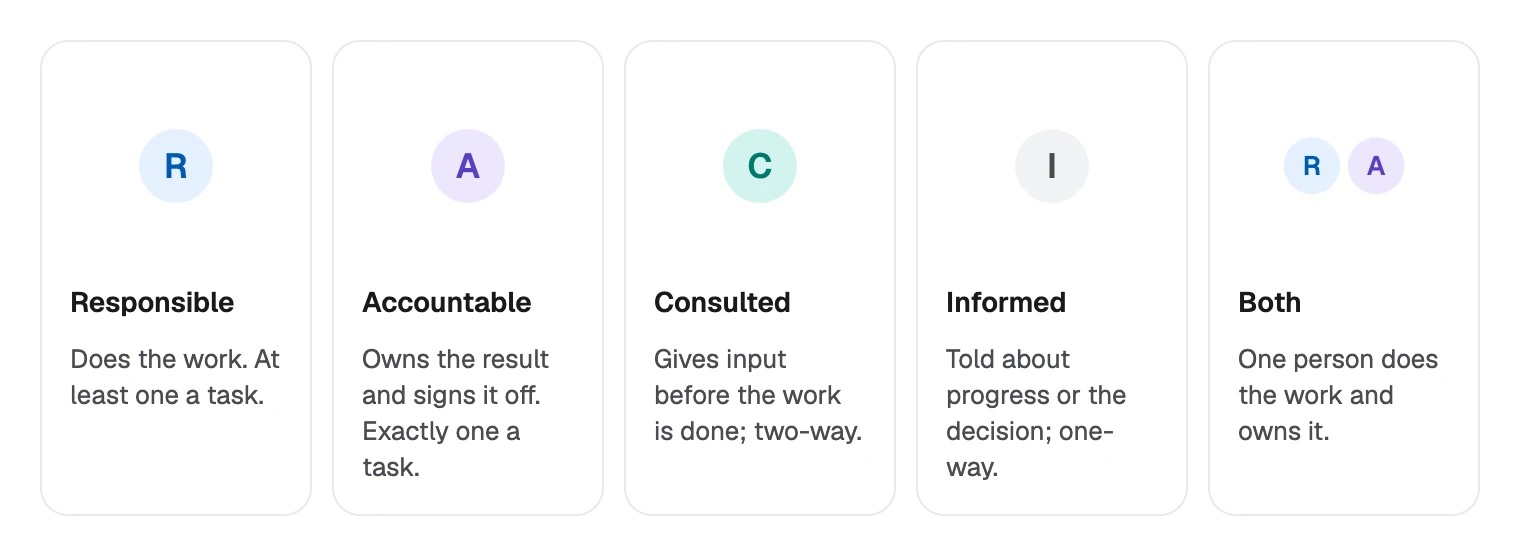
The difference between C and I is direction. A consulted person can change the work, so each one costs time. An informed person only needs to know.
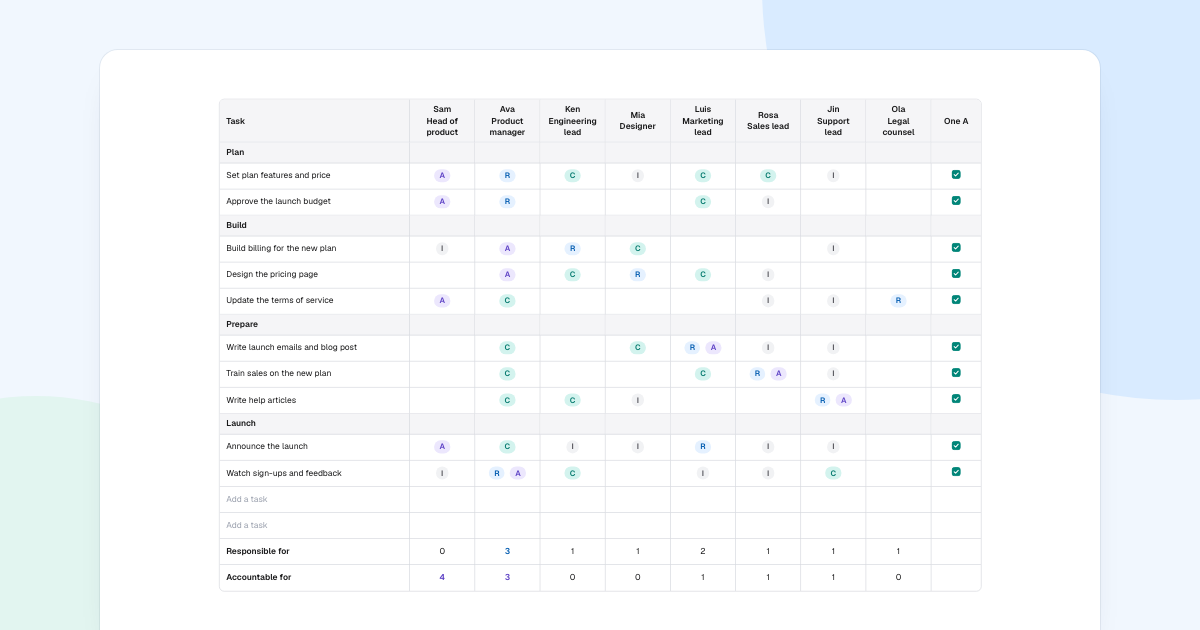
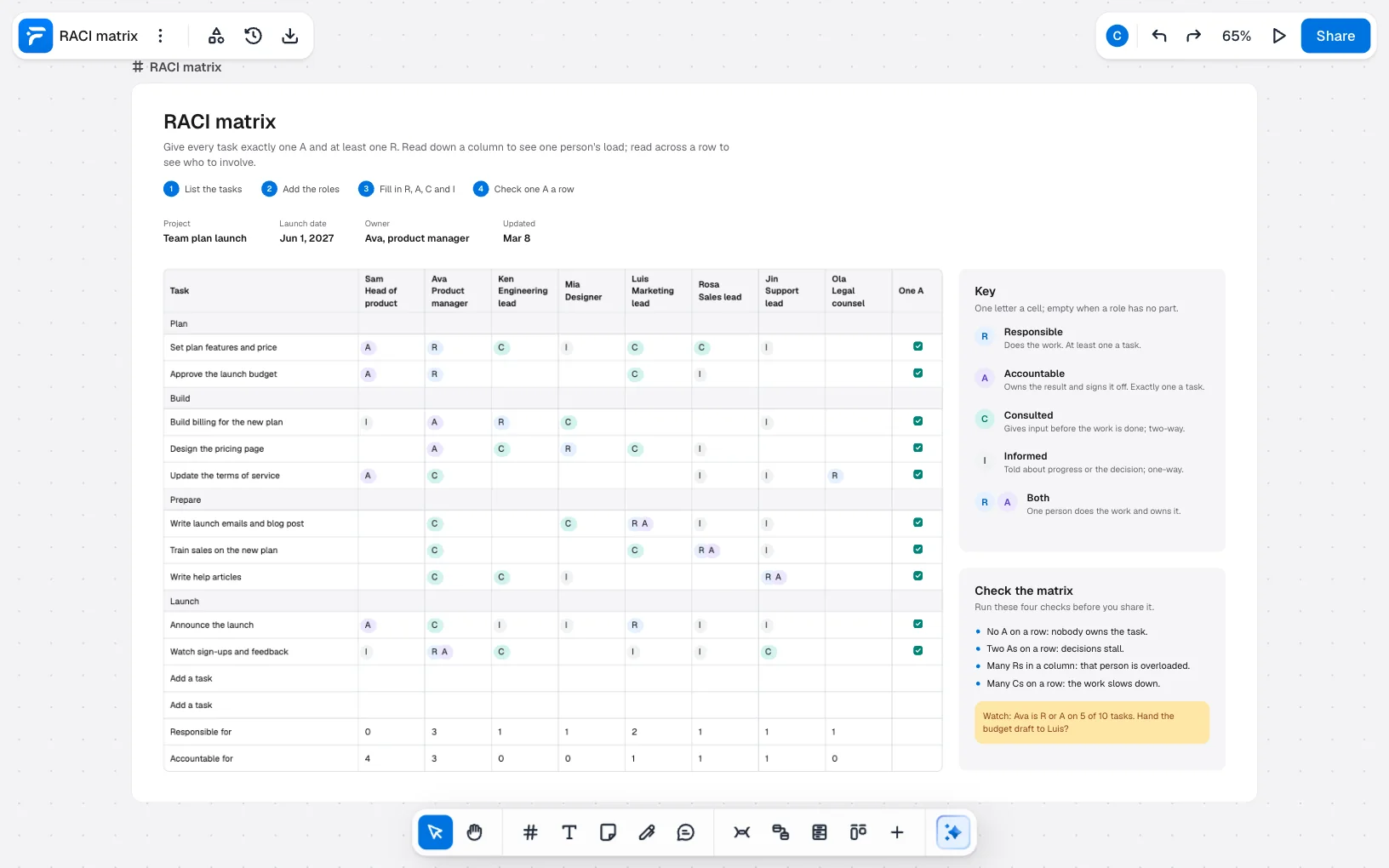
The example is a Team plan launch, owned by Ava, the product manager, for Jun 1, 2027:
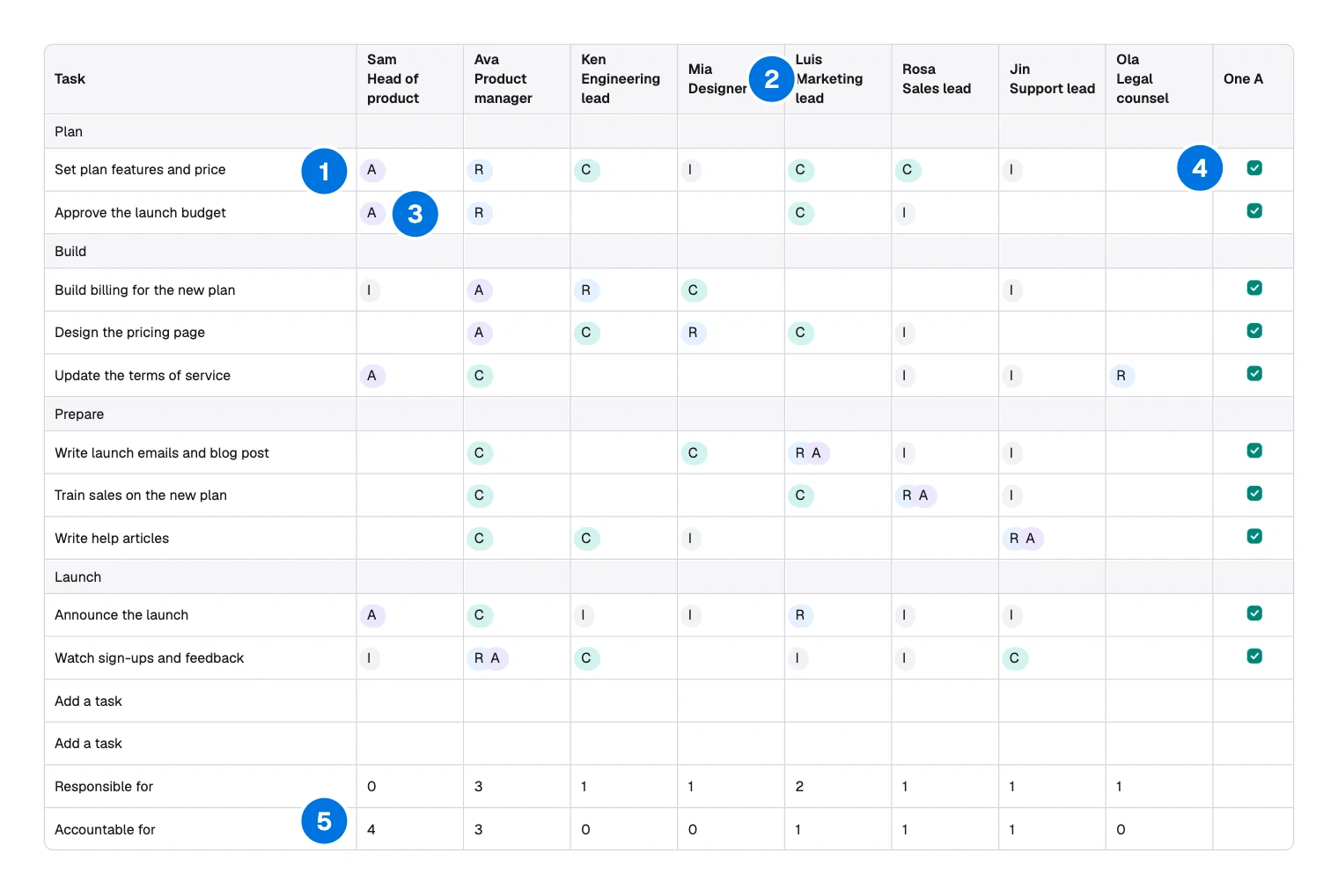
- Task: one row each, grouped by stage.
- Role: one column a person, with their job title.
- Letter: that person’s part in that task.
- One A: a tick once the row has exactly one A.
- Totals: how many Rs and As each person holds.
It suits work that crosses teams, where handoffs go wrong. To show the order of steps, draw a swimlane diagram. To show who reports to whom, use an org chart.
How to make a RACI matrix
List the tasks
Write outcomes people would recognise, starting with a verb: “Design the pricing page”, not “Pricing”. A work breakdown structure is a good source. Group them, as the example does with Plan, Build, Prepare and Launch.
Add the roles
Add everyone who touches the work, with name and title. Titles matter when people leave or a project repeats. Include people outside the core team: Ola in legal has one job here, easy to miss.
Fill in R, A, C and I
Work across one row at a time, in the room with the people named. Start with the A: who answers for this if it goes wrong? Then who does the work, who must be asked first and who just needs to know.
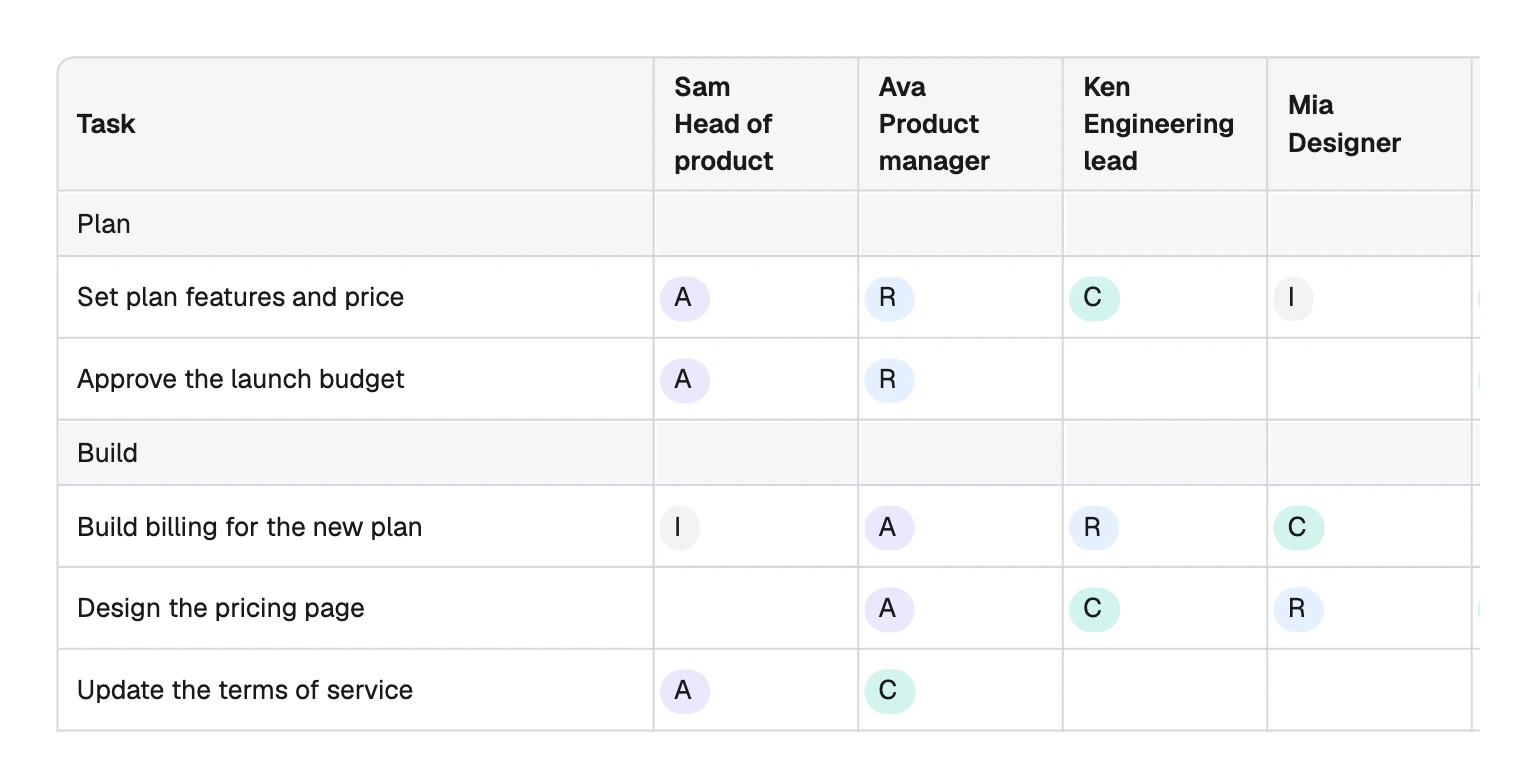
Reading across “Design the pricing page”: Ava owns it, Mia does it, and Ken and Luis are asked first. Leave a cell empty when someone has no part. Empty cells are what make the matrix useful.
Check one A a row
Now read it both ways. Across tells you who to involve, and down tells you one person’s load.
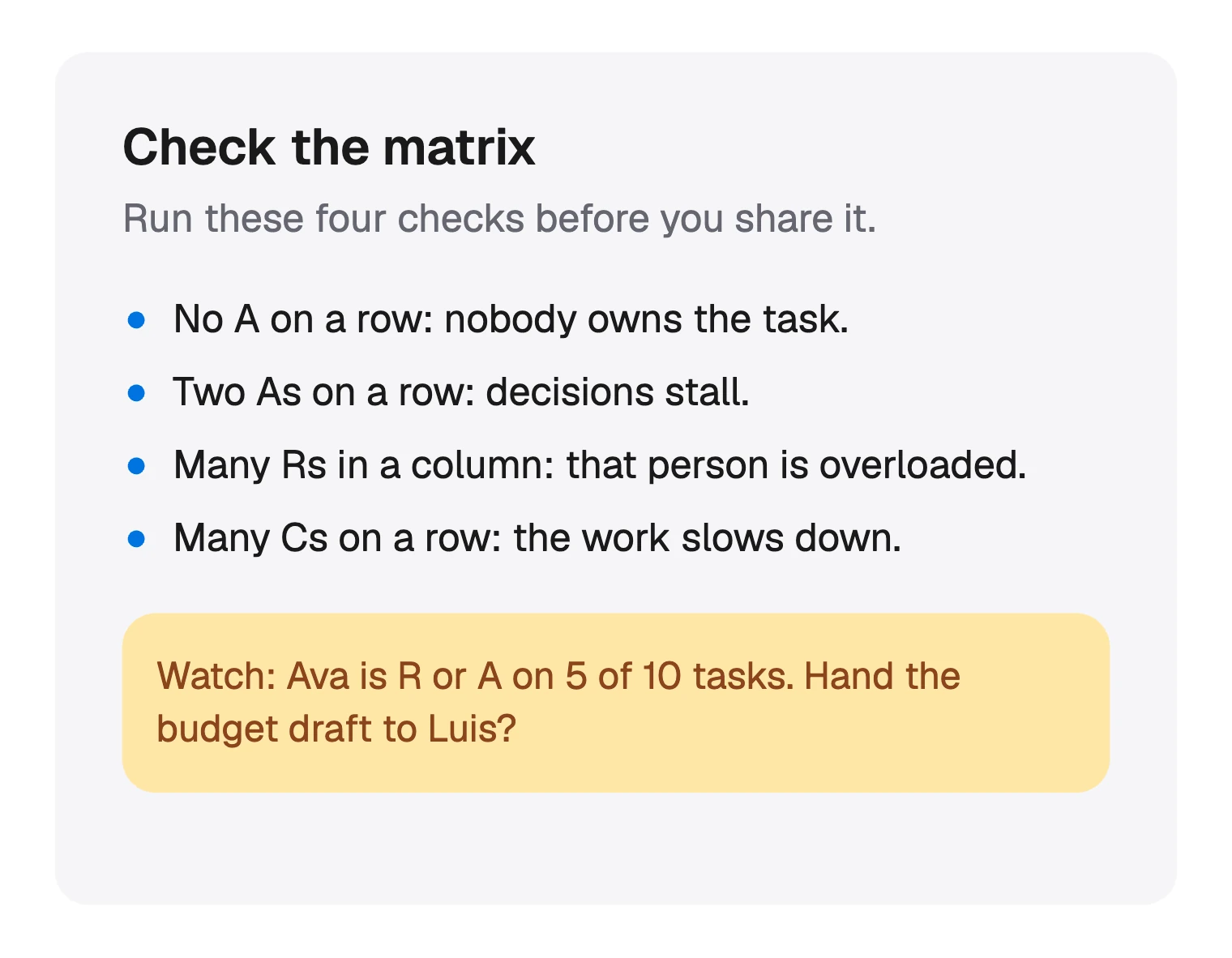
The totals back up the note. Ava is responsible for 3 tasks and accountable for 3, with both letters on one, which makes 5 of 10.
Sam holds 4 As and no Rs, which is normal for a head of product. Handing the budget draft to Luis would take one off Ava.
Drawing a RACI matrix in FlowDraw
The template is free, in the Project management category.
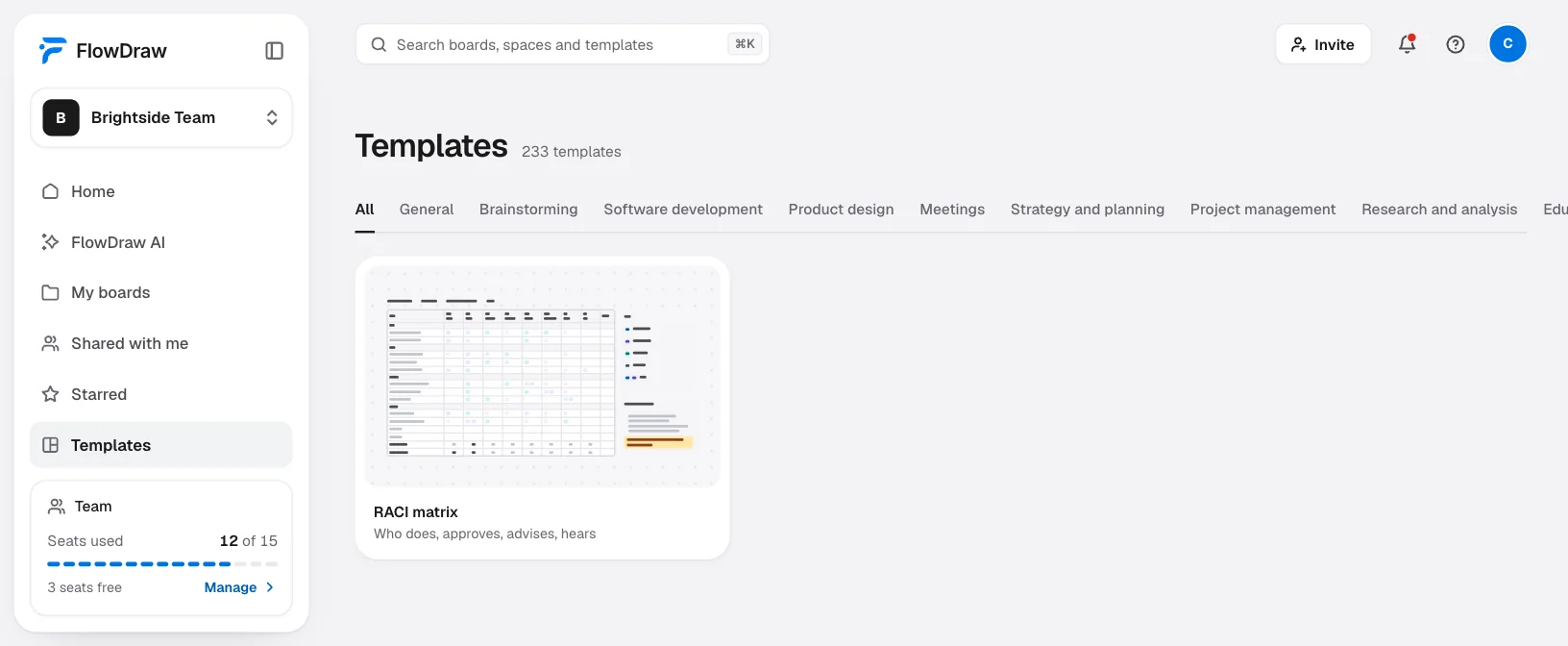
Open the template
Search for “RACI matrix” under “Templates”, open the card, then choose “Use template”.
Retype the tasks and people
Double-click a cell and type. Enter starts a new line and Esc finishes. Two “Add a task” rows are ready.
Change a letter
Double-click the cell and type. A plain letter is enough, and adds no elements.
Add a coloured letter
Click a letter in the key, press ⌘D (Ctrl+D on Windows) and drag the copy onto the cell. It carries its letter and colour, so leave the cell empty.
Fix the coloured pills
Pills are separate shapes under the table, which takes any click over them. Drag the table down off them, click a pill, drag it or change “Fill”, then drag the table back.
Add a person
Select the table and add a column under “Rows and columns”. It lands on the right, so retype headings to keep “One A” last.
Share it for comment
Choose “Share” and invite the people named with “Can comment”. They press C to comment where they disagree.
The ticks and totals are not formulas. FlowDraw will not notice a row with two As, so count again after each change.
On Free, this board has 159 elements and Free holds 150. It opens whole and you can change every word, but adding anything is refused until you are under 150.
Deleting the title, the steps and the project line takes off 18, which leaves 141. Pro has no limit.
RACI matrix mistakes to avoid
- Two As on a row. Each owner waits for the other. Pick one, and make the other a C.
- Filling it in alone. People find out their duties when the chart arrives. Do it with them.
- A C in every cell. Everyone asked means nothing moves. Most people can be an I.
- Teams in the columns. “Marketing” cannot be accountable. A named person can.
- Tasks as vague as “Support”. If you cannot tell when it is done, nobody can own it.
- Filing it away. Reopen it when people change or the scope moves, since that is when gaps appear.
FAQ
Responsible, Accountable, Consulted and Informed. Responsible people do the work, the accountable person owns the result, consulted people give input first and informed people hear about it afterwards.