How to make a concept map
Learn how to make a concept map with focus questions, linking phrases and cross-links, how it differs from a mind map, and how to draw one in FlowDraw.
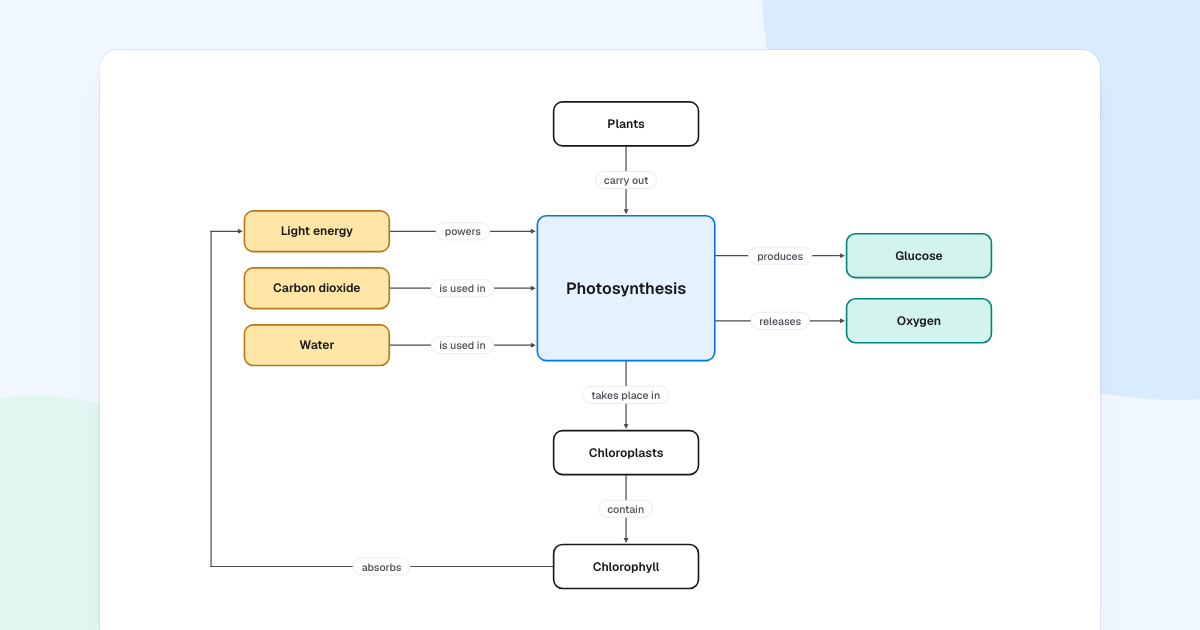
Here is a test for any diagram of an idea: read each arrow aloud. “Chlorophyll absorbs light energy.” If every arrow makes a true sentence, you have a concept map. To learn how to make a concept map that passes, follow the photosynthesis example below.
Quick AnswerA concept map shows how ideas relate. Each idea sits in a box, and each arrow carries a short linking phrase, so two boxes and an arrow read as a sentence. To make one, start from a focus question, list the key concepts, link them, then add cross-links.
What is a concept map?
Joseph Novak and his team developed concept maps at Cornell University in the 1970s, to follow how children’s understanding of science changed. They still help anywhere people need to see how knowledge fits together, such as a new hire learning a field.
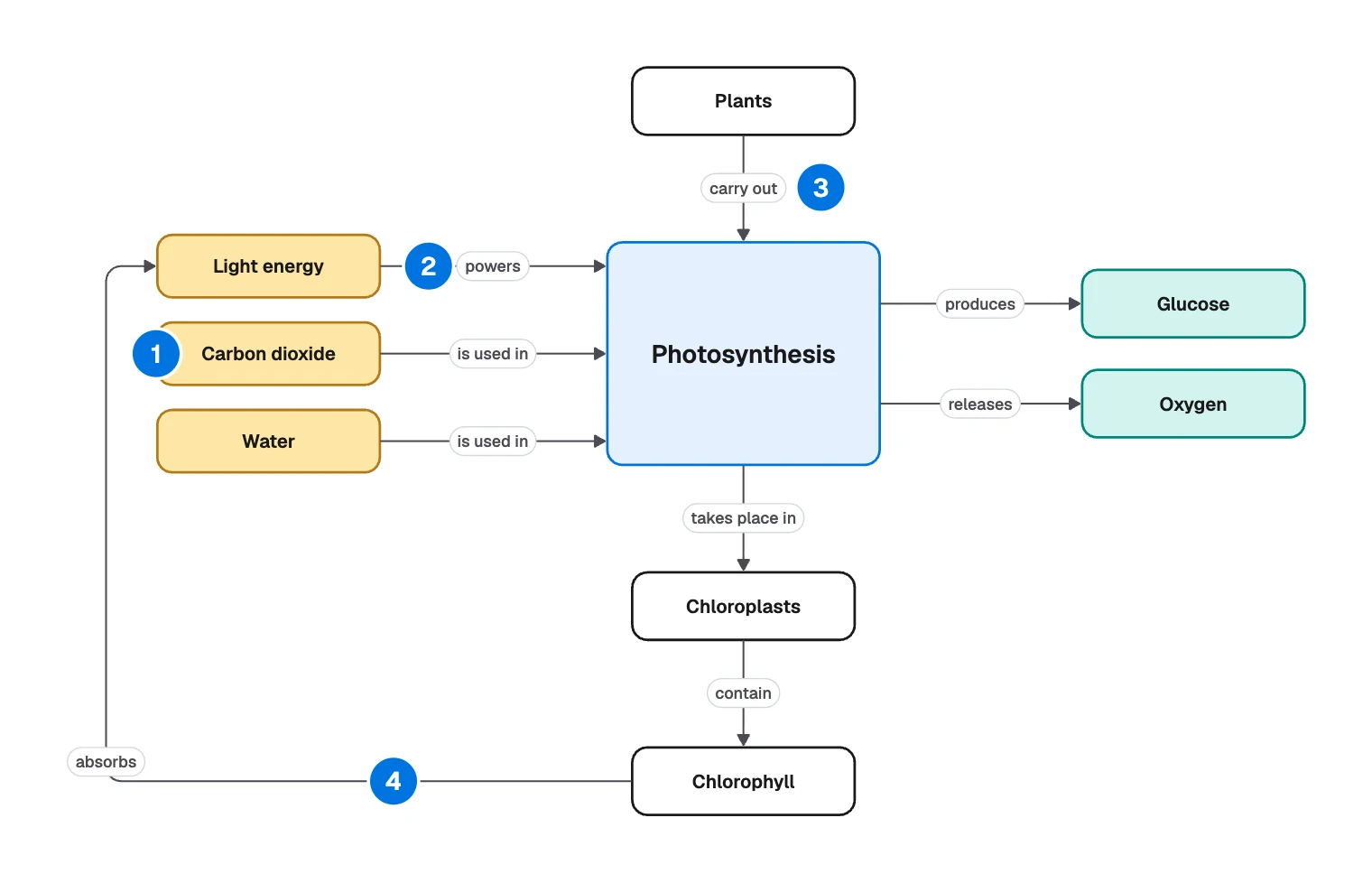
- Concept: an idea, in a word or a few, such as “Carbon dioxide”.
- Linking phrase: a short verb phrase on an arrow, such as “powers”.
- Proposition: concept, link and concept, read as a sentence. “Plants carry out photosynthesis.”
- Cross-link: a link between different parts of the map, here “absorbs”.
A fifth part stays off the board. The focus question is what the map sets out to answer, and for this one it is “How do plants make food?”
It is the wrong tool for steps in order, which belong in a flowchart. If the arrows carry data, you want a data flow diagram. If the question is what two groups share, draw a Venn diagram.
Read the photosynthesis example as sentences
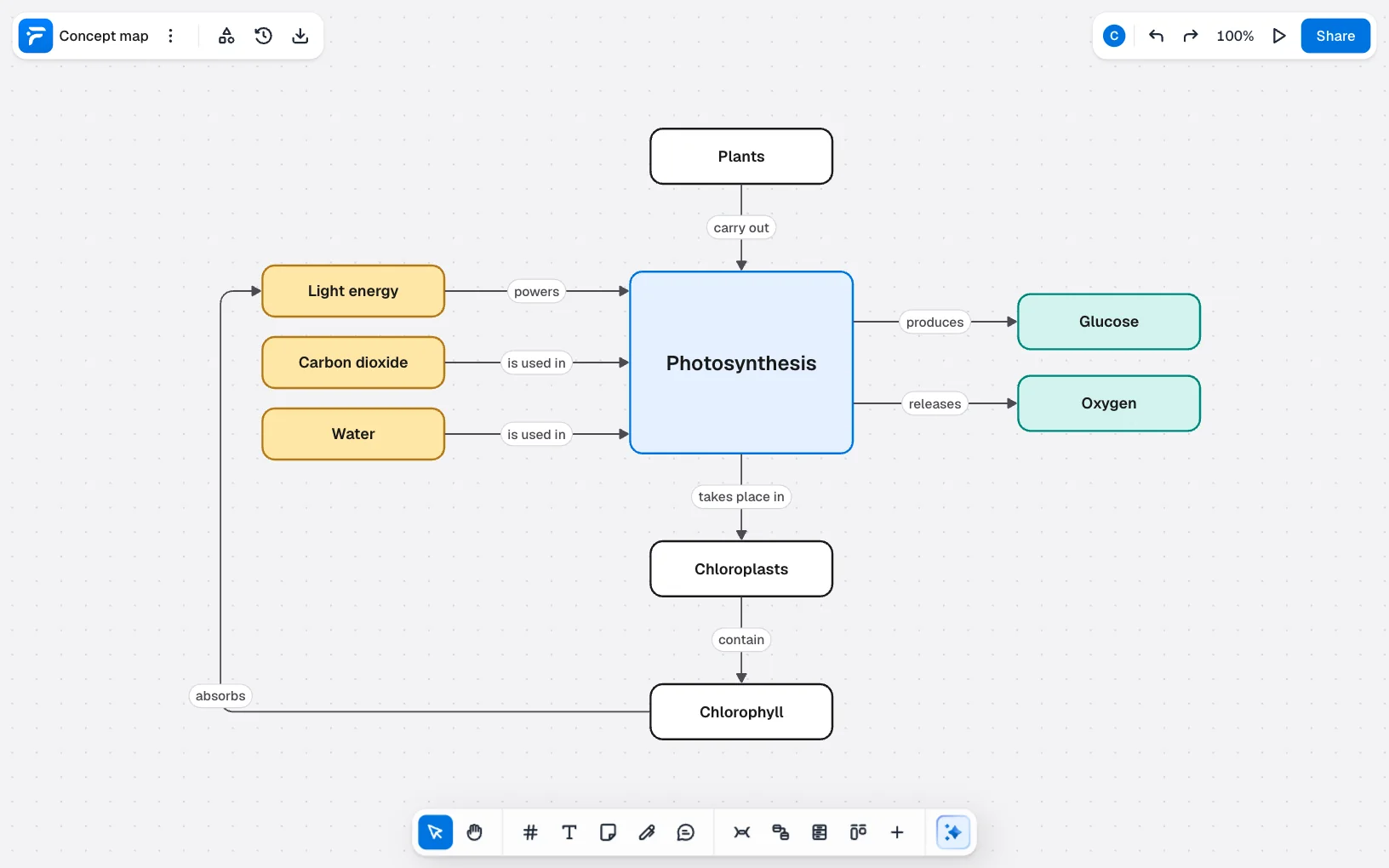
This is the sample from FlowDraw’s “Concept map” template. Everything it knows comes down to nine sentences:
- Plants carry out photosynthesis.
- Light energy powers photosynthesis.
- Carbon dioxide is used in photosynthesis.
- Water is used in photosynthesis.
- Photosynthesis produces glucose.
- Photosynthesis releases oxygen.
- Photosynthesis takes place in chloroplasts.
- Chloroplasts contain chlorophyll.
- Chlorophyll absorbs light energy.
The layout follows the logic, with Plants above the middle box.
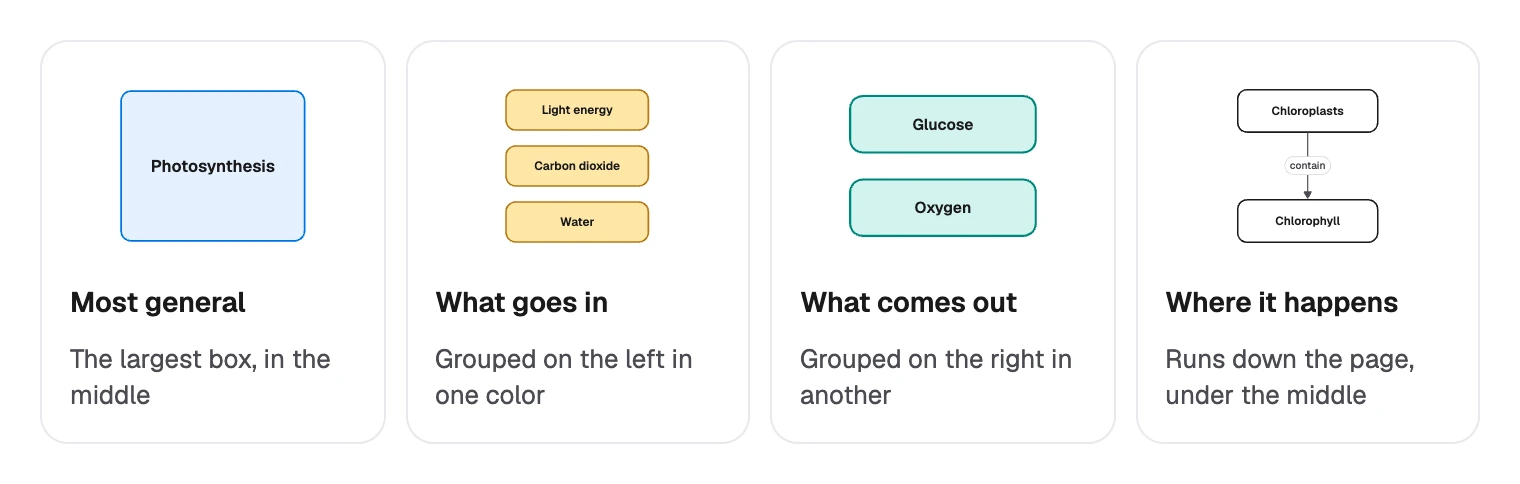
The last sentence is the one to study. It ties where the process happens to what powers it, and without it you would have three separate lists around a box.
Cross-links are often where you find out whether you understand a subject, since they join things a textbook may keep in separate chapters.
Concept map or mind map?
People often mix these up. If the right column sounds like your job, there is a separate guide on making a mind map.
| Concept map | Mind map | |
|---|---|---|
| Starts from | A focus question | One central topic |
| Shape | A network | A tree |
| Lines | Labeled, with a direction | Usually unlabeled |
| A box can link to | Any other box | Its parent and children |
| Best for | Understanding, teaching, checking what someone knows | Collecting and sorting ideas quickly |
How to make a concept map
- Write a focus question. “How do plants make food?” works better than the word “photosynthesis”, because it tells you what to leave out.
- List the concepts. Write nouns or short noun phrases beside the map. A common starting point is 15 to 25 for a full map, though the sample shows that nine can be enough.
- Rank them. Put the most general near the top or the center, and the most specific further out.
- Link them. Join two concepts and choose the verb that makes the statement true. Keep it to a few words.
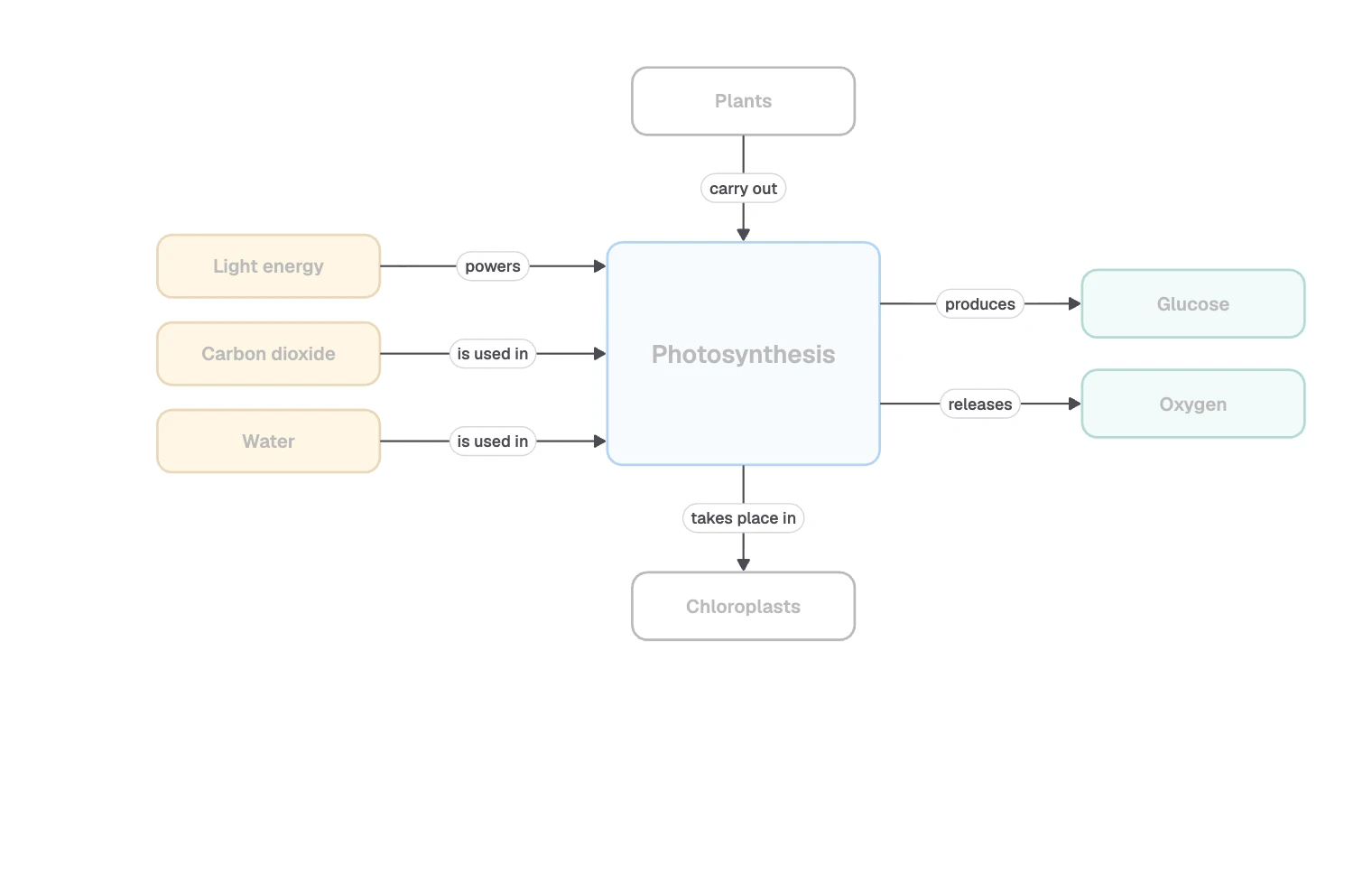
- Add cross-links. Look for connections between distant parts of the map. This is the hard part and the useful part. Here, Chlorophyll joins the map and its arrow runs all the way back to Light energy.
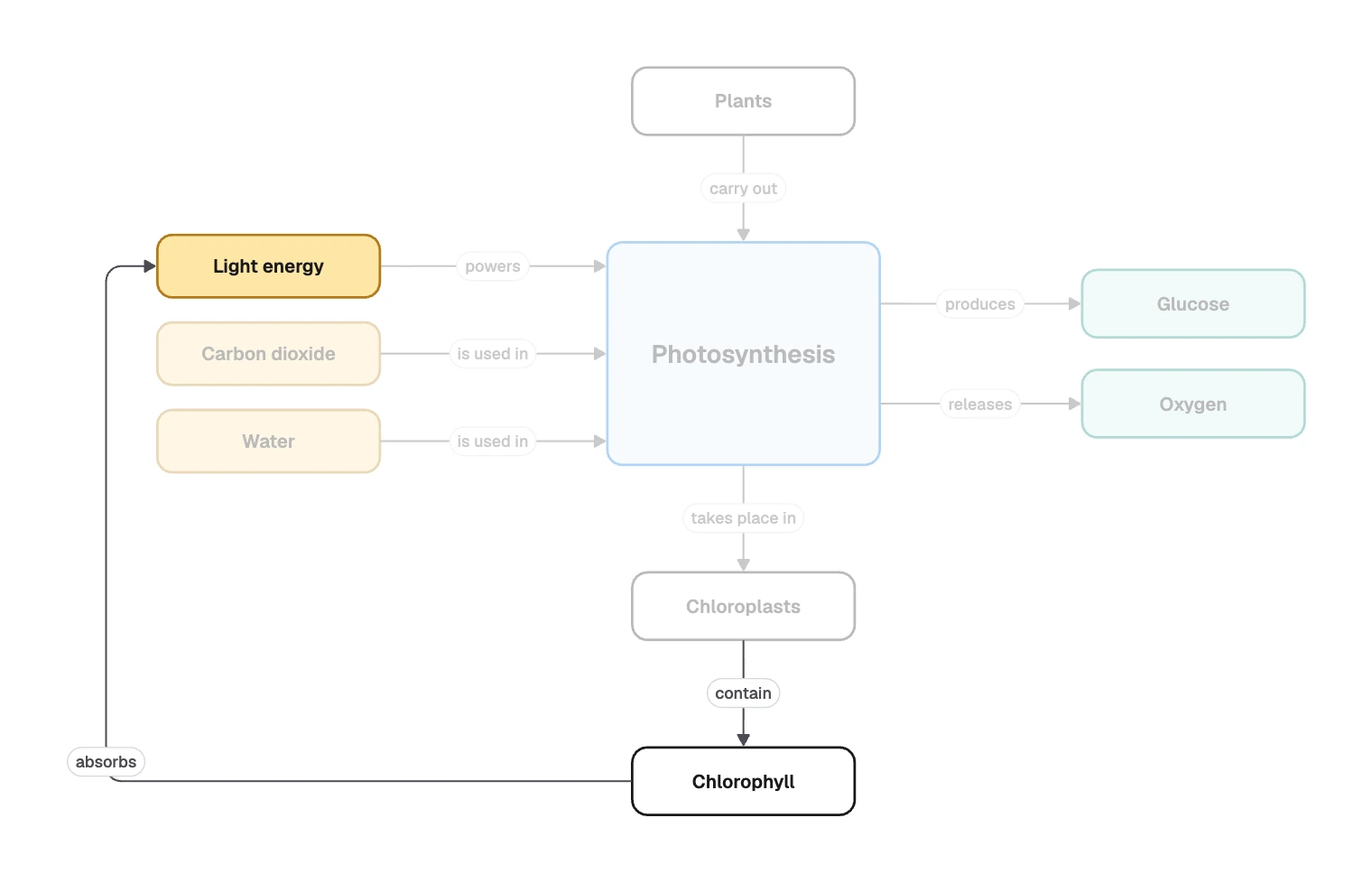
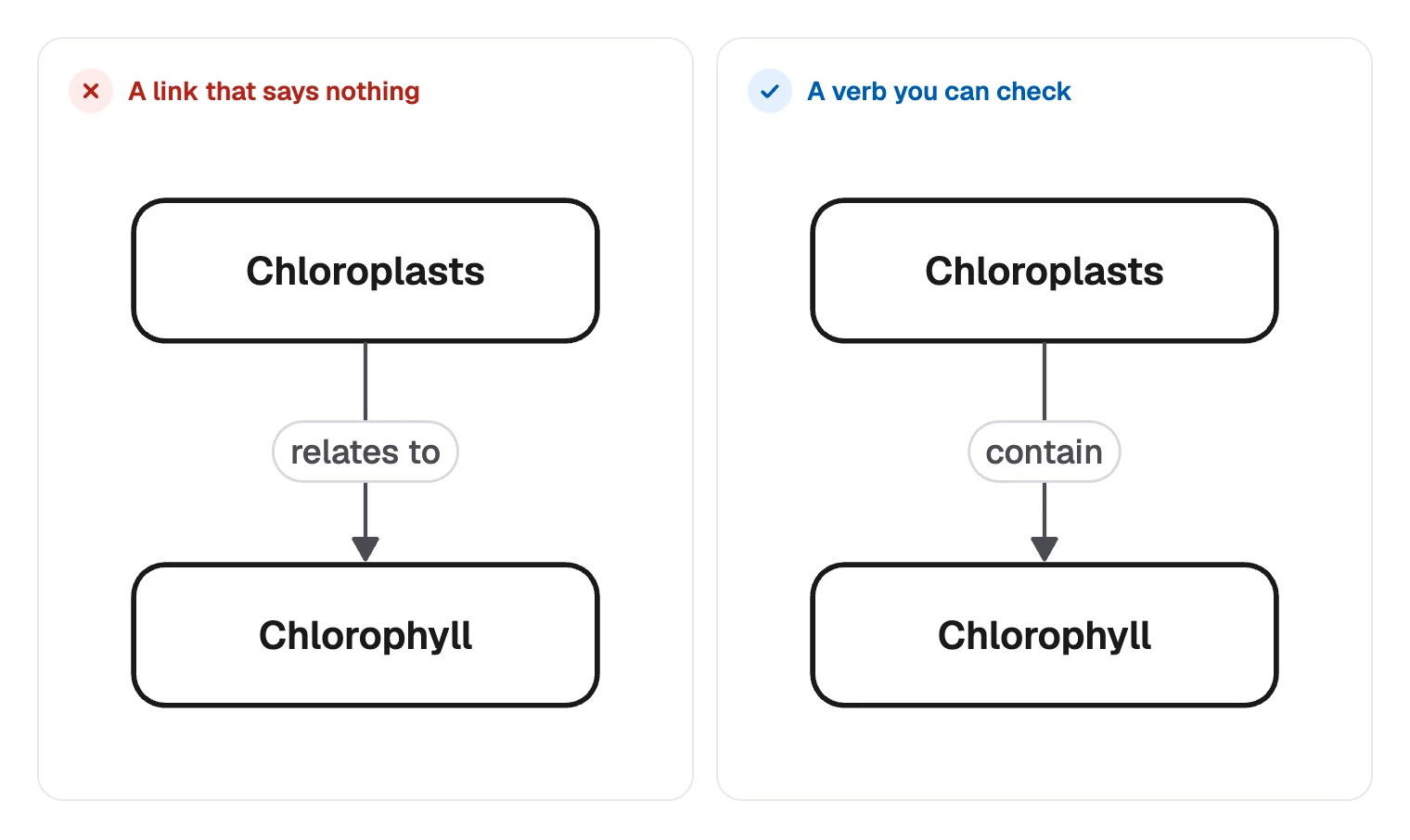
- Read every sentence aloud. Fix anything false or vague. If a link can only say “relates to”, you have found something to go and learn.
- Show it to someone. A person who knows the subject will spot a wrong link quickly, and one who does not will spot an unclear one.
Building it in FlowDraw
Use shapes and connectors for this. The “Mind map” tool (M) lays out its topics as a tree by itself, which suits a mind map but not a network with cross-links.
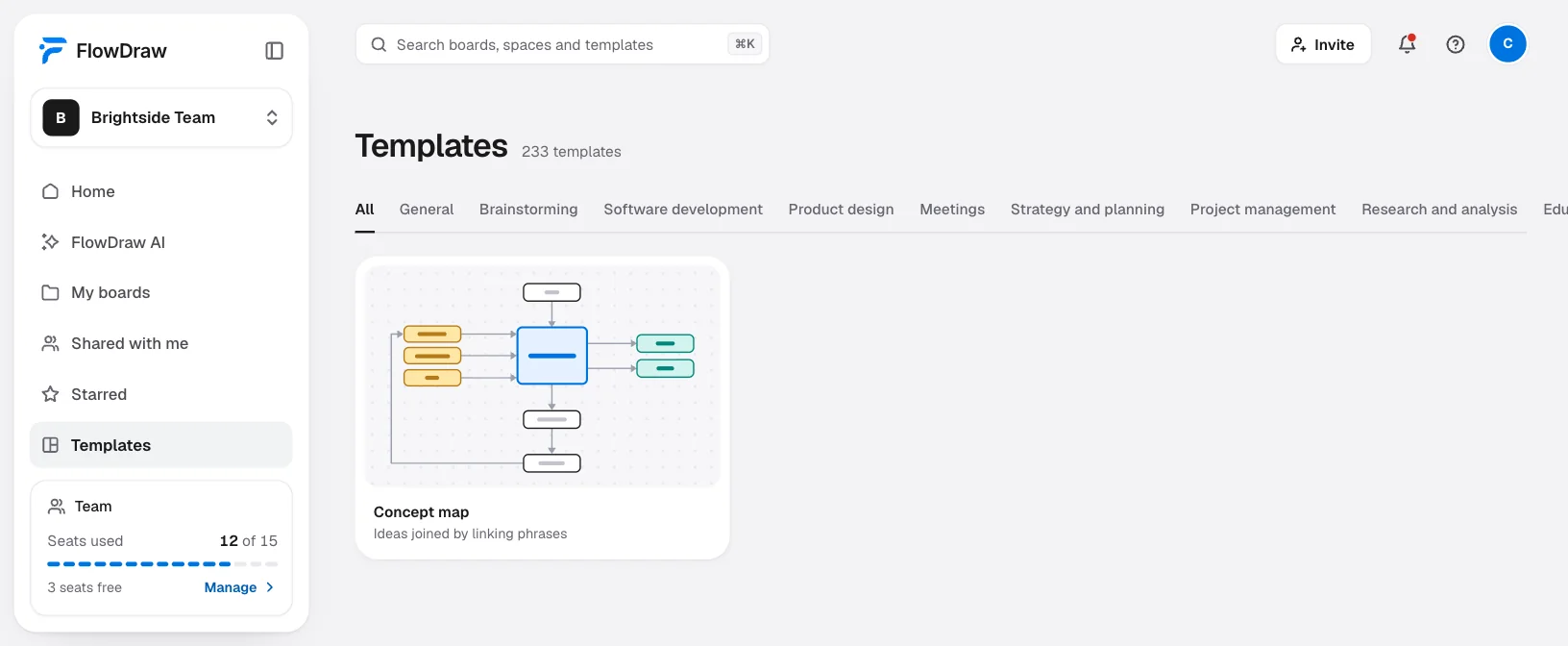
Open the template
Find “Concept map” under “Templates”, open its preview and choose “Use template”. It is free on every plan and takes up only 18 of a Free board’s 150 elements.
Swap the concepts
Double-click a box and type your own concept.
Add a concept
Hover a box. A spot appears outside each side, and a click on one adds a copy joined by a connector.
Label the link
Select the line to open “Line properties”, then type your phrase in “Add a label”.
Check the direction
The arrow decides how the sentence reads. If it reads backward, use “Swap ends” under “Ends”.
Draw the cross-links
With nothing selected, press L and drag from one box to another. Attached lines find a new route when you move a box. A “Dashed” style sets cross-links apart.
Ask for review
Choose “Share” and give someone “Can comment”. They can press C and click the board to question a link. Both of you need an account, since a shared link needs a signed-in person.
With no template, open a “Blank board” from Home. Press R for a box or drag “Rounded rectangle” from “Basic shapes”, then build outward with the same spots. Use “Fill” in “Shape properties” to color groups of concepts.
Concept map mistakes, and what to try instead
| Instead of | Try | Why |
|---|---|---|
| An arrow with no label | “Water is used in photosynthesis” | A bare line makes no claim you can check |
| “is related to” | A real verb such as “absorbs” | A vague link hides a gap in what you know |
| A whole sentence in one box | Two or three boxes joined by links | Concepts can only be reused if they stand alone |
| Verbs in the boxes | Nouns in boxes, verbs on the arrows | Otherwise the sentences stop reading properly |
| A neat tree with no cross-links | Links between branches | Without them you have a mind map with extra work |
| Copying a finished map | Drawing your own | Most of the learning is in choosing the links |
If you have a subject to work through, create a free account and start from the template.
FAQ
A mind map is a tree that grows from one central topic, usually with unlabeled lines. A concept map is a network: any concept can link to any other, and each link is labeled so that it reads as a statement.