What is a storyboard?
A storyboard tells a user’s story as a short comic strip. Each frame shows one moment: where the person is, what they do, and how it feels. Product teams borrow the format from film because a story makes a situation easier to remember than a list of requirements.
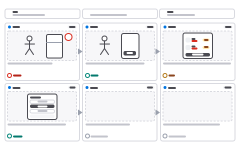
This template has three cards that set up the story and six frames in two rows of three. Four frames are drawn and captioned for Basket, a grocery delivery app. The last two are left as questions, so you finish the story before you replace it with your own.
The setup and the parts of a frame
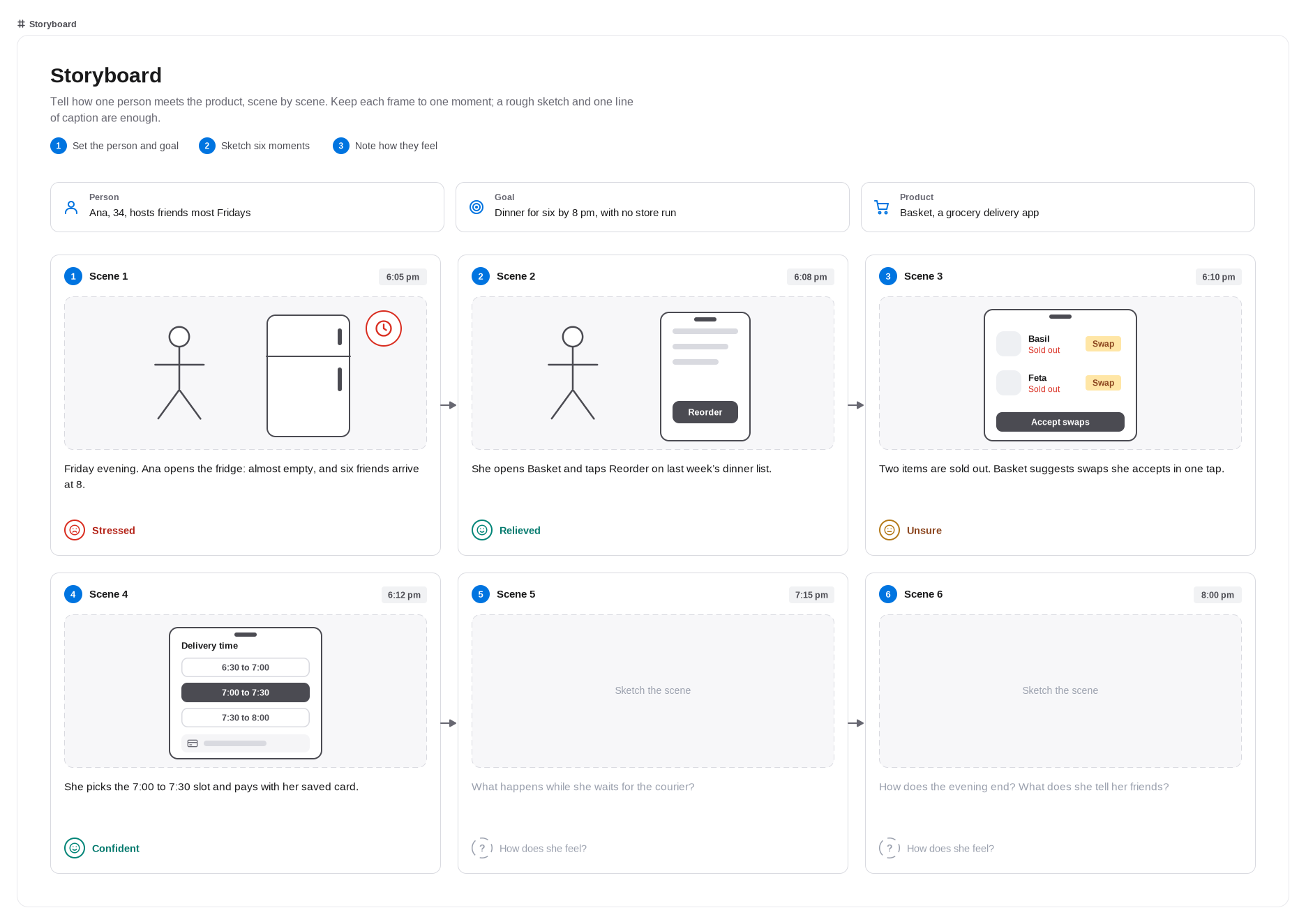
Start with the three cards. Person: Ana, 34, hosts friends most Fridays. Goal: dinner for six by 8 pm, with no store run. Product: Basket, a grocery delivery app. The goal includes a deadline and a constraint, and that tension is what turns a product demo into a story.
Every frame below has the same five parts: a scene number, a time in the corner, a sketch area, a caption and a face with one word for the feeling. Scene 1 is stamped 6:05 pm. Its sketch is a stick figure beside a fridge. Its caption reads “Friday evening. Ana opens the fridge: almost empty, and six friends arrive at 8.” The word under it is Stressed. Note that the product does not appear yet. A good first frame shows the problem.
Rough sketches are enough
Nobody needs to draw well to use this. The sketches in the example are built from rectangles, circles and a few labels. Scene 3 is a phone outline with two rows, Basil and Feta, each marked “Sold out” with a Swap tag, and one button, “Accept swaps”. That is all it takes to show the moment the caption describes: “Two items are sold out. Basket suggests swaps she accepts in one tap.”
Draw only what the moment depends on. If the scene is about a screen, sketch the two or three elements that matter on it. If it is about a place, a doorway or a table sets it. Then keep the caption to one or two sentences. The board’s own instruction sets the limit: one moment a frame.
Track time and feeling
Two small details in each frame carry a lot. The time stamps show pace: 6:05, 6:08, 6:10, 6:12. Ana goes from an empty fridge to a paid order in seven minutes, which makes the product’s promise concrete without a single claim about speed.
The faces show the emotional line: Stressed, Relieved, Unsure, Confident. The dip in Scene 3, when items are sold out, is the honest part. A story where every frame is happy teaches the team nothing. In Scene 4 she picks the 7:00 to 7:30 slot from three delivery times and pays with her saved card, and the feeling recovers. Each change of feeling should have a cause you can point to inside the frame.
Two scenes left for you
Scenes 5 and 6 are stamped 7:15 pm and 8:00 pm, but their sketch areas say only “Sketch the scene”. The captions are prompts: “What happens while she waits for the courier?” and “How does the evening end? What does she tell her friends?” Under each, the feeling is a question too.
These are the frames teams tend to skip, and they matter most. The wait is where a delivery product is judged, and the ending is where it earns a recommendation or loses one. Finish them as an exercise. You will see quickly whether your group agrees on what a good ending looks like.
How to use the storyboard template
- Open it as a new board. Use this template gives you your own copy, with Ana’s four scenes drawn.
- Set the person and goal. Rewrite the three cards. Give the goal a deadline or a constraint, as the example does with 8 pm.
- Sketch six moments. Write the six captions first, as a list. Then draw each scene with basic shapes and set its time.
- Note how they feel. Choose one word for every frame and check that the line of feelings rises and falls for a reason.
If you want a starting diagram generated from a description, the FlowDraw AI tools can draft one for you to rework.
When a storyboard helps, and when to use another template
Use it to pitch a concept, to open a design review, or to align a team on the situation a feature is for. It works well early, when there is nothing to demo yet.
A storyboard is a narrative and leaves out detail on purpose. To list every stage with touchpoints, pain points and ideas, build a user journey map. To draw the screens that appear in the sketches properly, move to a mobile app wireframe. And when the main character is still vague, write a user persona before the first frame.
Questions about the Storyboard template
How many frames should a storyboard have?
Six is a practical number, and it is what this template provides: enough for a problem, a few steps and an ending, and few enough to present in two minutes. If your story needs more, duplicate a row. If it needs twelve or more, you probably have two stories.
Do I need to be able to draw?
No. Stick figures, boxes and labels do the job, and the example is made only of simple shapes. What matters is that someone can tell where the person is and what they are doing. A clear caption rescues a clumsy sketch, but not the other way around.
What makes a storyboard different from a user journey map?
A storyboard shows a handful of moments as pictures and reads like a short story. A journey map is a table that records actions, thoughts, touchpoints and problems for every stage. The storyboard persuades and aligns people, and the map is what you analyze afterward.
Is the storyboard template free to use?
Yes. It has 121 elements, which fits the Free plan’s limit of 150 on a board. Detailed sketches add elements fast, so keep your drawings simple or delete the example scenes you no longer need.