What is an ER diagram?
An entity-relationship diagram is a picture of a database. Each entity is a table, drawn as a box with its columns listed inside. Each relationship is a line between two boxes, and the ends of the line say how many rows on one side can belong to a row on the other.
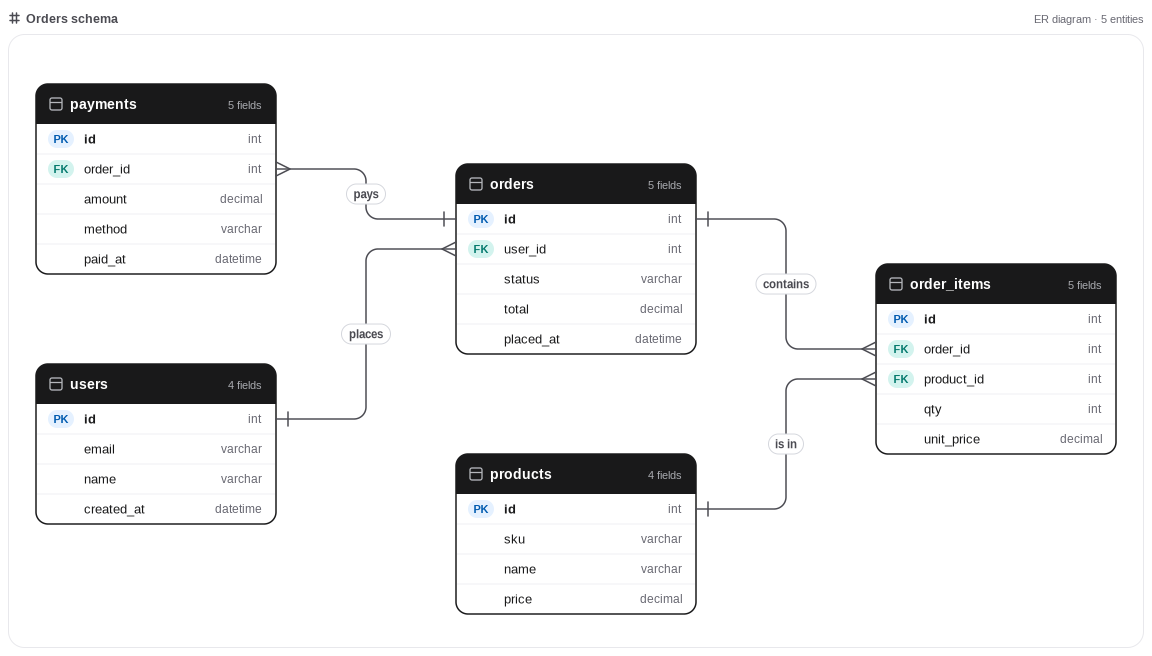
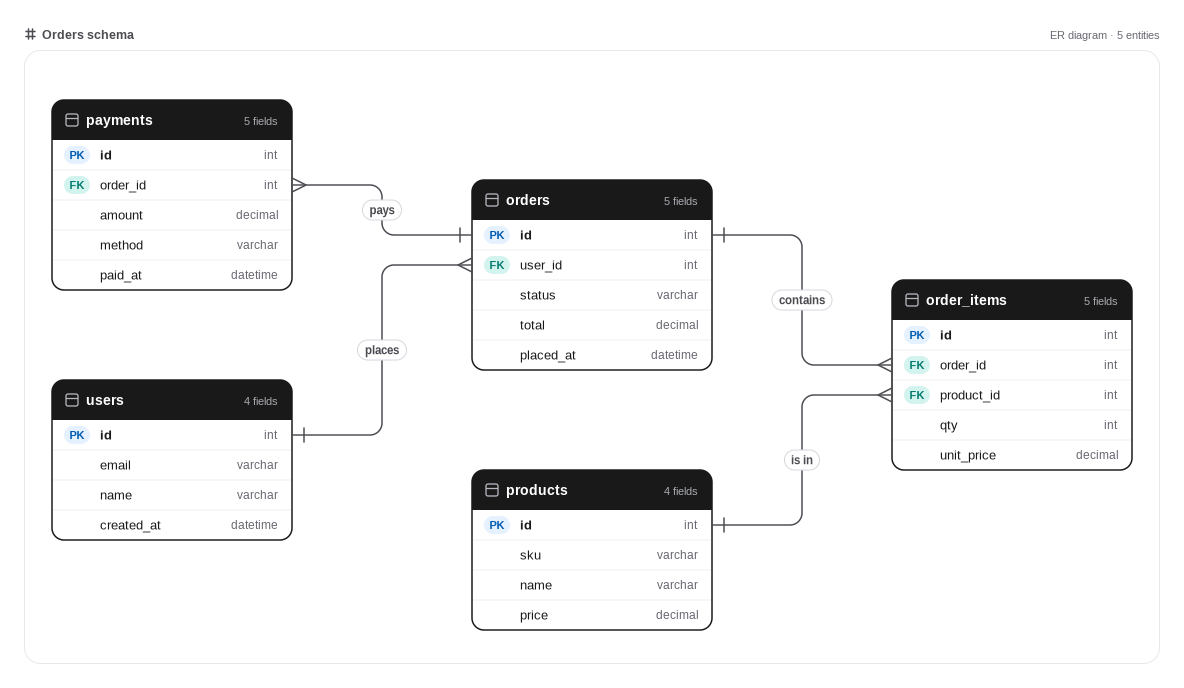
The template is a frame called Orders schema with the five tables almost every shop needs: users, orders, order_items, products and payments. It is small enough to read in a minute and complete enough to show every pattern you will meet in a larger schema, including a table whose only job is to join two others.
Entities, columns and keys
Look at one box. The header carries the table’s name, orders, written the way it is in the database: lower case and plural. Under it each row of the box is one column with its data type.
Two kinds of column carry a mark:
- Primary key. The column that identifies one row and no other. Every entity on the board has one.
- Foreign key. A column that stores the primary key of a row in another table. It is what a relationship line is made of.
When you read someone else’s diagram, find the foreign keys first. They tell you which table depends on which before you have followed a single line.
Reading the crow’s-foot lines
The line between users and orders ends in a single stroke at users and in three splayed strokes, the crow’s foot, at orders. Read it from each end: one user can have many orders, and each order belongs to one user.
The foot always points at the “many” side, and the many side is the table that holds the foreign key. That gives you a quick check for your own diagram. If the crow’s foot touches a table that has no foreign key for the relationship, either the line is drawn backwards or a column is missing.
The table in the middle of a many-to-many
An order can contain many products, and a product can appear in many orders. A relational database cannot store that directly, so the schema adds a table between them: order_items.
On the board, order_items sits to the right with two lines arriving at it, one from orders and one from products. Both lines put the crow’s foot on order_items, because it holds a foreign key to each. Every row there means “this order includes this product”, and it is also the natural home for facts about that pairing, such as a quantity. Whenever you find yourself wanting to draw a crow’s foot on both ends of one line, add a table like this instead.
How to use the ER diagram template
- Open it as a new board. This is a Pro template, so it needs the Pro or Team plan.
- Rename the entities to your nouns. Keep the ones that already fit, since most products have users and some kind of order, and rename or delete the rest.
- List the columns you are sure of. Give every entity its primary key first, then the columns you know. Leave the uncertain ones for later.
- Draw each relationship from its foreign key. Start the line at the table that stores the key and put the crow’s foot there.
- Test it with a real question. Trace how you would answer “what did this customer pay for?” The example passes through payments, orders, order_items and products. If a question cannot be traced, a relationship is missing.
When to draw an ER diagram, and when another model fits
Draw one before you create tables, before a migration, and whenever a new engineer has to learn a schema. The guide on how to draw an ER diagram for your database walks through a full example.
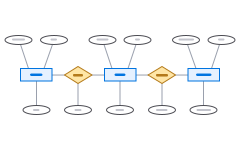
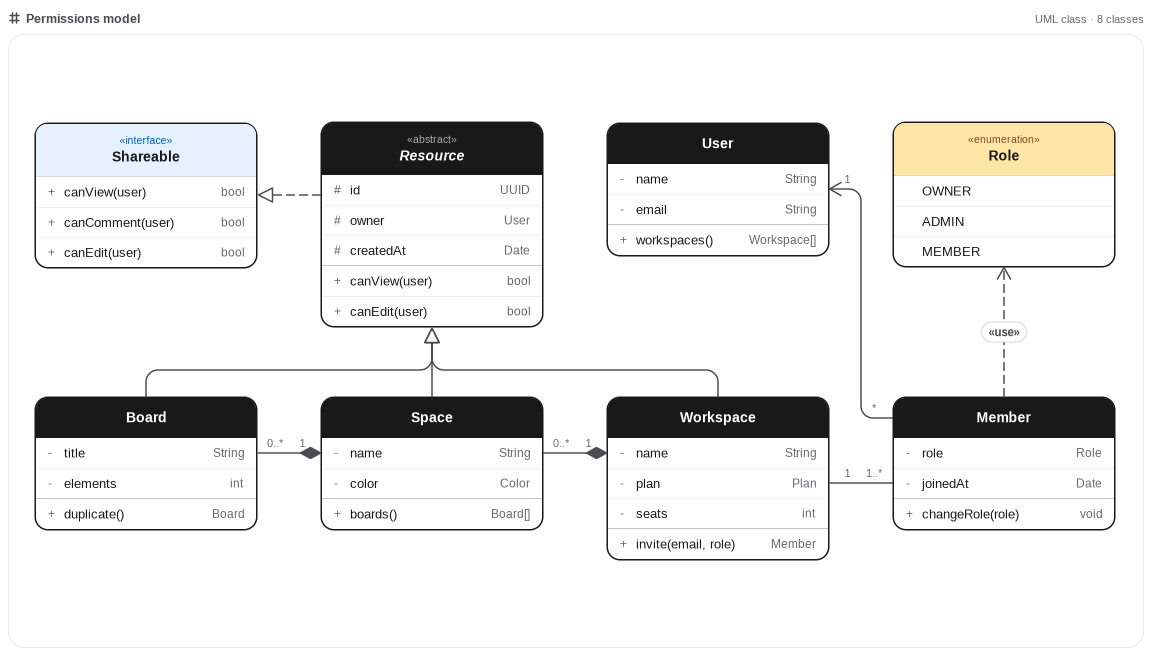
This template uses crow’s-foot notation, which is close to the tables you will build. For teaching or early discussion, where attributes are drawn as ovals and relationships as diamonds, use the Chen ER diagram. For a larger worked schema, open the database schema template. If you are modeling behavior as well as data, with methods and inheritance, a UML class diagram is the better tool.
Questions about the ER diagram template
What is the difference between a primary key and a foreign key?
A primary key identifies one row in its own table, like the id of an order. A foreign key is a column that holds the primary key of a row in another table, like the column in a payment that says which order it paid for.
What does the crow’s foot at the end of a line mean?
It means “many”. The end with three splayed strokes touches the table that can have many rows for one row at the other end. A single stroke means “one”.
Do I need a paid plan for the ER diagram template?
Yes. It is a Pro template, so it opens on the Pro and Team plans. The Free plan does not include the Pro templates.
Should table names be singular or plural?
Either works; what matters is that every table follows the same rule. The template uses lower-case plural names such as orders and products. Choose the convention your database or framework already uses and apply it to the whole diagram.