What is a network topology diagram?
A network topology diagram shows how the parts of a network connect: which devices sit in which zone, what stands between the zones, and which traffic may cross. Administrators use it to plan changes and find faults, and auditors ask for it as proof that sensitive systems are separated from the internet.
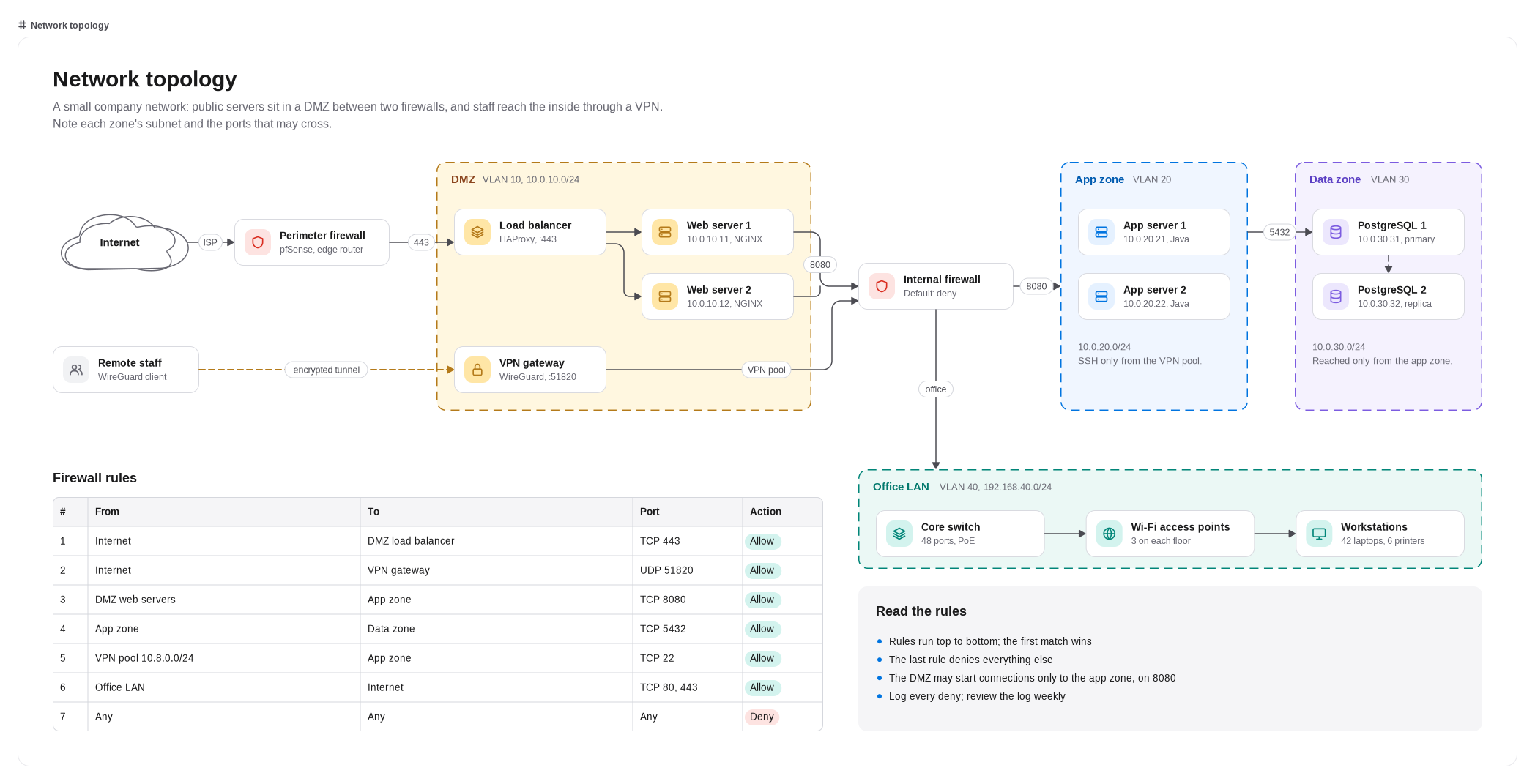
This template draws a common layout for a small company. Public servers sit in a DMZ between two firewalls, and staff reach the inside through a VPN. The board's subtitle gives the working rule: note each zone's subnet and the ports that may cross. Below the drawing, a table lists the firewall rules, so the picture and the policy can be checked against each other.
The edge, the DMZ and the VPN
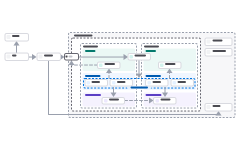
Traffic enters on the left. The internet cloud connects through the provider's line to the perimeter firewall, and only port 443 continues to the DMZ. The zone header gives its address plan: VLAN 10, 10.0.10.0/24.
Inside the DMZ, a load balancer spreads requests over Web server 1 at 10.0.10.11 and Web server 2 at 10.0.10.12. These are the only machines a stranger can reach. If one is broken into, the attacker is still outside the second firewall.
The fourth box in the zone is the VPN gateway, listening on port 51820. Remote staff, drawn at the lower left, connect to it through a line labelled “encrypted tunnel”. From the gateway, their traffic goes to the internal firewall as the “VPN pool”, so it is filtered like everything else.
Behind the internal firewall
The internal firewall is labelled “Default: deny”. Everything behind it is closed unless a rule opens it. Two zones follow, each narrower in what it accepts.
- App zone, VLAN 20, 10.0.20.0/24: App server 1 and 2 at .21 and .22. Web servers reach it on port 8080. Its note adds, “SSH only from the VPN pool.”
- Data zone, VLAN 30, 10.0.30.0/24: a primary database at 10.0.30.31 and a replica at .32. The line into it carries port 5432, and the note says it is reached only from the app zone.
Read left to right, each step inward allows fewer sources and fewer ports. A request from the internet has to pass a firewall, a web server, another firewall and an app server before it touches data.
The office LAN
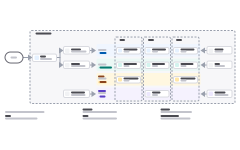
Staff devices are on a network of their own, VLAN 40 at 192.168.40.0/24, connected to the internal firewall by a line marked “office”. The zone holds three cards in a chain: a core switch with 48 ports, Wi-Fi access points, 3 on each floor, and the workstations, counted as 42 laptops and 6 printers.
The counts are there for a reason. They tell you how much of the address range is used and whether the switch has ports to spare. Putting laptops in their own zone also means a machine that picks up malware cannot talk directly to the servers.
Keep the rules next to the drawing
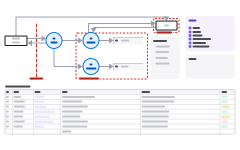
The table has seven numbered rules with a source, a destination, a port and an action. The first six allow one thing each: the internet to the DMZ load balancer on TCP 443, the internet to the VPN gateway on UDP 51820, DMZ web servers to the app zone on TCP 8080, the app zone to the data zone on TCP 5432, the VPN pool 10.8.0.0/24 to the app zone on TCP 22, and the office LAN out to the internet on TCP 80 and 443. Rule 7 denies any other traffic.
Every labelled line in the drawing should match a row, and every row should match a line. When you find a rule with no line, either the diagram is out of date or the rule should be removed. That comparison is the fastest firewall review there is.
How to use the network topology template
- Open the template in your workspace. Start by deleting any zone your network does not have.
- Write your address plan. Give each zone its VLAN and subnet in the header, and each server its address.
- Label what crosses. Put the port on every line that passes a firewall. A line without a port is a question to answer.
- Copy your real rules into the table, in the order the firewall applies them.
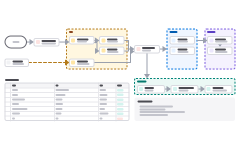
- Update the notes for readers. The card “Read the rules” explains that rules run top to bottom and the first match wins, that the last rule denies everything else, and that every deny is logged and the log reviewed weekly.
You can also ask FlowDraw AI to draw the zones from a description and then add addresses yourself.
When to draw a topology, and when to draw something else
Use this template to document an office or a small data center, to prepare for a security audit, or to plan where a new server should go. It is also a clear way to show a non-specialist why the database cannot be reached from the internet.
It describes networks and machines, not software. For services, queues and managed databases in a cloud account, use the cloud architecture template. For workloads inside a cluster, see Kubernetes deployment. To study how the zones could be attacked, continue with a threat model.
Questions about the Network topology template
What is a DMZ in a network?
A DMZ is a small network for servers that must be reachable from the internet, such as web servers. It sits between an outer and an inner firewall, so a break-in there does not give access to internal systems.
Is this a physical or a logical topology?
Mostly logical. It shows zones, subnets and allowed traffic, which is what security and planning need. For cabling, racks and switch ports you would draw a separate physical diagram and link the two by device name.
Should a network diagram show IP addresses?
Show subnets for every zone and addresses for servers with fixed ones, as the example does. Leave out devices that get addresses automatically, like laptops. Remember that a board with addresses is sensitive, so share it only with people who need it.
Why does the last firewall rule deny everything?
So that anything nobody thought of is blocked by default. Rules are read from the top and the first match wins, which means the allow rules above it still work. Without the final deny, a forgotten case would be let through.