What is a threat model?
A threat model is a structured answer to four questions: what are we building, what can go wrong, what will we do about it, and did we do a good job. You draw how data moves through the system, look for the ways someone could abuse each part, and write down how you stop them.
This template follows the most widely used method. It draws a data flow diagram, marks where trust changes, and walks each flow and element through STRIDE, a list of six kinds of threat. The example is a store's checkout. Four numbered steps under the title give the order of work: draw the data flow, mark trust boundaries, find threats with STRIDE, plan mitigations.
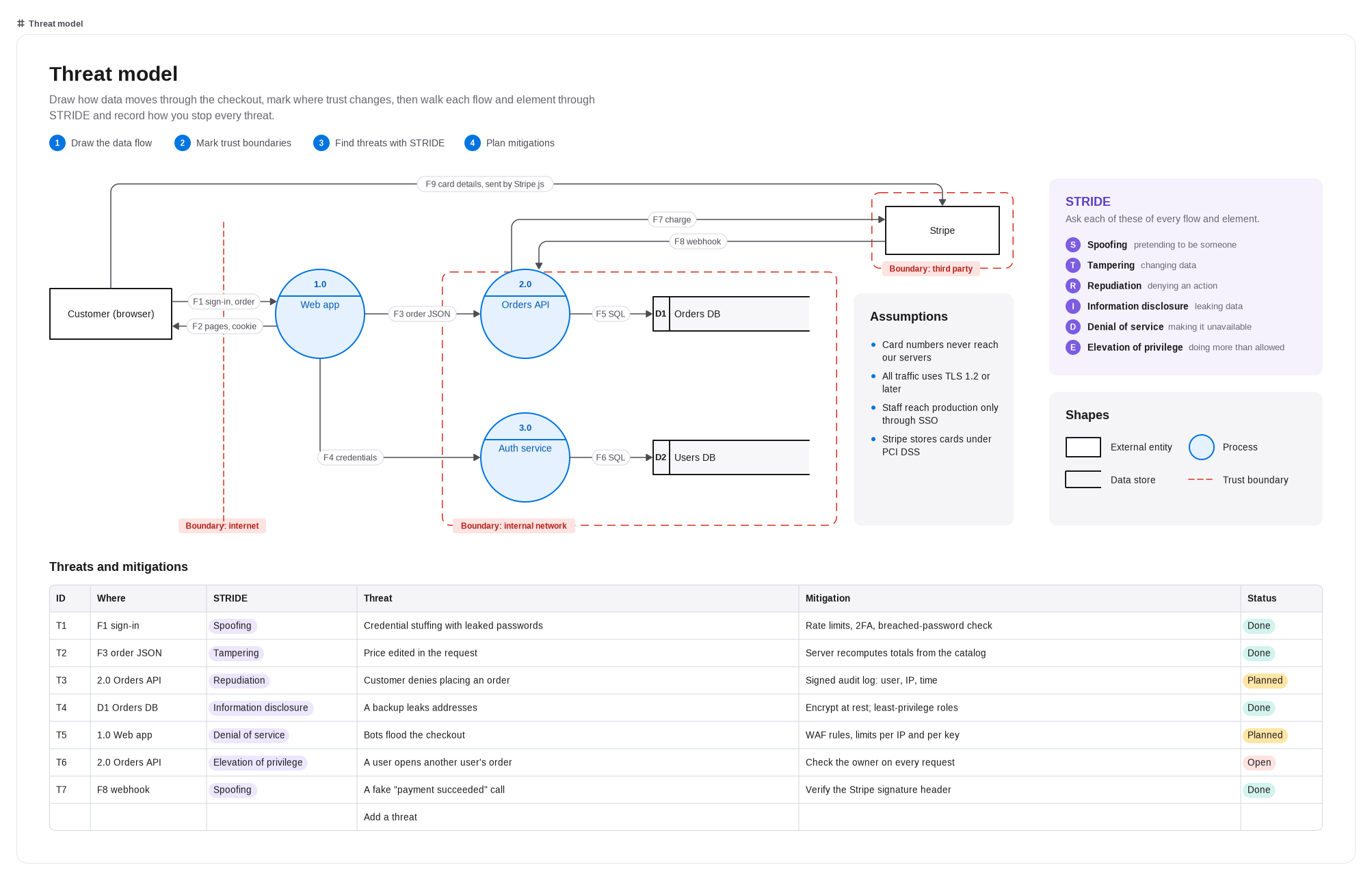
The data flow diagram
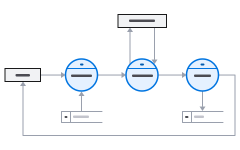
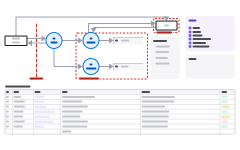
The drawing uses four shapes, shown in a legend on the right: a rectangle for an external entity, a circle for a process, an open box for a data store and a dashed line for a trust boundary.
The customer's browser is the external entity. Three processes are numbered: 1.0 Web app, 2.0 Orders API and 3.0 Auth service. Two stores hold the data: D1 Orders DB and D2 Users DB. A payment provider sits outside at the top right.
Every arrow has an ID and a payload. F1 carries sign-in and order data from the customer to the web app. F3 is the order JSON sent to the Orders API. F4 passes credentials to the Auth service. F7 is the charge sent to the provider and F8 the webhook that comes back. The IDs matter later, because the threat table points at them.
Trust boundaries: where to look hardest
A trust boundary is a line where data passes between parts that do not trust each other equally. The board has three. “Boundary: internet” runs between the customer and the web app. “Boundary: internal network” encloses the Orders API, the Auth service and both databases. “Boundary: third party” surrounds the payment provider.
Most threats live on the arrows that cross a boundary, because that is where input must be checked and identity proven. One arrow is worth a second look: F9 takes card details from the browser straight to the provider and never enters the internal network. That single design choice removes a whole class of threats.
The six STRIDE questions
The STRIDE card spells out the acronym with a few words for each letter, under the instruction to ask each of these of every flow and element:
- Spoofing: pretending to be someone.
- Tampering: changing data.
- Repudiation: denying an action.
- Information disclosure: leaking data.
- Denial of service: making it unavailable.
- Elevation of privilege: doing more than allowed.
The list keeps a team from only finding the threats it already had in mind. Developers tend to think of tampering and forget repudiation. Going letter by letter over each flow takes longer and finds more.
Write threats that someone can act on
The table has a row per threat with six columns: ID, where, STRIDE category, threat, mitigation and status. Look at how the example rows are written. T2 sits on “F3 order JSON”, is a tampering threat, and reads “Price edited in the request”. Its mitigation is just as concrete: the server recomputes totals from the catalog.
T6 shows why the status column exists. “A user opens another user's order” is an elevation of privilege on the Orders API, the mitigation is to check the owner on every request, and the status is Open. T3 and T5 are Planned and the rest are Done. A reader sees in seconds what is still exposed.
Avoid rows like “API could be hacked”. A useful threat names a place on the diagram, an attacker's action and a result.
State your assumptions
Between the diagram and the STRIDE card is a list of four assumptions: card numbers never reach our servers, all traffic uses TLS 1.2 or later, staff reach production only through SSO, and the provider stores cards under PCI DSS.
Assumptions are the threats you chose not to analyze because something else handles them. Writing them down lets a reviewer challenge them, and it flags when the model needs redoing. If the team ever decides to store card numbers, the first line breaks and so does much of the table.
How to use the threat model template
- Open the template on a Pro or Team workspace and pick one feature to model, not the whole product.
- Redraw the data flow. Replace the checkout with your own entities, processes and stores, and number every arrow.
- Move the boundaries. Draw a dashed line wherever the level of trust changes: the internet, your network, each outside service.
- Go through STRIDE flow by flow. For each arrow that crosses a boundary, ask the six questions and add a row for every real answer.
- Assign and revisit. Give each Open and Planned row an owner, and reopen the board when the design changes.
When to threat model, and what to pair it with
Do it when you design a feature that handles money, personal data or sign-in, before a security review or audit, and again after any change to how data flows. An hour with a developer, a tester and someone from security is enough for one feature.
If you only need the diagram without the security analysis, the plain data flow diagram is lighter. Authentication deserves its own drawing in the sign-up and login flow. To place the system's zones and firewalls, use the network topology template.
Questions about the Threat model template
What does STRIDE stand for?
Spoofing, Tampering, Repudiation, Information disclosure, Denial of service and Elevation of privilege. Each is a way a system's security can fail. The method dates from the late 1990s and is still the most common starting point for threat modeling.
Do I need a security expert to make a threat model?
No. The people who built the feature know the data flows best, and the six prompts guide the search. A security specialist helps most in reviewing the result, especially the assumptions and any row marked Open.
How detailed should the data flow diagram be?
Detailed enough that every trust boundary and every store of sensitive data appears, and no more. The example has three processes and two stores. If a process hides several steps with different risks, split it into 2.1, 2.2 and so on.
Is the threat model template included in the Free plan?
No. It is a Pro template, so opening it requires the Pro or Team plan. On Team, several people can edit the board at once, which suits a threat modeling session where one person draws and another fills in the table.