What is an order state machine?
A state machine lists every status a thing can be in and every move allowed between them. For an order that means: which statuses exist, what event moves an order from one to the next, and which jumps are forbidden. Drawing it first prevents the classic bugs, like an order that is refunded twice or canceled after it left the warehouse.
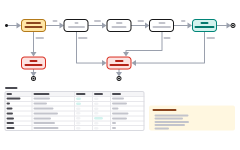
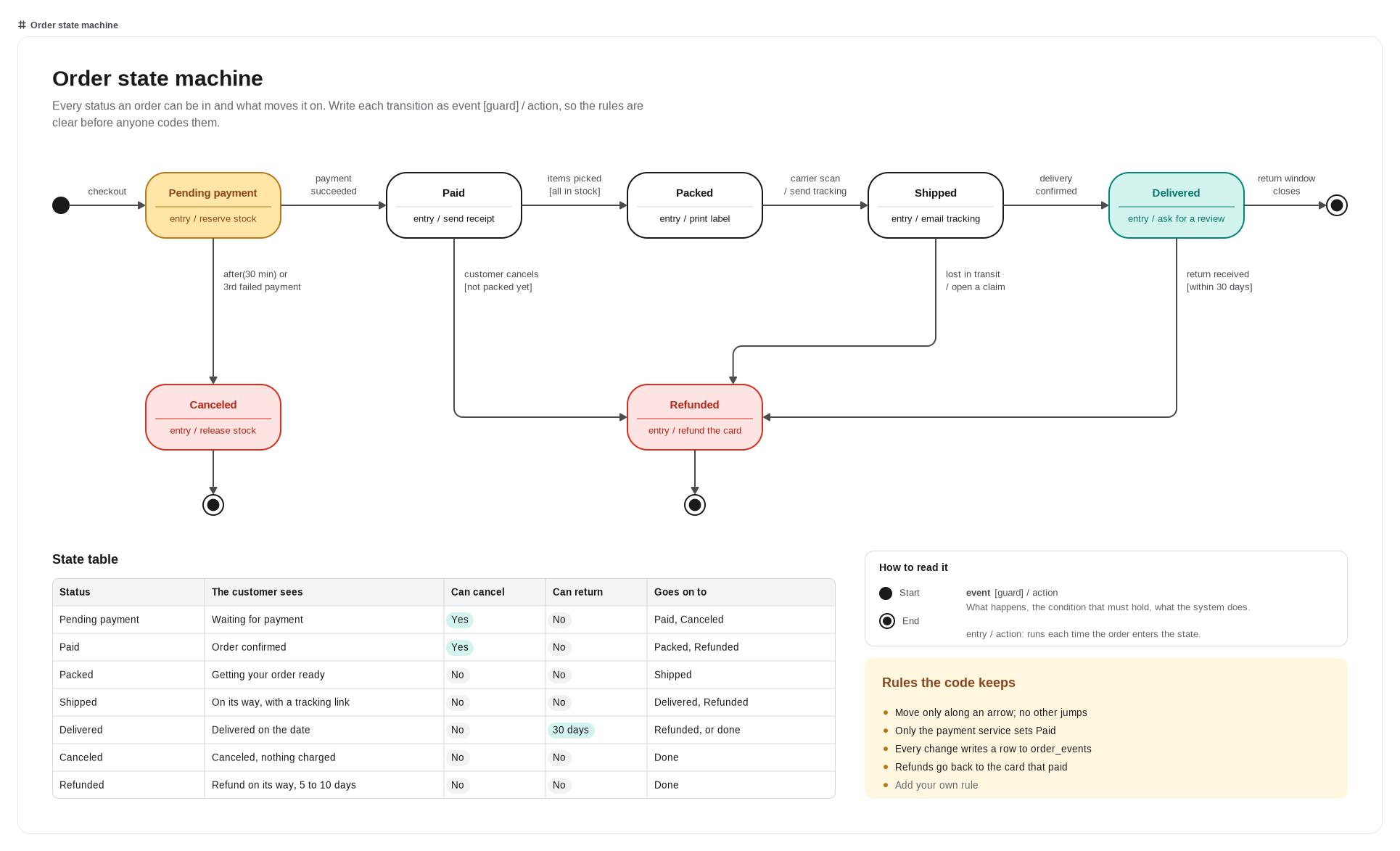
This template is a UML state diagram for an online store’s orders. It has seven states, ten labeled transitions, a state table that says what the customer sees in each status, and a list of rules the code must keep.
The path of a normal order
The top row is the order that goes well. A black dot marks the start, and the first arrow is labeled checkout. It leads to Pending payment. Then:
- “payment succeeded” moves the order to Paid.
- “items picked [all in stock]” moves it to Packed.
- “carrier scan / send tracking” moves it to Shipped.
- “delivery confirmed” moves it to Delivered.
The last arrow, “return window closes”, ends at a ringed dot, the UML sign for the end. Each state box has a second line that starts with “entry /”. It names what the system does on arrival: Pending payment reserves stock, Paid sends the receipt, Packed prints the label.
Cancellations and refunds
Two more states sit below the main row. Canceled is reached only from Pending payment, on “after(30 min) or 3rd failed payment”. Its entry action is “release stock”, the mirror of the reservation made at checkout.
Refunded has three ways in, and each tells a different story:
- From Paid: “customer cancels [not packed yet]”.
- From Shipped: “lost in transit / open a claim”.
- From Delivered: “return received [within 30 days]”.
Look at what is missing. No arrow leaves Packed for Refunded or Canceled, so an order on the packing table cannot be stopped. It must ship first. Whether that suits your business is exactly the kind of decision this diagram forces into the open.
Write transitions as event [guard] / action
The How to read it panel explains the notation in one line: “What happens, the condition that must hold, what the system does.” An event is the trigger. A guard in square brackets must be true or the move does not happen. An action after the slash runs during the move.
The example uses each part where it is needed and leaves it out where it is not. “payment succeeded” is a bare event. “items picked [all in stock]” adds a guard. “carrier scan / send tracking” adds an action. Writing all transitions in this one form means a developer can turn each arrow into a function without asking what you meant.
The state table
A diagram is good at showing moves and poor at showing facts about each state. The State table covers those, with one row per status and five columns: Status, The customer sees, Can cancel, Can return, and Goes on to.
It answers the questions support and design will ask. A Paid order shows “Order confirmed” and can still be canceled. A Shipped order shows “On its way, with a tracking link” and cannot. Delivered is the only row with a return, “30 days”, matching the guard on the arrow. Refunded tells the customer “Refund on its way, 5 to 10 days”. The last column repeats the arrows as text, so table and diagram can be checked against each other.
How to use the order state machine template
- Open it as a new board on a Pro or Team plan. It is a Pro template.
- Rename the states to your statuses. Add the ones the example lacks, such as a partial shipment, by copying a state box with its entry line.
- Relabel every arrow with your real events and limits. Replace 30 min and 30 days with your payment timeout and return window.
- Update the table row by row and make sure “Goes on to” lists the same targets as the arrows.
- Edit “Rules the code keeps”. The example has four, such as “Move only along an arrow; no other jumps” and “Only the payment service sets Paid”. The fifth line is “Add your own rule”.
When a state machine is the right drawing
Use it for anything with a status column: orders, subscriptions, tickets, documents in review. It pays off most before a rewrite of checkout or fulfillment, and as the reference support uses when a customer asks why they cannot cancel.
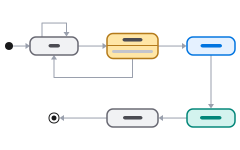
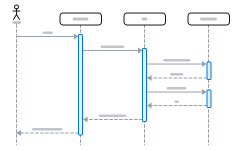
For another kind of object, start from the general state machine diagram template. If you care about who does each step rather than what status results, an activity diagram shows the work. For the messages between checkout, payment and warehouse systems, use a sequence diagram.
Questions about the Order state machine template
What is the difference between a state and a transition?
A state is a status the order rests in, such as Paid or Shipped. A transition is the move between two states, drawn as an arrow and triggered by an event such as “delivery confirmed”. States are nouns or adjectives; transitions are things that happen.
What is a guard in a state diagram?
A condition in square brackets that must be true for the transition to fire. On this board, “customer cancels [not packed yet]” lets a customer cancel a Paid order only while it has not reached packing. If the guard is false, the order stays where it is.
Which plan do I need for the order state machine template?
It is a Pro template, so it opens on the Pro and Team plans. After you open it, every state, arrow, table cell and rule can be edited, and the board exports as PNG, SVG, PDF or JSON.
How many states should an order have?
As few as the business can tell apart. The example manages with seven. Add a state only when the customer sees something different or different moves become possible. A status that changes nothing about what can happen next is a label, not a state.