What is a product backlog?
A product backlog is the single list of work a product might need, in the order it should be done. The story at the top is the next thing the team builds. If two lists exist, or two items share a rank, nobody knows what comes first.
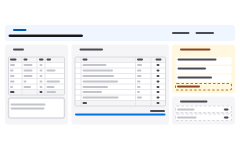
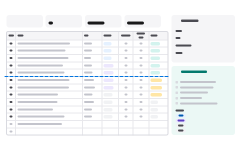
This template is that list as a table, with two panels beside it: how to rank, and when a story is ready for a sprint. The example is a grocery delivery app with 11 stories. The board says it plainly in its first line: the top is small, clear and estimated, and the bottom can stay rough until it moves up.
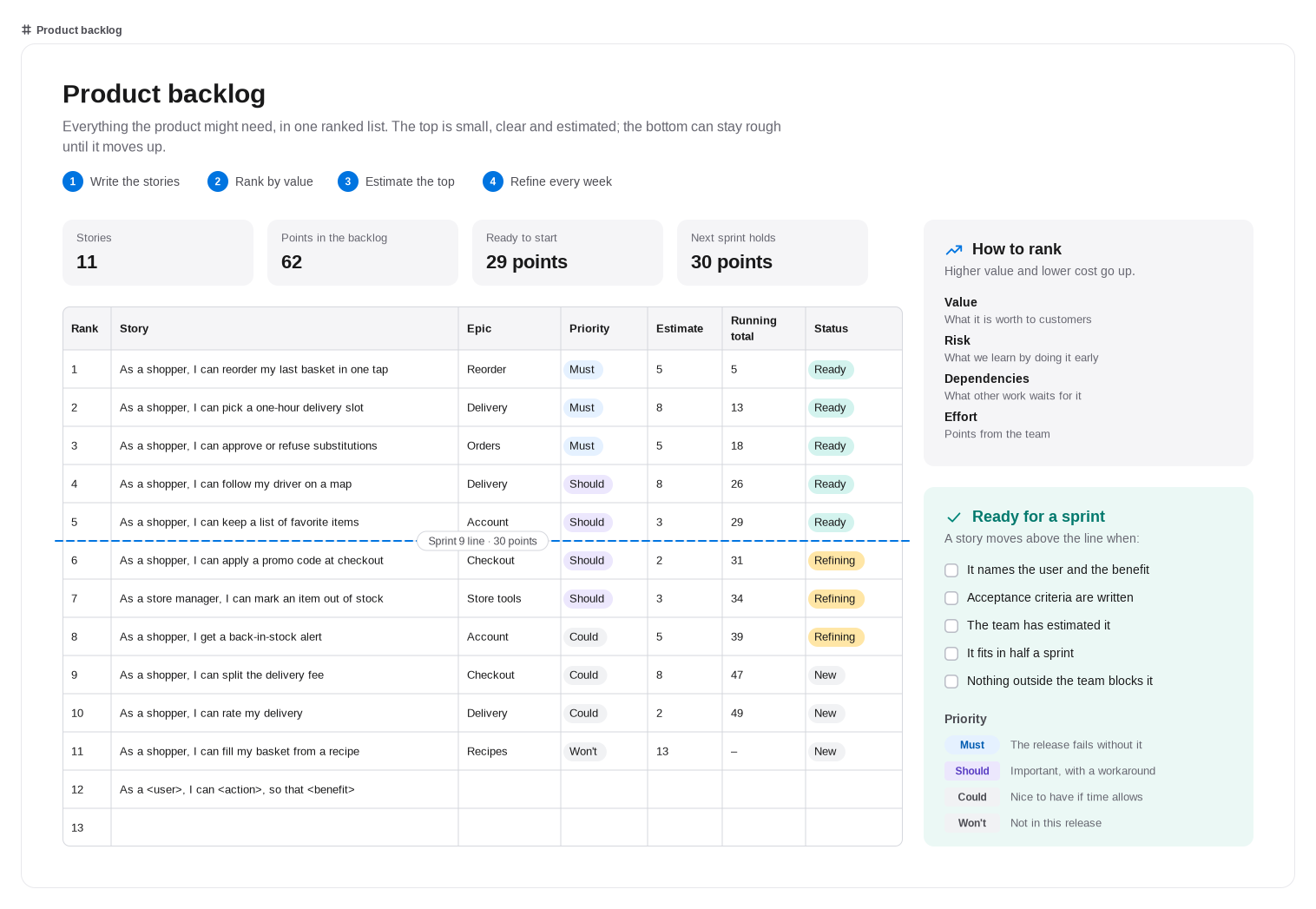
One table, seven columns
Each row is one story. The columns are the least you need to decide what goes next:
- Rank. 1 is next. No ties.
- Story. Written from the user’s side: “As a shopper, I can reorder my last basket in one tap”.
- Epic. The larger theme, such as Delivery, Checkout or Account.
- Priority. Must, Should, Could or Won’t.
- Estimate. Points from the team: the reorder story is 5, the one-hour delivery slot is 8.
- Running total. The estimates added up from the top: 5, 13, 18, 26, 29.
- Status. New, Refining or Ready.
A line crosses the table under rank 5, labelled “Sprint 9 line · 30 points”. The running total reaches 29 there, and the next story would take it to 31. Everything above the line is what the next sprint can hold.
Four numbers that sum up the list
Above the table, four tiles give the state of the backlog at a glance: 11 stories, 62 points in the backlog, 29 points ready to start, and a next sprint that holds 30 points.
The last two are the ones to watch. When “ready to start” is close to what a sprint holds, the next planning meeting will be short. When it is far below, the team needs a refinement session before it can plan. The tiles are plain text, so retype them whenever you change the table.
How to rank: four things to weigh
The panel at the top right gives the rule in one line, “Higher value and lower cost go up”, and four things to weigh for each story:
- Value. What it is worth to customers.
- Risk. What you learn by doing it early.
- Dependencies. What other work waits for it.
- Effort. Points from the team.
Rank and priority are not the same thing. In the example, “pick a one-hour delivery slot” costs 8 points and still sits at rank 2, because it is a Must. Splitting the delivery fee also costs 8, but it is a Could, so it waits at rank 9.
When a story is ready for a sprint
The second panel is a checklist. A story moves above the line when it names the user and the benefit, its acceptance criteria are written, the team has estimated it, it fits in half a sprint, and nothing outside the team blocks it.
Under the checklist is a key for the Priority column: Must means the release fails without it, Should is important with a workaround, Could is nice to have if time allows, and Won’t is not in this release. Keeping a Won’t row, like “fill my basket from a recipe” at 13 points, shows the people who asked that the idea was heard and where it stands.
How to use the product backlog template
- Open it as a new board. Use this template makes a copy with the grocery stories in place.
- Write the stories. Row 12 holds the pattern: “As a <user>, I can <action>, so that <benefit>”. Type over it and leave the estimate empty for now.
- Rank by value. Reorder the rows with the How to rank panel beside you, then renumber the Rank column from 1.
- Estimate the top. Give points to the first sprint or two of stories only. Fill in the running total and drag the sprint line to where it crosses your sprint size.
- Refine every week. Move one or two stories from Refining to Ready, and delete rows nobody has asked about in months.
When a backlog is the right tool
Use it for any product that is built over many sprints or releases, where requests arrive faster than the team can build them. Its job is order. It does not show progress within a sprint, which is what a scrum board is for, and it does not work out how much fits, which happens in sprint planning.
If the list is long and the team cannot agree on the order, sort the stories on a MoSCoW prioritization board first, then bring the result back here. If you want to see how stories line up along what a user does, a user story map shows that better than a flat list.
Questions about the Product backlog template
Who owns the product backlog?
In scrum, the product owner. One person decides the order, after listening to the team, customers and stakeholders. The team owns the estimates. Anyone may suggest a story, but only one person ranks it.
How many stories should a backlog hold?
Enough for two or three sprints in detail, plus a rough tail. The example has 11 stories and 62 points for a team that does 30 points a sprint. A list of hundreds usually hides the dozen that matter.
What is backlog refinement?
A short, regular session where the team reads the stories near the top, asks questions, splits the large ones, writes acceptance criteria and estimates them. A story that passes the Ready checklist on the board can go into the next sprint.
Does the running total update when I change an estimate?
No. The template is a drawing of a table, so every cell is text you type. When an estimate or the order changes, retype the running totals below it and move the sprint line if needed.
What is the difference between a product backlog and a sprint backlog?
The product backlog is everything the product might need, ranked. The sprint backlog is the small set of stories the team committed to for one sprint. In the example, the rows above the Sprint 9 line would become that sprint’s backlog.