What is a timeline?
A timeline places events along a line in the order they happen. It is the simplest way to show a sequence: a reader starts at one end and reaches the other without having to decode anything. Projects, histories, company stories and personal plans all fit the form.
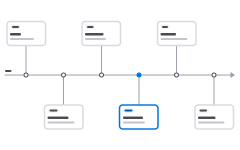
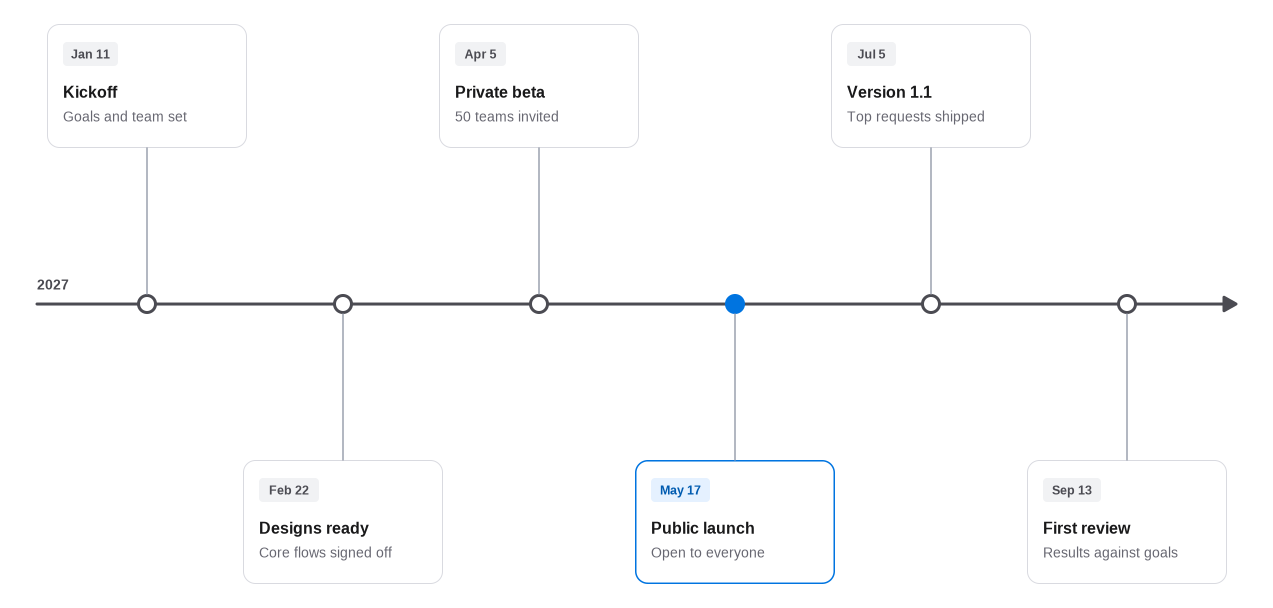
This template is one horizontal rail with six milestones for a product launch in 2027. Each milestone is a dot on the rail and a card that holds a date, a name and one line of detail. The cards alternate above and below the rail, so there is room for all six without crowding.
The rail and its dots
The rail is the time axis. It carries a year label, 2027, at its left end, and a dot for each milestone. A short connector joins each dot to its card.
The first card sits above the rail: Jan 11, Kickoff. The second dot’s card hangs below. Alternating like this is more than decoration. Six cards of this width would not fit side by side on one side of the line, and staggering them lets each dot stay close to its neighbors while the text stays readable.
The dots here are evenly spaced, which keeps the layout tidy. The dates on the cards carry the real intervals.
What goes on a card
Every card has the same three lines, in the same order:
- The date, at the top and in the largest type: Feb 22.
- The milestone, in two or three words: Designs ready.
- One line of detail that says what the name means: Core flows signed off.
The next card below the rail follows the pattern exactly: May 17, Public launch, Open to everyone. Keeping the structure fixed means a reader learns it once and can then scan the six dates alone, or the six names alone.
Write milestones as results
Compare “Design work” with what the template says: Designs ready. The first is an activity that stretches over weeks. The second is a moment you can point to on a calendar, and that is what a milestone is.
The detail lines make each result checkable. Private beta is not just a label: 50 teams invited tells you how to know it happened. Version 1.1 means Top requests shipped. First review, on Sep 13, means Results against goals. Write your own cards the same way. Name the outcome, then add the one fact that would prove it.
How to use the timeline template
- Open it as a new board. Use this template places the launch timeline in your workspace, ready to edit.
- Set the span. Change 2027 on the rail to your own period: a year, a quarter, or a range such as 2019 to 2027 for a company history.
- Choose the moments that matter. Six is a good number. Replace Kickoff, Private beta and the rest with events a reader would miss if they were gone, and drop the routine ones.
- Fill each card top to bottom. Type the date, then a short name, then one line of detail. Keep the date format the same on every card.
- Add or remove cards in pairs. Duplicate a dot with its card to extend the rail, and keep alternating above and below so the spacing holds.
When a timeline is enough, and when it is not
A timeline is right when the message is the order of events and their dates: a launch plan for a slide, the story of a project for new team members, a product’s history for a customer. It is easy to read because it shows so little.
It does not show how long anything takes, who owns it, or what depends on what. For durations and overlap, use a Gantt chart. For a project plan with workstreams, the project timeline has more room. To track whether each date is being met, use the milestone tracker. The guide how to make a project timeline goes further into planning.
Questions about the Timeline template
How many milestones should a timeline have?
Five to ten. Fewer than five rarely needs a diagram, and more than ten turns into a list nobody reads to the end. If you have more, group them into phases and show one timeline per phase, or keep only the events that changed the direction of the work.
Should the spacing between dots match the real time between dates?
It depends on the purpose. Even spacing, as in the template, is cleaner and works when the order matters most. Spacing to scale is better when the gaps are the message, for example to show a long quiet period before a busy one. If you space evenly, always print the dates.
What is the difference between a timeline and a Gantt chart?
A timeline marks points in time. A Gantt chart draws bars with a start and an end, so it shows how long tasks last, which ones overlap and which depend on others. Use a timeline to communicate a plan and a Gantt chart to manage one.
Can I export the timeline for a presentation?
Yes. Export the board as PNG or SVG and place the image on a slide, or as PDF to send on its own. A JSON export is also available. The exported picture keeps the layout you see on the board.